• Hello MLAers! We've re-enabled auto-approval for accounts. If you are still waiting on account approval, please check this thread for more information.

Another IIci ROM hack

So I've got a pair of bootable ROM SIMMs for my IIsi, one with a MUUUCH more generous memory mapping structure . . .

. . . but, ostensibly, similar PseudoSlot address (3 Slots) limitations. :-/

Now if I were to try a Quadra 950 ROM Image . . . }:)

< . . . scratches head, still wondering how a IIx with a IIsi ROM SIMM on board can handle ALL SIX Nubus slots . . . >
bbraun, I've been looking for the reference you made to the IIsi ROM in your IIx not working as well as the IIsi DevNote might have stated/implied.

1) Are you sure it wasn't the IIcx that was mentioned in the DevNote? (that'd make a whole lot more sense!)

2) What page is it in the DevNote? After I find my .pdf I'd like to look at that part!

The whole memory mapping scheme that's laid out in the Mac ROM Docs has my head spinning. I'm trying to get a IIsi to address more than the ROM's specified THREE PseudoSlot Addresses. But you're using the same stock IIsi ROM successsfuly, for the most part, to address the IIx's SIX NuBus (also PseudoSlot) addresses.

4) What gives?

5) Maybe try out the Quadra 950 ROM Image in your IIx and see if the IIsi ROM's incompatibilities automagicly disappear? ;)

Happy TurkeyDay to my comrades in the US and a wonderful Harvest Festival to the rest of you around the globe!

 
The IIsi dev notes page 74 says:

The Macintosh IIsi computer uses a universal ROM that will run on any of the Macintosh II–family computers. At startup, the ROM code determines which hardware features are available on the Macintosh IIsi computer and configures itself to use those features.
And indeed it does run! But the issues I ran into are: RocketWare apparently thinks the IIx is a IIsi and won't run, and the Minimal System installs for a IIx also don't run with the IIsi ROM. I haven't dug into it, but the Minimal System installs are apparently checking the machine time and (possibly) the revision byte, since changing both of those fool the min system.

 
bbraun, take a set of Quadra 950 ROMs and call me in the morning! [;)] ]'>

edit: I just waded through the last 20 pages/1,000 topics in the "all results" view of the "View active topics" list! 8-o

This introductory "IIci ROM hack" thread, the contributions of info and suggestions by many comrades . . . < gotta make a listing >

. . . and even the start of new, interrelated hack projects, such a bbraun's amazing ROM-Disk hack . . .

. . . have blown this thread right off the charts in just four months.

The only remaining topics with more posts/pages are the four years longer running:

Post your desktop on p.32 ATM . . .

. . . and What are you listening to? on p.31 as I type this!

What an amazingly Synergistic Hackin' Consortium :approve:

Thanks ever so much for joining us, dougg3, and for instigating all this fun! [:D] ]'>

 
Q950 ROMs won't help the two problems I've mentioned, since the problems appear based on things checking the machine type & rom revision and making assumptions based on that. The "solution" is to modify those values in the ROM and hope for the best.

However, the newer the ROM, the larger it is generally speaking. The Q700 (all 040's?) and up ROMs are all 1MB. That's the entirety of mapped ROM space under older OS releases, so you don't have any space to play with. So, my general rule is: unless there's a specific reason to use a newer/larger ROM (such as 32bit cleanliness, faster ROM FPU routines, newer Something Manager releases, etc.), stick with the smallest ROM (typically the original shipping ROM for that system) to maximize the available space to play with.

For the moment, I'm using the stock IIx ROM just to minimize variables in my ROM disk hacking.

 
Good points, which brings up the question:

What benefit does the IIsi ROM give you over the Stock IIx ROM other than removing the requirement of running MODE 32? :?:

I'm beginning to wonder if I really need a newer ROM on my IIsi, given the statement in the DevNote and your experience with it in the IIx.

If I just add the extra Cards and the IIsi polls them at startup, I wonder if it will address more than the three PseudoSlot addresses specified?

If I hack the NuBus adapter's Slot ID, That ought to let me run the three spec'd addresses from cards in the subterranean expansion bay. }:)

 
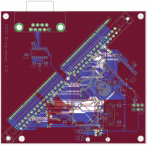
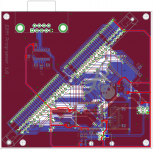
Here's the latest design. I found and fixed a few more stupid traces, cleaned up a lot of the traces so they look nicer when they go into IC contacts, added the jolly roger and used an LED for an eye, and that's about it.

I couldn't figure out how to import an EPS file into EAGLE, so I turned the Jolly Roger into a BMP and used its included BMP import script.

SIMM-2011-11-25--2.png

 
With those SIP Headers, will it be possible to build a breadboard to program just about any ROM package?

Specifically, I'm thinking about hacked DuoDock & MiniDoc DeclROMs. On the other hand, updating the DeclROMs on Video Cards etc. that are long out of producyion from companies that no longer exist might be kinda nice too!

 
The only remaining topics with more posts/pages are the four years longer running:
Holy cow! I didn't see what you had written earlier until now. That's awesome! Thanks jt :-) It's been a blast and it continues to get even better as bbraun makes the SIMM contain a ROM disk. Who knows what other possibilities are in store for this thread... :)

With those SIP Headers, will it be possible to build a breadboard to program just about any ROM package?
Yep! I do believe so. Except for the VCC/GND pins, each one of those pins is pretty much its own IO pin connected to either the microcontroller or the IO expander. So as long as the ROMs do not need a higher Vpp voltage for programming, and they have fewer than however many pins I have going into it, we could definitely add a connection to it. (And it would take firmware support for that chip, of course...)

I've started writing some of the basic drivers for the programmer board already, even though I don't have a board or CPU on hand. Just getting familiar with the IO expander IC and how read/write cycles work on the Flash chips...

Also found a little bug on the board already. Glad I haven't had any manufactured yet. The pullup resistor on the IO expander chip's /RESET pin should be a pulldown resistor, keeping it in reset until I tell it to go out of reset. It's there because the AVR ISP programming also uses the SPI bus, and I'd like the IO expander chip to butt out while I'm programming the AVR :)

 
JT, the interrupt for each slot has support in hardware. So even though all the ROMs for both three and six slot models may have code to poll six slots when an interrupt occurs, the interrupt signal line(s) from the slot need to be connected properly.

I don't know how the 68030 models handle the hardware end -- I think it involves the VIA registers -- but in the PowerMac x500 models, the Grand Central chip has a pin for each interrupt and the interrupt wire from each PCI slot must be connected to a unique interrupt pin on Grand Central. Since the PCI slot IDs are coded into the ROM/Open Firmware Device Tree in those models, I suspect that the interrupt used needs to match the PCI slot address.

Anyway, the point is, that expanding the number of slots supported goes beyond providing support in the ROM and hooking up the expansion bus. The interrupt line connection can be pretty complicated.

 
dougg3,

It looks to me that some work still needs to be done around IC2 (SOIC package?).

What is your setting for copper pour back-off or something? I would increase it a bit.

It all depends, of course, how good your PCB manufacturer is. If the traces are too close to each other or too close to large copper areas, shorts might develop. (been there)

What colors represent which layer, btw?

 
I'll see what I can do with some of the traces on IC2...thanks!

You're right, I had the copper pour isolation set too low. I upped it to 12 mils or so, but now I'm running into problems with my ground planes disconnecting from each other. So I have some issues to solve there...

Red is the top layer. It's VCC except for the section surrounding the crystal, which is ground. Blue is the bottom layer and it has a ground fill.

 
dougg3, you mean the whole top layer is connected to + 5V? Not that it's wrong.... it's rather unusual. Normally one dedicates the whole layer to VCC when there are 3 or more layers available.

When there are only two layers availble I usually route +VCC as traces, dedicate one side to GND and connect all large copper islands on the other side to GND with several vias evenly spread around that copper island. That's when working with clock rates up to 25 MHz.

P.S. I know, giving advice is soo easy... ;) Good luck!

 
Yes, exactly, ojfd. Everywhere you see big red areas (except around the crystal) its connected to +5V. I do have thick +5V traces routed to everywhere inside the copper fill (the copper fill just covers them up), so it won't be a big deal to change the top copper fill to GND if needed.

I guess I was under the impression that a ground pour on one side and a VCC pour on the other side was common. I'm definitely not opposed to changing it so the top is ground too though :) I'm new to this PCB design stuff so I appreciate the help from more experienced people such as you :)

Would you mind looking at my +5V traces after I change the copper fill? I'm a little worried because I have no idea what I'm doing when I route the +5V traces and the copper pour kind of masked my concerns :) for example, does it matter how I do the traces as long as they are thick and touch each part that they are supposed to touch? Or are there more complicated rules about how they are supposed to be connected?

Thanks for all the tips/suggestions you've been giving me!

 
Would you mind looking at my +5V traces after I change the copper fill?
No problem, but try not to overdo your design, if it works, then it is ok as it is.

I just thought that, if you route your VCC as traces and leave GND issues out for a moment it might turn out as simpler design.

Or are there more complicated rules about how they are supposed to be connected?
There are some, but I don't think these apply to your board. I'll see what papers on this subject I can dig up.( if I could only remember their names and where they are...)

One good idea is to separate ICs by using ferrite beads in their VCC lines and capacitors to GND after them. As bonus you gain space underneath those beads to route traces there, in cace where they will otherwise cross. I also don't see any larger (10uF +) filtering caps on your board. At least one would be good to buffer VCC that's coming from USB. SMD or 'thru hole', whatewer works.

EDIT - here's one by respectful Dutch engineer who also deals with mixed signal stuff, just like me:

http://www.tentlabs.com/InfoSupport/Technology/page35/files/Supply_decoupling.pdf

Quote from that paper:

Never use power planes. It is not needed, as dc-supply currents only need small traces. A power plane may resonate with the groundplane: your PCB will act as dipole antenna!
I knew, it was something like that, nice to have it confirmed by someone else. But as I said before, it might work OK on your board, so don't worry too much about it :-)

EDIT 2 - see end of the paper Appendix 1:

http://www.micrel.com/_PDF/HBW/App-Notes/an-01.pdf

 
When there are only two layers availble I usually route +VCC as traces, dedicate one side to GND and connect all large copper islands on the other side to GND with several vias evenly spread around that copper island. That's when working with clock rates up to 25 MHz.
That's good info! I've made several custom PCBs over the past two years, all of them with GND and VCC pour on the top and bottom like Doug did, just because that's what seemed intuitive to me. But I don't have any formal training in PCB layout, and have just been winging it. I wish there were some kind of "PCB layout for Dummies" to learn from. I've been adding bypass capacitors, and trying to minimize trace lengths, but otherwise it's all just seat of the pants engineering. Fortunately everything I've designed so far has worked. :-)

 
p.23 & gaining! ;)

JT, the interrupt for each slot has support in hardware. So even though all the ROMs for both three and six slot models may have code to poll six slots when an interrupt occurs, the interrupt signal line(s) from the slot need to be connected properly.
I don't know how the 68030 models handle the hardware end -- I think it involves the VIA registers -- but in the PowerMac x500 models, the Grand Central chip has a pin for each interrupt and the interrupt wire from each PCI slot must be connected to a unique interrupt pin on Grand Central. Since the PCI slot IDs are coded into the ROM/Open Firmware Device Tree in those models, I suspect that the interrupt used needs to match the PCI slot address.

Anyway, the point is, that expanding the number of slots supported goes beyond providing support in the ROM and hooking up the expansion bus. The interrupt line connection can be pretty complicated.
Thanks for the informed input, trag. Your mastery of hardware/firmware is much envied by this technically untrained comrade. :approve:

I was ASSuMEing that the NuBus Bridge Chipset handled the Two Slot (DuoDock's Gemini Slot Splitter Card w/Slot Assignments ____ and ___ ), Three Slot & Six Slot NuBus implementations, which are ASSuMEdly Buffered by that ChipSet from the rest of the I/O structure of the Mac Hardware.

The evidence that leads me to that conclusion would be that the NuBus Slots on the DuoDock remain active even with the Dock's DeclROM removed/disabled. In this configuration, all related Dock Services (and all the Dock's remaining circuitry?) are disabled. This was the basis for my plans to create the NuBusMiniDock™ hack for the DuoBoomBoxDock™ hack back in the day. There was a prize of a Mac offered by ________________ , one of the mods over on 'fritter, for the first one to hack some kind of Stereo System ten or so years ago.

The DuoDock Gemini Card uses the same _________________ Chipset as the IIsi's NuBus adapter, while the Dock+ uses the NuChip (____?____) Bridge Chipset, not that that matters. Considering that the Expanse Boxes made it possible to use extra PseudoSlot (my guess) NuBus IDs to be addressed by the Mac, I was hoping that a Six Slot ROM would Make the Extra IDs available in Firmware, while changing the NuBus Slot ID glue on the IIsi's NuBus adapter would give me a fourth PseudoSlot (NuBus) ID freeing up the IIsi's PseusoSlot ____ for Three PDS Card/NuBus slung underneath the MoBo, addressed in the IIsi's stock Memory Map. That, along with allowing a full compliment of RAM to be addressed in the unbuffered Bank A.

No Video Sense Lines/Cable polled on the Vampire Video Connector at startup = No buffer enable = freeing up the "normally" buffered Bank A for HACKING . . . }:)

. . . maybe! ::) It seems as though I've gotta study a bunch of Block Diagrams again . . . :-/

. . . not to mention the NuBus Spec for identifying the digital glue that determines the Slot ID! FEH! :p

Let me know if you think I'm heading for a dead end or three!

Thanks to ojfd's help in my IIfx/CD 5 year tune-up . . . thread, I've now got a chance to determine new info on Slot Id's! [:D] ]'>

file.php


< . . . reminds self to change name of thread to ___ & NuBus Card Madness or some such . . . >

__________________________________________________

I'll edit in all the blanks left for Slot IDs, Chipset and ASIC info when I get a chance.

 
One good idea is to separate ICs by using ferrite beads in their VCC lines and capacitors to GND after them. As bonus you gain space underneath those beads to route traces there, in cace where they will otherwise cross. I also don't see any larger (10uF +) filtering caps on your board. At least one would be good to buffer VCC that's coming from USB. SMD or 'thru hole', whatewer works.
Hey ojfd, thanks for all the detailed info! Wow! I really appreciate all of the info you dug up. I didn't even think about the benefits for routing by creating places that can be crossed. I saw that ferrite beads are a good idea (I think in the AVR documentation?) but I have been skipping them because I wasn't sure if they mattered for my application. If I added beads to my microcontroller would I need a different set of them for each VCC/GND pair on the microcontroller?

I actually do have a 10uF capacitor just to the right of the USB connector, on the bottom side of the board. I actually read that the value of that capacitor should not be any bigger than 10uF for USB (otherwise you get too much inrush current when it's first plugged in?).

Never use power planes. It is not needed, as dc-supply currents only need small traces. A power plane may resonate with the groundplane: your PCB will act as dipole antenna!
I knew, it was something like that, nice to have it confirmed by someone else. But as I said before, it might work OK on your board, so don't worry too much about it :-)
OK, thanks! This is really good info to know :)

I am using smaller bypass capacitors (particularly on the microcontroller) because the bigger they are, the more routing space they take up, making it harder to route the traces for pins directly next to the VCC/GND pins.

I wish there were some kind of "PCB layout for Dummies" to learn from. I've been adding bypass capacitors, and trying to minimize trace lengths, but otherwise it's all just seat of the pants engineering. Fortunately everything I've designed so far has worked. :-)
Haha, exactly! I'm in the exact same boat. I'd love to read a book like that too. The whole PCB layout is a lot tougher than it sounds. I have a lot of respect for people who design PCBs!

Edit: Here is what the PCB looks like with VCC as traces. All of the copper pours are GND. I have highlighted VCC so it's easy to see:

SIMM-2011-11-26-VCC.png

I had some isolated areas that didn't have a fill before, near the middle of the board. Some of them overlapped with areas on the other layer that did have ground available, so I used vias to connect them and fill in the empty spaces. In some cases, this new fill then overlapped with an empty area on the other layer, so I added yet another via, and now a bunch more of the board has a copper pour. Is this OK/advisable to do, or am I creating some kind of crazy antenna or RF emitting? ;) Or does it not matter at all?

 
Hey, guys, RELAX! As long as you don't have to deal with high clock rates, transmission lines, ground bounce, mixed signal, clock coupling into sensitive analog nodes, thermal drift and all that sort of stuff, I think your boards will work just fine the way you've designed them and it will not matter whether they have power plane or not. :-)

And, btw, I have great respect for you, programmers. That stuff is mostly double dutch to me (although I've been successfull with ResEdit on a couple of occasions ;-) )

 
Is this OK/advisable to do, or am I creating some kind of crazy antenna or RF emitting? ;) Or does

it not matter at all?
It is OK - I would do it. I come from school where more ground is always good, but, as I've said before, it might not matter at all in your particular case

Board looks nice, btw.

 
Back
Top