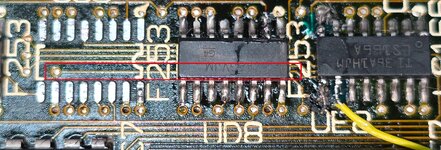
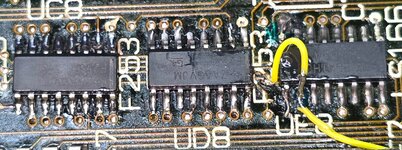
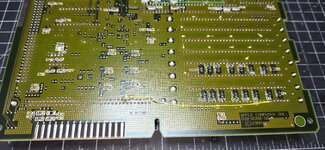
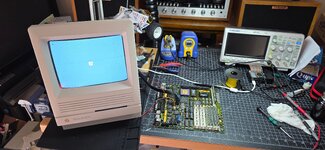
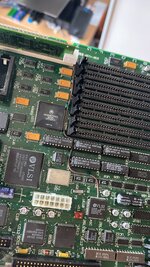
Got confused by the pin count, all the UE10 pins are now connected correctly and not missing anywhere.
Still Simasima and no sound. Will keep going tomorrow.
Still Simasima and no sound. Will keep going tomorrow.
Last edited:


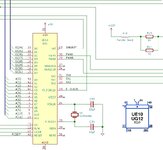
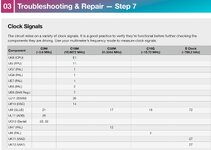


is there something off here?
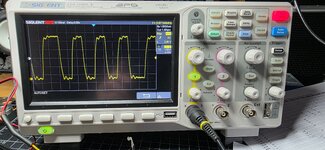
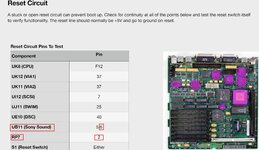
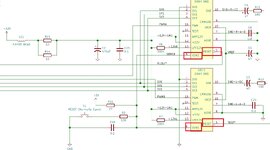
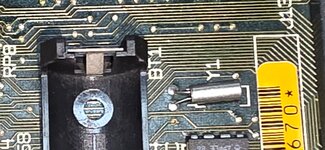
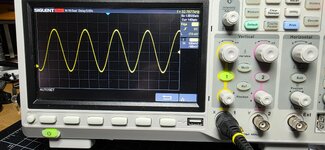
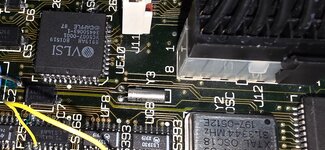
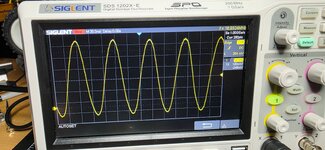
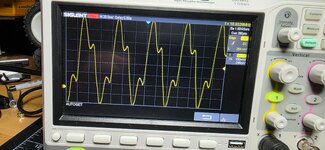

To me Y3 is most likely fine.When I look at the schematic I see both Y3 legs are attached to UE10, Xtal In and Xtal Out. Should both Y3 wave forms be exactly the same, like Y1 is? Does Y3 go bad?
I should've said that I was testing the ROM slot by connecting the scope to the pins themselves, without the ROM in the slot - I'm seeing problems with the wave forms at the pins.I didn't read all your diagnostics, but did you try to tighten the pins of the ROM slot? I’ve already had this issue.
I didn’t have any sound, or chime and simasimac pattern, just like you.I have not tried to tighten the pins, I have wiggled the ROM in the slot and never get any change.
Did you have a chime with loose pins, or ever get it to chime in that condition?
I had heard that just one ROM connection missing will take down the entire system, but I was thinking the chime would still offer a diagnostics in such a scenario.I didn’t have any sound, or chime and simasimac pattern, just like you.
I don’t remember how many pins, or which ones, were not making good contact. But it depends — I’ve already had a broken trace between an address line on the ROM and the sound chip; the machine booted just fine, but the sound was messed up.I had heard that just one ROM connection missing will take down the entire system, but I was thinking the chime would still offer a diagnostics in such a scenario.
Would you happen to remember how many of the pins or traces were not connecting properly from your ROM, in order to produce this result?
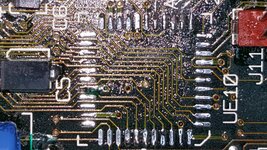
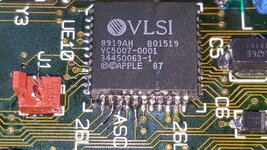
Just catching up with this scary SE/30 thread... It really looks like there are too many rotten traces here, but... Did you really bridge green pad on UE8 to the UD8 pin 15? I'm not sure that's right. Original Apple schematics show that green pad to be "VID(4)" signal, connected to pins 2 on both UC6 and UC7 (on-board VRAM I guess).