Radeon 9100 that I can't flash

indibil

6502
Hello.

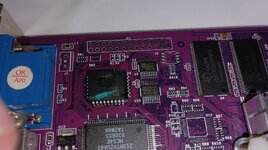
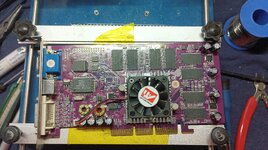
I recently acquired this 64MB Radeon 9100 (equivalent to a Radeon 8500LE), and just like I did with another 9100, I decided to flash it.
1779292169393.jpg1779292169449.jpg

The previous one worked with the original ROM by adjusting the speeds to 250/250.

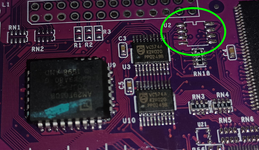
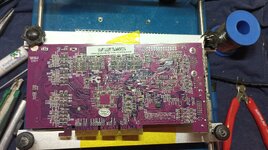
This graphics card came with a 64KB EEPROM, a PM39LV512, and since the original ROM is 128KB, I flashed it onto an AM29F010. I verified that the extra pin was traced on the PCB, and it was; it's routed.

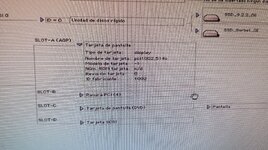
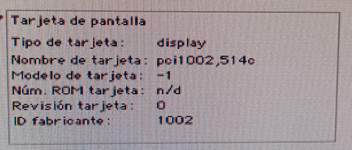
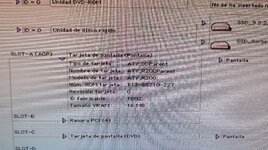
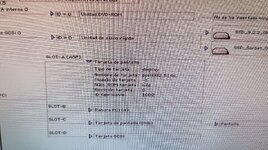
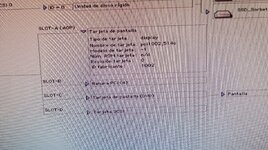
After soldering the EEPROM and installing it in a G4 GE, which now has a flashed 8500, there's no image. Using an ATI Rage Pro PCI card, I can access the system profile and view the information, but it doesn't match what the 8500 displays.

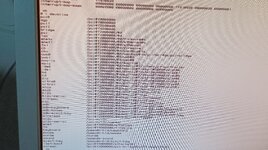
Working Radeon 8500:
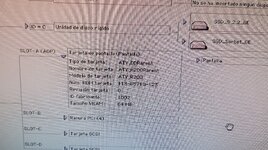
1779292169507.jpg

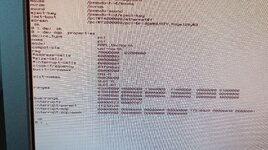
Radeon 9100 flashed:
1779292169562.jpg

Does anyone have the ability to review the two dumps I've attached and see if there are any incompatibilities? I also have the ROM that @joevt modified many years ago, but I don't know if it would be more compatible or if they're similar. I'm attaching it as well.

Thanks.

 

Attachments

Looks like the ROM did not get applied correctly? Can you use a flashing utility to read the ROM?
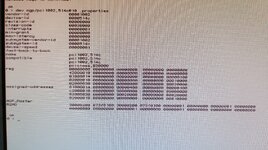
What does .properties show for the GPU in Open Firmware?
Does it show that a PCI Option ROM exists and is 128K? If so, can you map it in Open Firmware and dump the hex?
 
Looks like the ROM did not get applied correctly? Can you use a flashing utility to read the ROM?
What does .properties show for the GPU in Open Firmware?
Does it show that a PCI Option ROM exists and is 128K? If so, can you map it in Open Firmware and dump the hex?
Thanks for replying.

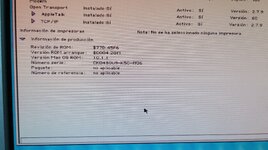
Before seeing your response, I decided to flash the original PC ROM to a 128kb EEPROM to see what Apple System Profiler would show, and it shows exactly the same thing as with the Mac ROM we saw earlier.

1779468885286.png

I use an Ati Rage Pro 1128 PCI to be able to view the 9100 AGP.

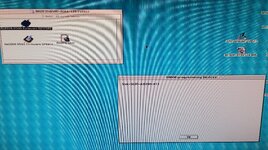
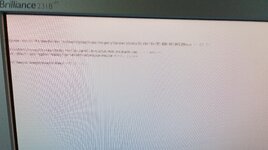
I used a 128kb EEPROM to try to patch it with the update released by ATI, but it doesn't work, and sometimes it shows this error:

1779467230809.jpg

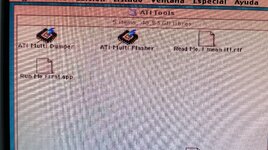
Next, I performed a DUMP from OS9 using "ATI Multi Dumper", both from the PC ROM and the Mac ROM, soldered onto the board.

1779467705141.jpg

I've attached the files, but I think I've already located the problem: it's only accessing 64kb of the EEPROM, even though it has a 128kb chip.

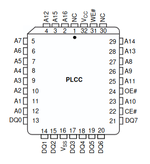
On the PCB, there's a trace coming from pin A16, the only additional pin compared to the 64kb EEPROM, but I don't know where it should go.

1779469529930.png
Do you know where this A16 pin should be connected?
 

Attachments

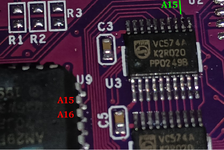
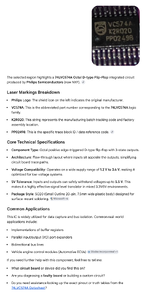
It appears that the EEPROM addressing passes through these ICs, which seem to be VCS74AK2R020, but I'm unable to find any datasheet with this part number.

A15 connects to pin 12, but A16 doesn't connect to any pin. Without desoldering it, pin 11 appears to be unconnected. Perhaps it should be connected there? Will I need to remove them to see where all the addresses go?

1779475166918.png

1779474308332.jpg
 
I copied your last image, cropped the chip, and went to Google Images to do a search for the image.
It says this:
Google search 74LVC574A.png

It links to this Datasheet:
https://www.futurlec.com/Datasheet/74LVC/74LVC574A.pdf

I suppose there's two of those to buffer 16 address lines. You want to buffer 17 lines A0-A16 (2^17 = 128 kiB) but there's not enough pins. That means you need another one of those 74LVC574A for the last address line.

That seems strange to me. I don't recall ever reading about this problem - where an ATI graphics card can't connect a 128 kiB chip.
Why does it look like one of the 74LVC574A is connected to the other?
Do the two 74LVC574A share the same Output Enable signal?
What about the Clock Input signal? Is it connected? Do both chips share the same Clock Input signal?
Have you mapped all 17 address lines?
Are these address lines connected to the PCI address lines?

Check .properties in Open Firmware to see if the ROM is recognized as 128 kiB.
 
Okay, let's see if I have time this weekend to investigate further.

Perhaps it would be possible to replace the EEPROM with an M25P10 in U2?

Captura de pantalla de 2026-05-23 07-19-27.png
 
Last edited:
My guess is that one of those empty locations on the PCB may be for a different type of flash chip, but I have no references to base that on. Compare with other Radeon 9100s?
The PCB doesn't look like any of the other 8500/9100 boards I have; the others use M25P10s. I can try to check for continuity at U2, but I suppose I'd have to disconnect Vcc from both 74LVC574As to be able to use an M25P10.
 
Last edited:
My guess is that one of those empty locations on the PCB may be for a different type of flash chip, but I have no references to base that on. Compare with other Radeon 9100s?
I took a few minutes to test this out before getting down to my weekend work.

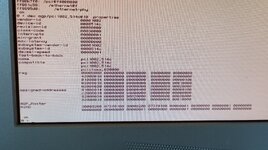
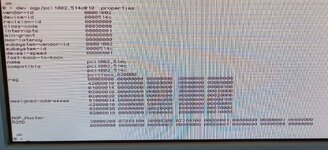
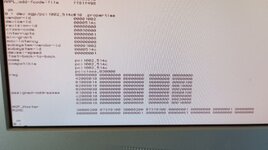
I tried displaying the .properties in OF, but I'm not sure if I did it correctly; I've attached it.

I also tried adding an M25P10 and simultaneously disconnecting Vcc on the 74LVC574A, but I get the same result and the same information in both OF and Apple System Profiler.

1779516180673.jpg
1779516180712.jpg
 
I tried displaying the .properties in OF, but I'm not sure if I did it correctly; I've attached it.
The agp device is the pci host controller for the AGP slot. PowerPC Macs can have multiple PCI controllers each with their own PCI bus.

The AGP graphics card is probably a child device of the agp device. agp is a devalias for the pci@f0000000 device. pci0 is another devalias for the same device.

I think the AGP bus usually has only one child device but there exists some AGP cards with multiple PCI function numbers or a PCI bridge with multiple PCI device numbers.

Type dev / ls to get a list of devices.

You are looking for the pci1002,514c device. Maybe it will be agp/pci1002,514c?
Alternatively, you can use the device number agp/@D (might be something other than @D)

Alternatively, you could do a dump-device-tree to get properties for all devices.
But first, you should learn how to connect using telnet so that you can capture the output as text.
https://forums.macrumors.com/thread...l-work-in-a-beige-power-macintosh-g3.2303689/

What version of Open Firmware does your Mac have?
 
Hi @joevt , it's working now, I followed your steps. But, could it be that it's not reading the EEPROM but the information from the GPU? Because I've run the .properties file both with the M25C10 MOD (disconnecting Vcc on the 74LVC574A) and with the "original" EEPROM, and I get the exact same result with both. Note that both dumps were from the EEPROM with the Mac ROM.

original EEPROM MAC ROM.jpg

m25c10 MAC ROM.jpg

It's a PM_G4 GE, with this version of OF, I think it's the latest.

IMG_20260523_113106.jpg

There's also a 64kb ROM available on Wikidot, but it only works after booting and loading the drivers; it wouldn't be recognized by OperaFirmware. With your current knowledge, would it be possible to modify this 64kb ROM to make it fully compatible with the G4? I've attached it.
 

Attachments

Does anyone have the ability to review the two dumps I've attached and see if there are any incompatibilities? I also have the ROM that @joevt modified many years ago, but I don't know if it would be more compatible or if they're similar. I'm attaching it as well.
ati_hack_unique_9100_126_pciagp_full.rom appears to be one I created. It has an older ATY,Fcode version 1.85 and is missing AGP properties. It has been greatly modified with many words made external and given custom names.

ati_8500_227_250-250_full.rom has ATY,Fcode 1.94 and has AGP properties.

PC ROM 64kb Lila.BIN appears to be a bad dump. It's missing the PCI Header (missing PCIR string). It looks like some bits got stuck high.

Which did you use in your previous 9100 flashing experiments?

Next, I performed a DUMP from OS9 using "ATI Multi Dumper", both from the PC ROM and the Mac ROM, soldered onto the board.

View attachment 99093

I've attached the files, but I think I've already located the problem: it's only accessing 64kb of the EEPROM, even though it has a 128kb chip.

On the PCB, there's a trace coming from pin A16, the only additional pin compared to the 64kb EEPROM, but I don't know where it should go.
The PC ROM is the same corrupted dump as PC ROM 64kb Lila.BIN.

The Mac ROM appears to be the last 64K of ati_hack_unique_9100_126_pciagp_full.rom because the highest address bit (pin A16) isn't connected. This means the PCI header does not exist.

But, could it be that it's not reading the EEPROM but the information from the GPU? Because I've run the .properties file both with the M25C10 MOD (disconnecting Vcc on the 74LVC574A) and with the "original" EEPROM, and I get the exact same result with both. Note that both dumps were from the EEPROM with the Mac ROM.
Both your Mac ROM and PC ROM have invalid PCI Headers so the ROMs are ignored. Of course, the PC ROM would be ignored even if it had a valid PCI header because it does not contain an Open Firmware image, it only contains a BIOS image.

There's also a 64kb ROM available on Wikidot, but it only works after booting and loading the drivers; it wouldn't be recognized by OperaFirmware. With your current knowledge, would it be possible to modify this 64kb ROM to make it fully compatible with the G4? I've attached it.
That 64K ROM was created incorrectly and has a couple mistakes which might cause it to not execute properly.

I've attached a corrected version using ati_8500_227_250-250_full.rom as the base.
The Forth source code for the ROM is at Test1/Forth/ati_8500_227_250-250_64k.4th
The generated ROM is at Test1/ROMs/ati_8500_227_250-250_64k.rom
The SCLK and MCLK are both set to 250000 (3d090 hex).
My scripts and commands for generating the ROM (toke) and getting the Forth source (DumpPCIRom.sh) are at https://github.com/joevt/OpenBIOSStuff
The BBEdit worksheet shows how to use the commands.

The 64K ROM was reduced from 128K by removing the Mac OS driver. That means the driver must exist in the System Folder as installed by one of these:
https://gona.mactar.hu/ATI_Mac/
 

Attachments

I tried displaying the .properties in OF, but I'm not sure if I did it correctly; I've attached it.
That appears to be the correct device in Open Firmware. Both screenshots shows a ROM of 128K (in the reg property for the ROM BAR at config address 0x30). All the info comes from the PCI card (except the R2AD property), not from the ROM since the ROM has an invalid PCI header in both cases.

R2AD is a property stored in nvram by the Mac OS driver and loaded by Open Firmware to the device at pci1/@10 (or whatever path the PRINT-AAPL,PCI command shows). R2AD stores info such as the last screen resolution and color depth for the ATI Radeon card.
 
ati_hack_unique_9100_126_pciagp_full.rom appears to be one I created. It has an older ATY,Fcode version 1.85 and is missing AGP properties. It has been greatly modified with many words made external and given custom names.

ati_8500_227_250-250_full.rom has ATY,Fcode 1.94 and has AGP properties.

PC ROM 64kb Lila.BIN appears to be a bad dump. It's missing the PCI Header (missing PCIR string). It looks like some bits got stuck high.

Which did you use in your previous 9100 flashing experiments?
All those dumps were made by removing the EEPROM and reading with a TL866. The contents of "PC ROM 64kb Lila.BIN" are exactly as read by the TL866. And the ROMs tested were programmed with the TL866. Perhaps something is preventing the entire ROM from being read? If .properties shows 128kb, why does the dump only show 64kb?

The PC ROM is the same corrupted dump as PC ROM 64kb Lila.BIN.

The Mac ROM appears to be the last 64K of ati_hack_unique_9100_126_pciagp_full.rom because the highest address bit (pin A16) isn't connected. This means the PCI header does not exist.
As I understand it, the Mac ROM contains the last 64KB of the 128KB ROM, so could it be that the first 64KB are in a separate EEPROM and are read separately? That's why we always see the same values in Apple System Profiler.

Both your Mac ROM and PC ROM have invalid PCI Headers so the ROMs are ignored. Of course, the PC ROM would be ignored even if it had a valid PCI header because it does not contain an Open Firmware image, it only contains a BIOS image.
As I was saying, both were written with the TL866, removing the EEPROM.

That 64K ROM was created incorrectly and has a couple mistakes which might cause it to not execute properly.

I've attached a corrected version using ati_8500_227_250-250_full.rom as the base.
The Forth source code for the ROM is at Test1/Forth/ati_8500_227_250-250_64k.4th
The generated ROM is at Test1/ROMs/ati_8500_227_250-250_64k.rom
The SCLK and MCLK are both set to 250000 (3d090 hex).
My scripts and commands for generating the ROM (toke) and getting the Forth source (DumpPCIRom.sh) are at https://github.com/joevt/OpenBIOSStuff
The BBEdit worksheet shows how to use the commands.

The 64K ROM was reduced from 128K by removing the Mac OS driver. That means the driver must exist in the System Folder as installed by one of these:
https://gona.mactar.hu/ATI_Mac/
Thank you so much, I'll try. I hope I can find some time today. I'll keep you posted. :)
 
@joevt, here's a summary of the test1 results.

First, I booted as usual, with the Radeon 9100 without a display, alongside an ATI Rage Pro 128 PCI card with the VGA display connected. It boots, but when it gets to the OS9 desktop, it doesn't load. This symptom, which occurs when using another Radeon card with the 8500 drivers, has happened to me before. Then I booted with extensions disabled, and it booted. It seems to display the information correctly (only 16MB), but I can't perform a dump because ATI Multidumper doesn't work with extensions disabled.

1779606098055.jpg

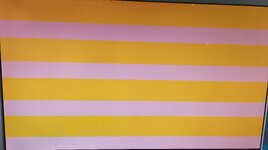
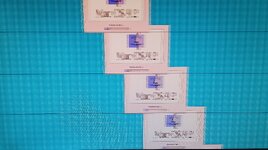
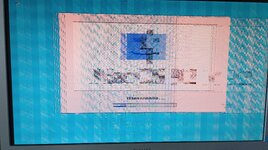
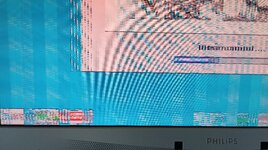
Then I removed the ATI Rage Pro and connected a DVI monitor to the 9100, and tried to access OF and also boot up, but neither works well, OF is not displayed correctly and the boot process gets stuck.

1779606097984.jpg
1779606097903.jpg1779606097871.jpg

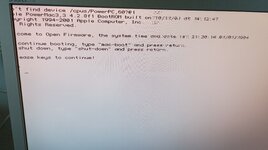
Then I repeated it with VGA and it seems I can see OF, but it gives an error:

1779606097843.jpg

And if I try to start it, it freezes at the same point.

1779606097798.jpg
1779606097757.jpg1779606097730.jpg

Do you think I should try the original "PC HACK ROM"?


.
 
Back
Top