



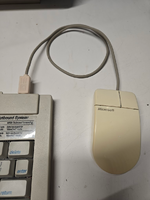
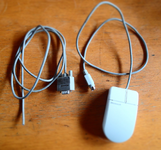
Ah, yes, that ID is for the serial mouse - you want the bus mouse version. Mine was marked C3K5K59937. Glad you got it working!I bought a Microsoft InPort Mouse C3K5K5COMB and found that it wasn’t a simple pull-up design — it actually uses IC control.
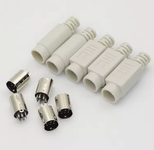
So I wired the mechanical encoder and microswitches directly to the DIN 8-pin connector.
I also added 4.7 nF ceramic capacitors between each of the four terminals of the mechanical encoder and GND to suppress contact bounce.
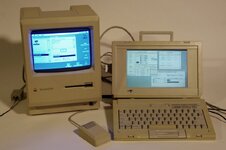
After 40 years, an external mouse is finally back on my Outbound.
Thank you.
Here’s another piece of information to share.
One possible cause of an Outbound failing to power on is a faulty reed switch in the power module.
The system is designed so that pressing the four keys activates the reed switch, which turns the power on.
The reed switch is still available today.
The power module is the aluminum case on the plug side of the AC adapter.
What did you do for the cable? All the serial cables I came across have a thick cable not suited for use as a mouse, initially I spliced a serial cable to the mouse but later made a custom plug casing out of ABS.





![IMG_2816[1].JPG](https://68kmla.org/bb/data/attachments/99/99007-b9dfaf67f45d791ebdf517391f81a31d.jpg?hash=ixPYp5Lmb0 "IMG_2816[1].JPG")
![IMG_2817[1].JPG](https://68kmla.org/bb/data/attachments/99/99008-a0971674d378cff35cf9cb8ded0074ae.jpg?hash=NuOVFAh9Xd "IMG_2817[1].JPG")


