• Hello MLAers! We've re-enabled auto-approval for accounts. If you are still waiting on account approval, please check this thread for more information.

Help Reviving a Dead Classic II?

CC_333

68040
Hi,

As I already posted over here, I just got this thing and it's dead.

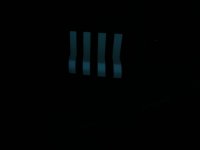
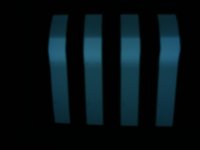
When I turn it on, it seems to only have enough energy to faintly engage the CRT, and I can then see the jail-bar pattern, with an odd anomaly: it seems to have a big "bulge" that runs vertically down the screen.

I stripped it down, and noticed on the analog/power supply board some odd looking, green-colored stuff on a transistor, near a cluster of capacitors. I suspect it is some kind of corrosion.

The logic board looks OK, with slight signs of corrosion near the capacitors (I am already in progress of acquiring some).

Thank you!

c

 
Hi,

Yeah, I know!

It seems these things should last just about forever.

I will start gathering parts and information in preparation for the 'procedure'.

c

 
Hi,

I had a thought... I noticed that the power connector on the Classic II's logic board is physically the same as that on the SE and SE/30. Is it possible that the wiring is similar enough that the Classic II board can be connected to an SE power supply without blowing up?

Probably not, but I thought I'd ask.

c

 
More thoughts/observations...

It's a given that the logic board needs recapping, however...

...Upon further inspection, I suspect that the power supply area of the analog board needs a recap job as well. The symptoms seem to fit with a lack of voltage, which is most probably caused by a bad capacitor or two (or three? or four?) somewhere in the power supply. I suspect that the CRT-driving area is okay because I get a relatively good, overall undistorted picture, with good vertical/horizontal action, although it is a bit on the dim side and slightly shrunken (which makes sense if there's not enough voltage, which wouldn't necessarily be caused by anything in the CRT-driving circuits).

I want to be strategic about this; I want to keep parts orders to a minimum for now by doing a minimal recap. Does anybody know which capacitors (and of what values) are most likely to cause this problem so I can replace just those?

Thank you,

c

 
good luck bro. if you have analog/power supply troubles you either recap the whole thing, or dont recap it at all. Its that way in the tube audio world as well.

You can try to be pickey and chosey by doing capacitance and ESR tests with all the capacitors.

 
Sigh...

I guess I'll just replace 'em all then.

Better start looking around for replacements...

It might be simpler to just get a replacement analog board.

c

 
All gonna have the same age caps :-)

Compare it with cars, same thing if your 80s car has bad rubber mounts, bad shocks, etc.. from age/use and its all stock factory. Not going to change if you replace it with another 80s car with all the same stock parts. (not replaced).

So replacing the shocks/rubber mounts, etc that age and cause problems in an 80s car to make it new again, is the same thing your doing to an 80s early 90s analog board by replacing its caps.

 
Right.

Well, I decided to bite the bullet and recap this one. As I removed them, I compiled a list of the values of capacitors and their locations in the cluster near the bottom of the board (near the speaker).

I found a bunch of green, gooey, yucky smelling gunk all over that area (capacitor fluid, I presume?), which I've cleaned off. Fortunately, the corrosion is negligible (except for a small amount on a nearby transistor/heat sink).

I suspect this was the reason for it not working; replace these, and it should work perfectly!

Thank you all (especially techknight) for nudging me in the right direction. Replacing it with another board which would most likely have a similar problem probably isn't a very good long term solution.

c

 
Yeah, that's electrolyte fluid. Good thing you're recapping this thing now and not later, the electrolyte leakage does more damage over time. Be sure to clean it properly off, use a toothbrush and some isopropanol alcohol to remove the goo.

This might have happened to the logic board as well, and those old-batch SMD caps leak even more goo all over, and it's quite stressy to repair traces if they're broken -- especially if it's a multilayer board (which I think it is).

 
Thank you for your concern, 8bitbubsy.

Fortunately, I caught it in time, I think.

The logic board looks OK (there is some slight corrosion, but nothing serious). I put it through a dishwasher cycle, and it came out nice and clean.

I will replace them anyway because it's a good idea.

c

 
Hi,

It took awhile, but I've replaced the capacitors on the logic board. Aside from a couple lifted pads, I think it went well.

I also replaced most of the capacitors on the analog board/power supply. However, they seem to have and no effect. The power supply is still quite problematic.

What happens is that the voltage starts off low (around 4.4 volts for the +5.00 volt line), and then rises as the computer warms up. When it gets to about 4.75 volts, the logic board is able to chime, but booting is problematic until it reaches about 4.8 volts. The logic board works fine, however, there's huge amounts of distortion on the screen, a known good mouse is extremely erratic, and even though the voltages are well above that necessary for the hard drive to spin up, it won't (actually, it did once, but it was erratic, and didn't last long before the drive decided it wouldn't work (a self-protecting mechanism of some kind?)).

For the fun of it, I measured the +5.00 volts and +12.00 volts with the meter set to AC, and I found .35 Volts AC on the +5.00 line and .28 (or thereabouts) on the +12.00 line. Could that be what's causing the problem?

As I was redoing the capacitors, I also noticed a resistor that seemed kind of brown looking compared to the rest. Could it be the problem?

I look forward to any advice/suggestions anyone may have.

c

DSCF4065.JPG

DSCF4066.JPG

Edit: This is probably due to some AC current leaking in from somewhere, but I would've thought that the AC current would blow things up.

 
I guess I can't add another edit.

I measured for AC current, and I found approximately .75 amps on the +5.00 line, and somewhere between .25 and .50 amps on the +12.00 line.

That doesn't seem right, does it?

c

 
Check the startup resistors on the PSU -- desolder any melted/weird looking resistor and measure them. Also check for bad solder joints, especially on the coils.

on't rely on in-circut measuring of components, it's never a good idea. Oh, and don't replace the PSU caps with mid/hi-ESR ones, it'll stress the PSU and make it unstable. Low ESR is the way to go in switching power supplies.

Gotta save that poor PSU while you can. Now it's :disapprove: but it might turn into }:) if you don't help him!

 
You can't measure current in parallel. If you're putting you probes at two points to measure current, you're doing it wrong. Current has to be measured in series, which requires you to cut something. That's why no one measures current. You have to calculate it. Measure the resistance and the voltage drop and use Ohms Law: I=V/R. As far as the 5v and 12v lines, those are DC. You should not be measuring them as AC, you won't' get the right reading.

 
Hi,

Good information! I'm still learning as I go a bit, so anything helps.

I wish I'd known earlier, however; I blew the meter's fuse.

Oh, well.

So I'll just stick with measuring voltages for now. It's safer for the meter (and the power supply).

I may be getting a pair of Classics soon. I was thinking of sacrificing one of them for use as a parts machine for the Classic II (aside from the logic board, they're largely identical, correct?)

c

 
you either have a bad resistor
OK. I saw an odd looking resistor while recapping. I will replace it and see what happens.
I don't think I missed anything, but who knows?

c

p.s. Why would a bad resistor cause the symptoms I'm experiencing?

 
Back
Top