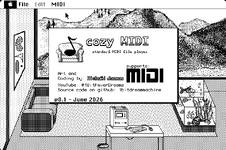
I started to have a look at your GitRepo. I tried to search for the term: "preProcessEvents" within the repo:MuOn/1bitdreammachine/cozyMIDI.
I can't figure out how to do that even after looking at the syntax help! Surely this is one of the most common use-cases? I can search for a term across the whole of GitHub or I can search for a file within the current repo or I can search for the project path within the repo as a whole and get the whole text - except GitHub, despite it's zillions of lines of code, can't tell that <cr> by itself could be a line ending and there's no option I can see to make it grasp such a simple concept.
e.g.
repo:Mu0n/1bitdreammachine path:/^cozyMIDI\// symbol: PreProcessEvents
Returns nothing (except here I had to add a space between ':' and 'P' because otherwise the 68KMLA site would turn it into

<facepalm> ). I also tried omitting the
symbol: bit and various other permutations.
Completely un-intuitive pile of tosh of a search system.
Regarding the forum emoji problem, you can surround the text with
[icode] and
[ /icode] or
[code] and
[/code]:
repo:Mu0n/1bitdreammachine path:/^cozyMIDI\// symbol:PreProcessEvents
Code:
repo:Mu0n/1bitdreammachine path:/^cozyMIDI\// symbol:PreProcessEvents
Regarding the GitHub search problem:
Maybe the repository hasn't been indexed yet? I cloned it and searched locally.
Code:
mkdir -p /Volumes/Work/Programming/1bitdreammachine
cd /Volumes/Work/Programming/1bitdreammachine
git clone https://github.com/Mu0n/1bitdreammachine.git Mu0n-1bitdreammachine
cd /Volumes/Work/Programming/1bitdreammachine/Mu0n-1bitdreammachine

#grep -r -i 'preprocessevents' .
bbfind 'preprocessevents' .
/Volumes/Work/Programming/1bitdreammachine/Mu0n-1bitdreammachine/cozyMIDI/muMIDIplayer.c:299: void preProcessEvents()
/Volumes/Work/Programming/1bitdreammachine/Mu0n-1bitdreammachine/cozyMIDI/muMIDIPlayer.h:40: void preProcessEvents(void); //count events per track, allocate array of midi event structs for them
/Volumes/Work/Programming/1bitdreammachine/Mu0n-1bitdreammachine/cozyMIDI/openmidfilemac.c:32: preProcessEvents();
grep doesn't produce good results because the source files have classic Mac OS carriage returns instead of Unix linefeeds so I used
bbfind from BBEdit.app.
Maybe GitHub doesn't know the files are text because of the carriage returns?
Carriage returns break source control. A commit to change a single line may look like a commit that changes the entire file? That's why you should convert to linefeeds before committing to GitHub. Add a conversion step to the step where you transfer the files to the classic Mac OS file system. Add a reverse conversion step where you transfer the files back to the GitHub client file system. The conversion step also needs a file creator and file type setter to make the files work with the apps on classic Mac OS (the IDE, the resource editor, etc.)
I see that some repository directories have .finf and .rsrc folders. But some do not. These are SheepShaver/Basilisk II related? I guess the GitHub client was Windows or Linux? For modern macOS, one could create a script to apply the info in the
.finf and
.rsrc folder to the files.
The repository includes StuffIt files with copies of the source files. Extracting the StuffIt files on modern macOS will create files with the correct Finder info and resource forks. I guess that's better than using
.finf and
.rsrc folders but seems redundant.
The GitHub repository only include text files as separate files. All the resource files, project files, binary files are in the StuffIt files.
For resource files, I would add a MPW Rez/DeRez step. Have all the resources as .r files so they can be included in the repository. However, I don't think DeRez produces results that are deterministic? i.e. the resources of edited resource file might not always DeRez in the same order which would make source control difficult? Therefore, I would make an MPW script that produces sorted results for DeRez. For example, this output is not sorted:
Code:
derez -p -only xxx /Volumes/Work/Programming/1bitdreammachine/Mu0n-1bitdreammachine/cozyMIDI/releases/CozyMIDI.pr.rsrc 2>&1 | sed -e 's/.*Skipping //; /^[^'"'"'].*/d; /^$/d'
Code:
'vers' (128).
'icl4' (128).
'icl8' (128).
'ICN#' (128).
'FREF' (128).
'BNDL' (128).
'PICT' (129).
'PICT' (130).
'PICT' (131).
'PICT' (132).
'PICT' (133).
'PICT' (134).
'PICT' (141).
'PICT' (140).
'PICT' (150).
'PICT' (151).
'PICT' (152).
'MBAR' (128).
'MENU' (128).
'MENU' (129).
'MENU' (130).
'MENU' (131).
'WIND' (128, "CozyMIDI").
'DLOG' (128).
'DLOG' (129).
'DITL' (128).
'DITL' (129).
'STR ' (128).
'Mu0n' (0, "Owner resource").
But it could be sorted with the
sort command. Then each resource could be DeRezed in the sorted order.
Having to install MPW might be a hassle. Rez and DeRez works on modern macOS but that's not helpful when your GitHub client is on Windows or Linux.
these are the setups I've made it work with so far:
Plus: 6.0.8
SE/30: 6.0.8
SE/30: 7.1
Basilisk II (68040): 7.5.3, communicates to host win11 PC's midi module with hairyMIDI and com0com
Snow (iicx): 6.0.8, communicates to host win11 PC's midi module through python script that listens to a tcp port Snow sends to, and sends it back to USB to my midi module
I did some midi a long time ago between Parallels Desktop and Mac OS X.
https://forum.parallels.com/threads/can-parallels-direct-output-to-a-usb-device.103501/
I haven't tried recently.