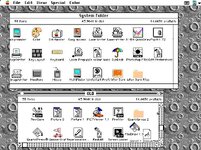
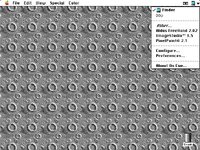
1991 was a good year for extensions and control panels, wasn't it.
Name: Scrolling
Year: 1991
Description: Provides "live scrolling" by dragging the scrollbar thumb; also lets you customize the scrolling speed and acceleration curve.
1991 was the year I really got into extensions and control panels (formerly INITs and CDEVs under System 6 and earlier). That does, of course track with it being the year it became much easier to develop powerful ones, due to System 7.
Generally, I went by the rule of thumb that if it was called an INIT, it was System 6 compatible, if it was called an Extension, it was System 7+. There were, of course, a number of extensions that were fully compatible with System 6, which made it all the more confusing.
IIRC, Conflict Catcher came out in 1991 as well (but I'm not positive about this) -- precisely because of the flood of System 7 extensions and control panels. Conflict Catcher II came out the next year and included a bunch of enhancements, including information about where the things came from and what they were.
My own experience was that System 6 INITs and CDEVs were generally available via MUGs, a few BBSes, and from computer stores and floppy swaps. At the time, I used to stop in at the local Apple retailer whenever I visited a city, to copy all the stuff on their demo Mac to 800k floppies I brought along for the purpose.
By 1991, this was changing, and while I still used BBSes to get some of my software, most came from the Info-Mac and UMich FTP servers.
So... to spur people's recollection, here's some old archives that actually got captured. Unfortunately, since archive.org only archived HTTP and not FTP, the earliest captures were in 1996/97, but these still have some older versions of files:
<edit> I'll draw specific attention to
https://web.archive.org/web/19970615193227/http://ftp.sunet.se/pub/mac/umich/system.extensions/
- it includes NetBunny, which, if you had a Lab of Macs, allowed the Energizer Bunny to go marching across the screens, one at a time, across a line of Macs.