• Hello Guest! We're hosting a challenge to welcome vintage Intel macs to the MLA during the month of July! See this thread for more information.
  • We've made some quality of life improvements to the Trading Post. More info here.

New profile posts

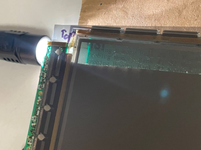
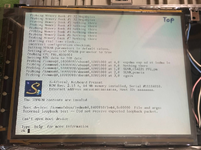
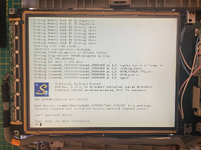
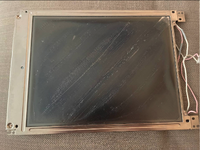
Testing polarizer alignments

1781211213831.png

Rear polarizer wet-applied with RapidTac, testing with loose polarizer


1781211244154.png

1781211001243.png


1781210963300.png
Anyone who knows me would know that I staunchly believe in the abolition of capital punishment. However, I feel that a reasonable exception would be whoever designed the case for the Quadra 800.
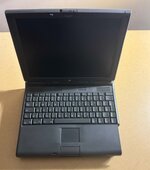
Added this nice PowerBook 3400c to my collection

I will have to send it to get it recapped since it's only making a popping noise and yes I did remove the PRAM battery out of it

I will also need to get a replacement front bezel for it since it's cracked

Attachments

  • cc5e653d-fa0f-46eb-9c42-49b01e30377d.jpg
    cc5e653d-fa0f-46eb-9c42-49b01e30377d.jpg
    88.5 KB · Views: 12
  • Like
Reactions: feeef
RetroTechTom
RetroTechTom
PRAM battery removed and I will have to send the PowerBook to get recapped so I can use it

Attachments

  • c7ac5efb-7a3a-46b9-bbf5-83f5730cd2db.jpg
    c7ac5efb-7a3a-46b9-bbf5-83f5730cd2db.jpg
    157.5 KB · Views: 1
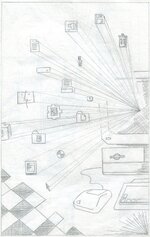
Made on a Mac IIfx with Photoshop 2.5.1 under System 6.0.8

manga-boy.jpg

The first drawing I made with my newly acquired IIfx last year. No layers and only 640x480, quite limited by the amount of RAM under System 6.
slomacuser
slomacuser
how is it to draw with a lag? old Photoshop has a slow brush
feeef
feeef
The lag very much depends on your canvas size, brush size and the way you draw your strokes. If you do continuous big circles on a large canvas, there will be some lag. If you do small strokes with a small brush, lag is a lot less noticeable. I adapt my workflow based on that. I first draw my sketch on a lower resolution (640x480 is fine on the IIfx). Then, if I want to do an HD output, I upscale my sketch, add a layer and do my cleanup this way with shorter and slower strokes on the larger canvas.
feeef
feeef
The amount of RAM you give to Photoshop also helps as it will not use the drive for storing temporary data. On system 7, I give 60MB to Photoshop and it feels a lot smoother than on 6.0.8 where it only has 8MB of RAM.
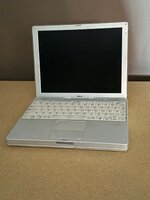
Added this nice iBook G3 Dual USB (800mhz) to my collection

It does works but the GPU needs to be reflowed

Attachments

  • a6201d79-761c-460f-95f7-2fa994cf7264.jpg
    a6201d79-761c-460f-95f7-2fa994cf7264.jpg
    92.2 KB · Views: 4
  • Like
Reactions: Builder68
Snial
Snial
How do you know it's a GPU issue and not an LCD cable issue? I ask, because I have an iBook G3 which I believed had a GPU issue, but then someone said it might be an LCD cable issue (though this thread is about the GPU): https://68kmla.org/bb/threads/pseudo-mac-mini-g3.50865/
RetroTechTom
RetroTechTom
If I put pressure on the palmrest where the GPU is I was able to get the screen working

It did show some graphical glitches on the screen as well
  • Like
Reactions: Snial
Made on a Mac IIfx with Photoshop 3.0.
tea-time-hd-IIfx.jpg

I had posted this one on a another thread in this forum but I thought that my profile is the right place to store the art that I make with old Macs.
Phipli
Phipli
Have you tried Painter? Something like version 2 or 3 is a nice era. It's sort of like Photoshop for this sort of thing, but more targeted towards natural media, with paper texture, wet and dry ink, and far more drawing tools like in pens, watercolour, brushes, chalk, charcoal etc etc.
flexo
flexo
Nice! Do you use some kind of an ADB tablet or only the mouse?
feeef
feeef
@Phipli I have tried Painter but it lacks a good layer engine. For this kind of drawing, I like doing draft, line art and colors on different layers. I always come back to Photoshop.
@flexo, I use a Wacom Digitizer II tablet.
  • Like
Reactions: flexo
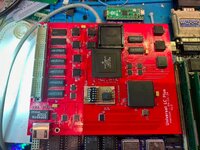
It's been a while since I worked on this one, I could never got it working reliably before but one small bodge later and it's looking more positive!
IMG_5058.jpg
robin-fo
robin-fo
Is this working in the CC?
M
max1zzz
Maybe…. Cards supported by the LCII usually work in the CC but Micro Mac did list a spesific version of the card for the CC so maybe there is a differece. I don’t have a CC so can’t actually test it
M
max1zzz
I do need to find a couple of people to test these though so if anyone has a pile of LC/LCII’s and a CC let me know!
I picked up an old Amstrad PC1640 today - the computer I first took with me to university before rapidly upgrading through a 386DX and then a state of the art 486DX2 - and then chucking them all away in favour of a Mac.
It's been used in a garage for 40 years and is covered in a thick film of oil, dust and swarf - and amazingly still works. I'm gonna have to write up this restoration!
How the hell do you remove the '040 from a Rocket Stage II ? 😳
Renegade
Renegade
I bookmarked your article a while ago. But I’ll have to wait until I get a microscope and the appropriate soldering tip. :)
The 33MHz '040 is rock stable at 50MHz in the Q700 with QuadDoubler by the way. (y)

  • Like
Reactions: Phipli
Phipli
Phipli
Don't worry about a microscope or fine soldering tips for that mod. It's all normal scale stuff, not fiddly. I don't have a microscope and you could do that mod with a 5mm tip iron (not even exaggerating).
Renegade
Renegade
Great, will try soon then :-)
I acquired a busted tray loader iMac. Battery had leaked and destroyed the motherboard. The display, though, I'm unsure and think it might still work. Since these used the DB15 Mac monitor connector internally, what are the chances of shoving my LC475 in there somehow. I know about the oddities around the specific refresh rates. But, would it be worth pursuing, or not bother? The display might not even work.

  • Like
Reactions: ry755
robin-fo
robin-fo
Sounds not unlikely to work. Maybe you need to use two video adapters in series (Mac to VGA and VGA to Mac), maybe also not..
Back
Top