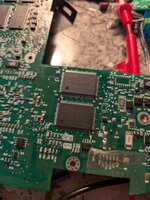
upgrading the ibook clamshell's L2 cache to 1MB

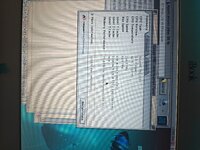
welp, got the new chips in and well... it still isn't passing the mac os 9 built in memory test for cache. starting to think its either address lines or firmware related. dunno if the firmware on here has ever been updated, as a matter of fact. i know for certain these chips are good.
 
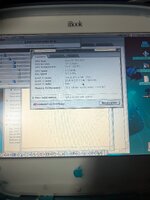
well, tested the computer some more and it does work, but disables the L2 cache for whatever reason. maybe lack of address lines or something. gauge pro also doesn't properly see my bus overclock, and assumes the CPU is running at 266MHz with the 66MHz bus even though i had set the bus to run at 100MHz...IMG_20260614_182056.jpg
 
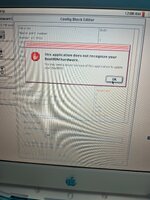
Totally not directly related, but BITD, about a year and a half after I got my DA/733/1M Superdrive model, I started getting the same error you're seeing completely out of the blue in os9, but not in osx... I ASSUME there's some kind of integrity check but i doubt there's any diagnostics for this.

Definitely interested if you can pull this off tough!
 
Totally not directly related, but BITD, about a year and a half after I got my DA/733/1M Superdrive model, I started getting the same error you're seeing completely out of the blue in os9, but not in osx... I ASSUME there's some kind of integrity check but i doubt there's any diagnostics for this.

Definitely interested if you can pull this off tough!
OS X definitely does the checks, and you can check in system profiler if something is amiss or has failed.
 
Oh definitely- I just meant that on that specific machine, i didn't even know it'd failed because OSX doesnt do the popup, and classic wasnt notifying. Anyhow.. definitely gonna be following your attempts if you plan to keep trying!
 
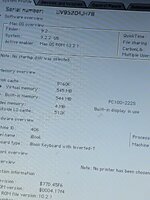
so i managed to get the RAM upgrade to 128MB working, for a total of 640MB on the system. sadly i am still stuck on the cache failing to pass the power on test, which makes the whole machine feel rather slow (powerbook 5300 much?).
 
turns out there is in fact an address line that likely is not connected, A16 on the 128Kx36 chips is on pin 50 although that is a no-connect on the old 64Kx36 chips... probably why the cache isn't working
 
turns out there is in fact an address line that likely is not connected, A16 on the 128Kx36 chips is on pin 50 although that is a no-connect on the old 64Kx36 chips... probably why the cache isn't working

Yes, they most likely didn't route all the address lines for the cache.
I know @herd has run their own address lines from under the CPU on a Pismo card before, so it's not impossible to mod the board to add them here:

 
if your upgrading the L2 cache to 1MB total (and not 2MB total) the issue here sounds like Bad soldering or Bad chips, I am quite sure the Clamshell has all the address lines for at least 1MB, and I know @max1zzz has done it it before (but sadly we did not know about the config-block issue at the time) if it is done successfully then the clamshell should boot up without any L2 cache errors and report 512KB of L2 cache until you suitably edit the config-block of the BootROM to enable the full 1MB


2MB of L2 cache is where the address line issues start :) (but as Dan mentioned you might be able to bodge on the extra missing address line)
 
Last edited:
i was in fact SUCCESSFUL! now i just need to figure out what i need to modify in the bootrom for both the 1MB of L2 cache and 128MB of onboard memory.
PXL_20260617_142618317.jpgPXL_20260617_142715591.jpg
 
you will have to edit the config block thusly


there is GUI tool config block editor, that leaked recently, for editing this sort of stuff, but I have not personally messed with it much other then finding it in the CD and poking at it a bit


but I think you should be able to use it to edit the config block for the PowerBook2,1 Apple 4.1.7 firmrware update, so it updates that to the 128MB/1MB configuration of your machine

or as Colin does you can dump the BootROM and update things according to the config block document

 
you will have to edit the config block thusly


there is GUI tool config block editor, that leaked recently, for editing this sort of stuff, but I have not personally messed with it much other then finding it in the CD and poking at it a bit


but I think you should be able to use it to edit the config block for the PowerBook2,1 Apple 4.1.7 firmrware update, so it updates that to the 128MB/1MB configuration of your machine

or as Colin does you can dump the BootROM and update things according to the config block document

i am going to look into that perhaps, also i wonder if i could change the startup chime to the one from the TAM?
 
Back
Top