Question about the Macintosh Portable

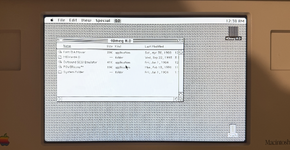
Hello everyone I am hopefully getting my first mac as of this Thursday; (If the Thrift store still has it) and was doing a bunch of research on it before I got it.

I watch This Does Not Compute and I learned a lot about Older macs. I especially liked his Mac From New Parts. At the thrift store I work at a Macintosh Portable showed up last week from 1989. So I decided to try to figure out what was needed before buying. While looking I found out that the screens breaking is very common so I though about it; and came up with a idea. (It might be really dum)

I found this post about a rasberry pi mac portable and he used a ipad 2 lcd. And then I found this adapter made by Androda and wondered... Buying a vga adapter for the ipad 2 lcd to the adapter and then plugging it into the adapter that androda made would that work? Would you even be able to make it thinner and put it in the screen bezel? hooking it all up with wires?

Again its just an idea that is probably horrible but it is a thought considering that all of the matrix screens are really old now.

Thanks
-Froggy
 
Last edited:

Anything is possible if you throw enough code and electronics at it.

Using the Macintosh Portable video output was discussed at:
https://68kmla.org/bb/threads/macintosh-portable-video-adapter.32038/

Here's an Apple Macintosh Portable Video Adapter M0251 description:
https://fsck.technology/documentati...ays/macintosh-portable-video-adapter-8909.pdf
Did Apple ever produce this?

I didn't find much about replacing the display itself.

The Macintosh Portable video output seems really simple:
https://allpinouts.org/pinouts/connectors/computer_video/apple-macintosh-portable-video/

iPad 2 LCD is 1024x768. Would you upscale 640x400/480 or would you just use the middle of the display? Maybe there are more appropriate LCDs with better matching resolutions or sizes. I would prefer not converting to analog VGA if possible. Find a DVI/HDMI solution?

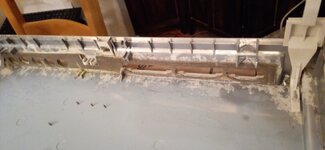
Here's a discussion of the display hinge cracking on the Mac Portable:
https://tinkerdifferent.com/threads/cracked-hinge-on-mac-portable.4835/

Here's a discussion about compatible battery chargers:
https://tinkerdifferent.com/threads/powerbook-power-adapter-compatibility.736/

There's threads about replacing the battery. Search for "Battery Eliminator".

This post mentions using a LiFePO4 battery instead of the Sealed Lead Acid battery.
https://mastodon.social/@paulrickards/111762914299639568
 
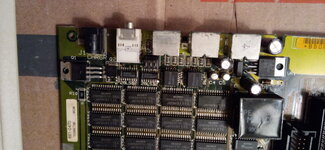
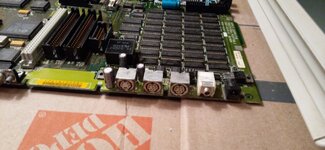
I don't think the screen is a major area of concern, at least not compared with problems around the power adaptor, lead-acid battery, motherboard capacitors, and hybrid module. I'd focus on whether the right power adaptor is included, to start with.
 
Yes it does come with the original power adapter and I think it comes with original every other part.
It even looks like it comes with a ram upgrade (not certain because I dont have a picture its all in my memory.)
I was just asking the question about the lcd, not because I wanted to make it or anything or that I was worried about it but just because I was wondering if ever it was needed it would be a good idea at all. I really am not concerned about lines, it was just that so many are being parted out (or so it seems) that I wanted to ask the question.

@pl212 do you have a list of all the caps I would need? Are there any caps anywhere but the logic board that I should replace?
Do you know what battery I should use? Would any generic sla battery at 6v any amp hour work?
What is the hybrid module? Is that the charging module?
What would be the best replacement scsi to put in? A blue one or a zulu or what?

What is a good price for a very yellowed, broken hard drive, dead battery, macintosh portable price? $150? $200?

Thanks - I started this sub forum to ask questions!
- Froggy
 
I found this post about a rasberry pi mac portable and he used a ipad 2 lcd. And then I found this adapter made by Androda and wondered... Buying a vga adapter for the ipad 2 lcd to the adapter and then plugging it into the adapter that androda made would that work? Would you even be able to make it thinner and put it in the screen bezel? hooking it all up with wires?
It's totally possible. Although as you can see in those pictures the 9.7" iPad display is a bit too small for the bezel, so you lose a good bit of the display area. With a larger display, you can fill more of the bezel at least:
Screenshot 2026-03-23 at 4.22.59 PM.png

Also can I use any amp hour battery or does it have to be 5ah? Could I put in more amp hours?
The capacity of the battery doesn't matter that much, just as long as it's compatible with the existing charging circuitry and can supply enough current. "6V" sealed lead acid or LiFePO4 batteries should work fine, while NiCad, NiMH, and Li-ion batteries would be a bad idea to use without additional circuitry.
 
Does anyone have an actually list of the caps with pictures of where the caps go on the logic board?

This is going to be my first big soldering project, (besides putting hall effect joysticks on xbox 360 controllers)
And I really want to be prepared for what might be to come.

Thanks
-Froggy
 
Thank you, I didn't think about that. I will take a piece of trash electronics from the thrift store and practice on that before working on the Macintosh Portable.

Also thanks for the list. @Juror22

Does anyone know what the best scsi is to put in the portable? I read that someone put a blue scsi but it was doing something weird and he put in a scsi2sd or something to that nature.

This is the parts list I have right now. Anything I should add?
SCSI ADAPTER
BLUESCSI
Flux And Wick
An SLA battery that will fit in the compartment or a Battery Elimintator
The Capacitors
And 99% iso alcohol

Thanks
-Froggy
 
i'll be real man. you're getting way ahead of yourself.

practice your recapping skills first, then start shopping.

also, don't buy that flux/wick bundle... that's not where you want to save money. stick to brand name, like mg chemicals or kester

something like this is fine for a battery
 
Back
Top