• Hello MLAers! We've re-enabled auto-approval for accounts. If you are still waiting on account approval, please check this thread for more information.

Powerbook G4 12" trouble booting from USB

I've got a USB drive with a 10.4 Tiger image.

It works fine as an install for my Power Mac G4 MDD.

Trying to format and install tiger on a new SSD in the PowerBook G4 but the USB disc does not show up at all.

It doesn't show up in open firmware mode either under "dev / ls" but as stated, it works fine with my Power Mac G4.

Anybody have any ideas? Thanks.

 
Are you using a little thumb drive, or a whole disc? If the port works with other devices, it could be that it can't power the drive. Does the drive enclosure allow external power?

If the MDD works, you could put the powerbook into target mode and connect it to the MDD as an external firewire drive to install OS X.
 
Are you using a little thumb drive, or a whole disc? If the port works with other devices, it could be that it can't power the drive. Does the drive enclosure allow external power?

If the MDD works, you could put the powerbook into target mode and connect it to the MDD as an external firewire drive to install OS X.
Ah the Target Mode is a great idea. Yeah I should've said USB Drive not Disc..It's just a Samsung thumb drive.
 
Are you using a little thumb drive, or a whole disc? If the port works with other devices, it could be that it can't power the drive. Does the drive enclosure allow external power?

If the MDD works, you could put the powerbook into target mode and connect it to the MDD as an external firewire drive to install OS X.
Does Target disk mode work only over firewire or it possible to do with USB? I just don't have a firewire cable at the moment.
 
There is no USB target disk mode on PowerPC Macs.

Which PowerBook G4 do you have? Which Open Firmware version?

Does the old disk of the PowerBook G4 boot? When booted, does the PowerBook G4 see the new USB disk?
 
USB target disk mode requires a USB-C port which can switch data from downstream facing (DFP) to upstream facing (UFP).
 
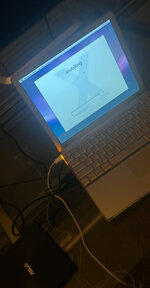
Well I wound up going to Micro Center and getting some DVD-R's. Made a Leopard install disc and it hung up using the internal DVD drive. Connected an external DVD drive to the USB ports and it looks like I'm in business... at least that verifies the USB ports are working correctly... fingers crossed.
 

Attachments

  • IMG_4691.jpeg
    IMG_4691.jpeg
    2.3 MB · Views: 2
I left it to install, came back an hour later to a black screen and it wont boot at all....but I do get a chime (but still a black screen) when I hold down Option-Command R-P....very weird. Any ideas?

EDIT: Disregard...now it's back. Gonna try a reinstall.
 
Nightmares...I got Leopard installed on the SSD fine but now it is randomly going to a black screen and occasionally responding to the power button, sometimes chimes to a screen, sometimes chimes but no screen. Other times seemingly dead. Mind of it's own.
 
Well, I feel .... It turns out the little cable from the power button to the logic board was not properly seated. All is well. Now I need to figure out how to make this boot OS9 natively.
 
Back
Top