Hello everyone!
I was semi-active on this forum a while ago, when I long-term borrowed a 4MB Mac Plus from one of my teachers' classrooms and had my fun with it (freshening it up, building a keyboard emulator, and attempting and ultimately failing to get Bad Apple!! working on it, because I couldn't get sound to sync without dropping frames). Eventually I ran out of things to do with it, returned the computer, and moved on.
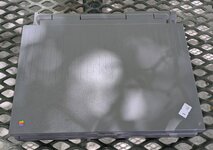
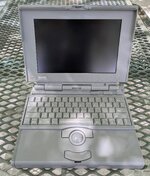
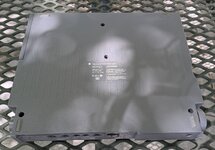
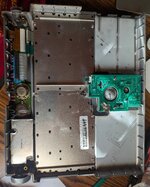
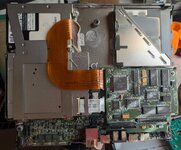
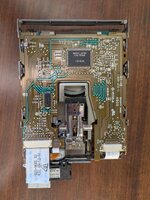
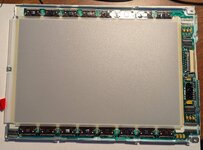
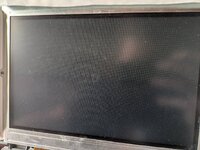
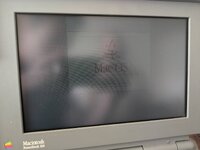
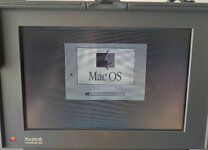
That was four-plus years ago. Yesterday I found a Powerbook 145B at an electronics warehouse for $60, including an ADB keyboard, an HDI-to-SCSI adapter, and some 1.44MB floppies (the guy there only charged me for the Powerbook; if I'd realized he'd do that, I would have taken a whole container of floppies). The computer is in great condition externally, almost scratch-free, and the insides were dusty with some spider leftovers, but cleaned up nicely (see the pictures). I don't know if it boots but I'm optimistic that it will.
I'd like to get the Powerbook up and running. I ordered one of those aftermarket power supplies, and I have access to adjustable power supplies and a cord until that arrives. Because of the Plus, I already have some 800K floppies and enough software and hardware to transfer data to the laptop, as well as a DB25 BlueSCSI v1, so I'm not worried about being able to use it. I will probably get a laptop BlueSCSI at some point. Before any of that, though, I have some questions I was hoping the community could answer:
Thank you in advance! I hope a bombardment of questions isn't out of place.
I was semi-active on this forum a while ago, when I long-term borrowed a 4MB Mac Plus from one of my teachers' classrooms and had my fun with it (freshening it up, building a keyboard emulator, and attempting and ultimately failing to get Bad Apple!! working on it, because I couldn't get sound to sync without dropping frames). Eventually I ran out of things to do with it, returned the computer, and moved on.
That was four-plus years ago. Yesterday I found a Powerbook 145B at an electronics warehouse for $60, including an ADB keyboard, an HDI-to-SCSI adapter, and some 1.44MB floppies (the guy there only charged me for the Powerbook; if I'd realized he'd do that, I would have taken a whole container of floppies). The computer is in great condition externally, almost scratch-free, and the insides were dusty with some spider leftovers, but cleaned up nicely (see the pictures). I don't know if it boots but I'm optimistic that it will.
I'd like to get the Powerbook up and running. I ordered one of those aftermarket power supplies, and I have access to adjustable power supplies and a cord until that arrives. Because of the Plus, I already have some 800K floppies and enough software and hardware to transfer data to the laptop, as well as a DB25 BlueSCSI v1, so I'm not worried about being able to use it. I will probably get a laptop BlueSCSI at some point. Before any of that, though, I have some questions I was hoping the community could answer:
- I haven't looked at the display board yet, but I'm certain that those capacitors are no good anymore. Is it safe to power on the system with caps in unknown condition? I'd just like to see if the backlight turns on and if it boot bongs.
- MacDat says that the electrolytic and polymer caps on the inverter and trackball boards probably don't need replacing. Is this true? I've worked with bad 90s caps before, they're horrible, and I'm skeptical that they shouldn't be replaced.
- Can the floppy drive be taken apart and regreased like a Mac Plus floppy drive? It looks pretty dusty and I'd rather not lose disks or even the whole drive to an unlubricated mechanism.
- What is the best way to (re)build a battery pack? I see a lot of different methods on here: packed-in NiMH AAs, 6V NiMH assembled packs, and even replacing 4/5A cells. As far as I can tell, the battery is supposed to be 6V, which explains the 2 sets of 5 AAs that I've seen people use. This also seems like the cheapest option, but it's not clear to me how you actually put the batteries in a circuit when they barely fit in the box.
Thank you in advance! I hope a bombardment of questions isn't out of place.