• We've made some quality of life improvements to the Trading Post. More info here.

Macintosh Portable Logic Board Help

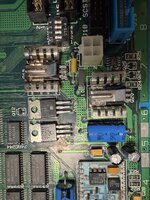
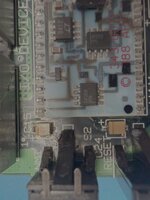
New to me Macintosh Portable -- not recently working, bought it off someone on Facebook marketplace. Cap goo noted; and recapped. Booted with battery via the J17. Good chime but then error code on screen; 0300172C/ 0001FFA -- did find a broken trace near C15 (there was a post on this forum; same exact spot) -- placed bodge and rebooted. Then 00000003/ 0000FF00. I've been continuity checking the board from the RAM to the CPU GLU without new discoveries. The tried it out -- no changes to baron and got 01000682 / 00001FF2.

I'll keep tracing through the schematics -- but need to take a break - and watch some hockey (go Habs).

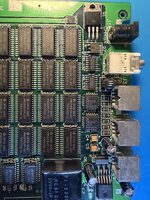
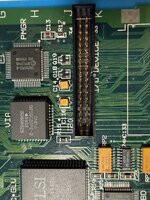
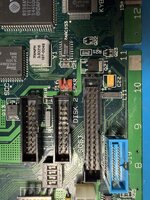
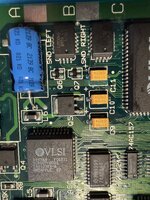
Here are some pictures of my logic board.... see if you can see something I can't.....


Thanks for any help.
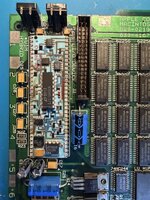

IMG_1486.jpgIMG_1487.jpgIMG_1488.jpgIMG_1489.jpgIMG_1490.jpgIMG_1492.jpgIMG_1493.jpgIMG_1491.jpg
 
Trying to figure this out. Lots of random boot errors (sad Mac).
I am borrowing an oscilloscope...I am not an expert by any means... but probing the 5V rail there is a lot of noise...
Wondering if it is the Hybrid module? I used Androda's check of the connections before getting a hybrid replacement and the resistances all check out.

Here is my occliloscope readings of the 5V line on the RAM, and C16 positive terminal.... I think it is noisy and may be apart of my problem?

IMG_1511.jpeg
 
Did you manage to revive this patient?
I would carefully recheck the traces especially around any areas with capacitor leakage. Also, if you have a fibre pen you could gently rub over some of the traces that have dark stretches. I've had boards with cap leakage where the varnish was holding things together, while the electrolyte had creeped along the trace and basically dissolved it. Once the pcb lacquer was rubbed off, the copper trace was basically gone.
There seems to have been a bit of leakage, judging from some of the dull solder joints. Also, some of the axials look as though not enough heat was used as no solder seeped through to the top layer. Did you also remember to properly clean the pads where the old electrolytic smd caps were removed?
 
Thanks for the nudge. I never closed this post.

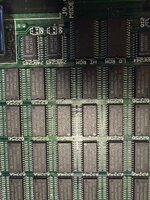
Yes, I got this one working. A thorough cleaning and then troubleshooting. It actually came down to the RAM. Techknight has a video reviewing repair that involved the RAM, the error codes supported it and hinted at the area. I replaced the row closest to the Hybrid and it woke up with chime only!! The chips are a bit hard to come by. The oscilloscope above was my ignorance of what was going on.

Thanks
 
Wow. Who'd have thought.
I have been repairing retro-computers for quite a while and the number of times something hinted at RAM and was actually something else is about factor 10 higher than there actually being a RAM problem.
Thanks for the feedback - great to hear you got it working!
 
Back
Top