
-
 Hello Guest! We're hosting a challenge to welcome vintage Intel macs to the MLA during the month of July! See this thread for more information.
 -
We've made some quality of life improvements to the Trading Post. More info here.
You are using an out of date browser. It may not display this or other websites correctly.
You should upgrade or use an alternative browser.
You should upgrade or use an alternative browser.
Macintosh 128 Error
- Thread starter elhafid
- Start date



Hi,
No translation needed - you likely have failed 4164 RAM, more than one chip, I would recommend desoldering all, replace with DIP16 sockets and new tested 4164 chips. Having just done this, it is not a fun job at all to do, you will need time and good soldering skills to get there.
JB
No translation needed - you likely have failed 4164 RAM, more than one chip, I would recommend desoldering all, replace with DIP16 sockets and new tested 4164 chips. Having just done this, it is not a fun job at all to do, you will need time and good soldering skills to get there.
JB
It points to a faulty chip in one of the banks (F9) going by the error code. You can "piggyback" a known good 4164 over the suspect faulty chip to test as troubleshooting measure. However there are likely more chips at fault or more to come very soon.
Voltage instability - unlikely
More info here on the code to decipher:
Voltage instability - unlikely
More info here on the code to decipher:
Look at the letters and numbers silkscreened on the motherboard - and double check the Sad Mac codes. These diagnostic codes are pretty amazing really, for the time.
As mentioned, there will be more faulty chips when you replace this one, or to come.
As mentioned, there will be more faulty chips when you replace this one, or to come.
Attachments
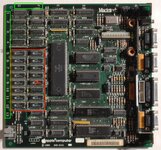


Hi, if you are not comfortable with a soldering iron,, you will probably not be able to do much, chips are soldered to the board and repairs are not for a beginner, you can damage the board in the process.
first digits are for the main issue, the others for location, but several are probably faulty.
in french now :
Si vous n'êtes pas doué avec un fer à souder, ne vous risquez pas sur cette opération délicate, les puces sont soudées sur la carte mère, une fausse manipulation et la carte mère peut être endommagée.
Pas moyen de savoir quelle puce est en cause, le premier code (04) indique un défaut de mémoire, les autres l'emplacement, mais ici, plusieurs puces sont en défaut... il vaut mieux toutes les changer.
Il y a 16 puces en tout et les traces sont très proches les unes des autres, sans matériel ni expérience, ça risque de tourner au fiasco.
first digits are for the main issue, the others for location, but several are probably faulty.
in french now :
Si vous n'êtes pas doué avec un fer à souder, ne vous risquez pas sur cette opération délicate, les puces sont soudées sur la carte mère, une fausse manipulation et la carte mère peut être endommagée.
Pas moyen de savoir quelle puce est en cause, le premier code (04) indique un défaut de mémoire, les autres l'emplacement, mais ici, plusieurs puces sont en défaut... il vaut mieux toutes les changer.
Il y a 16 puces en tout et les traces sont très proches les unes des autres, sans matériel ni expérience, ça risque de tourner au fiasco.
Last edited:
No, I didn't get the same code but a similar Sad Mac code referencing the likely position of the faulty DRAM module.
I sourced good 4164 chips from here very recently:
You may need to send the board somewhere and as mentioned, recommend you replace all 16 DRAM chips at the same time, using sockets as new old stock RAM can also fail due to age and sensitivity of the components. I also purchased a 4164 DRAM tester to ensure this.
I sourced good 4164 chips from here very recently:

You may need to send the board somewhere and as mentioned, recommend you replace all 16 DRAM chips at the same time, using sockets as new old stock RAM can also fail due to age and sensitivity of the components. I also purchased a 4164 DRAM tester to ensure this.
Last edited:

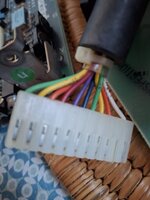
Dram 4164 16ko x 16 to maintain 128 ko ?J'ai récemment utilisé des supports de RAM à double essuyage, les supports « tulipe » sont de meilleure qualité mais la nouvelle RAM est difficile à installer, je ne les utilise pas.
Vous recherchez des supports DIP à 16 broches x 16 et de la DRAM compatible 4164 x 16 de moins de 150 ns.


