



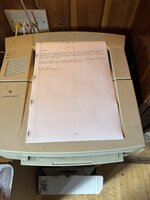
I bought a LaserWriter 4/600 PS pretty cheap off ebay. The ad says it was in poor condition but powered on. So I took a gamble. Sure enough it looked pretty dirty but powered up fine and immediately connected to my AppleTalk network. However, for printing it left dirty streaks on both sides of the paper. Wiping the transfer roller clean (I used dry paper) solved the issue on the rear of the paper, but not the front.
From searching I came across the "halfway test" where you wait until a printed sheet is halfway through, then halt it by lifting the cover. Then by removing the toner cartridge you can see the print before it's been fused. If the issue is caused by the cartridge then you would see the issue here. If the image is fine then the issue is caused by the fuser. Sure enough the image here is exactly the same as the end result. So replacing the toner cartridge should fix the issue.
So I replaced the toner cartridge. Luckily it takes HP 92274A cartridges that are still available and are also pretty cheap.
But it has not solved the issue. Since I've replaced the toner cartridge could it be the logic board that's at fault?
Any other suggestions?
Cheers
Ferg
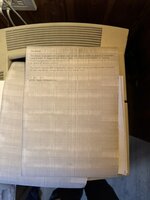
From searching I came across the "halfway test" where you wait until a printed sheet is halfway through, then halt it by lifting the cover. Then by removing the toner cartridge you can see the print before it's been fused. If the issue is caused by the cartridge then you would see the issue here. If the image is fine then the issue is caused by the fuser. Sure enough the image here is exactly the same as the end result. So replacing the toner cartridge should fix the issue.
So I replaced the toner cartridge. Luckily it takes HP 92274A cartridges that are still available and are also pretty cheap.
But it has not solved the issue. Since I've replaced the toner cartridge could it be the logic board that's at fault?
Any other suggestions?
Cheers
Ferg





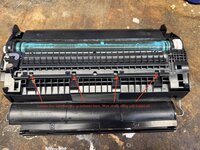
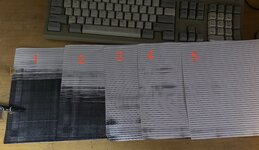
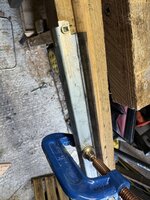


 Anyway with this inserted correctly the printer powers up fine. It's still misfeeding so whatever is causing it, it's not the rollers. So back to square one, but at least it's not for the "pile of things that are broken and I have no idea how to fix". Well not yet at least. So I am definitely up for some of those wiper blades.


