I answered my own question I think. Seems like they just have to be 90 degrees apart, doesn't matter if the front is 45 or the front is 135. And for a 90 degree difference, you want the same degree film for both front and rear. Because you're putting it on opposite sides of the LCD, it will automatically be 90 degrees difference because you flip the LCD over. This is true only for 45/135 degrees. This is not true for 0/90.
I had some film but it was a 0 or a 90. This meant that I had to turn it 45 degrees to be correct for this LCD but turning it meant it was no longer large enough to cover the entire display. With this knowledge, I decided to consider this film throwaway and just do a test fitment to learn.
The result:
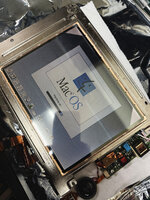
Screen actually looks great! This was with adhesive. No air bubbles. BUT there are a few specs of dust and I know that's going to give me OCD so when I get new 45/135 degree film, I need to figure out a better way to combat dust. You can see the corners are missing film because again, I rotated 0/90 degree film which meant I didn't get full coverage across the LCD. It's fine, this was just a test.
Process
I used the same degree on both front and rear because again, you're flipping the screen so it will be 90 degrees apart. For each side I cleaned the LCD with alcohol wipes and got as much dust off as I could. I then prepared a solution of water and dish washing soap. Not overly soapy but enough to allow the film to slide around on top of the LCD. I used my finger to just cover the LCD with the soap water... didn't drench the thing, just enough to cover the area where the film would go. I then pealed one side of the protective film on the adhesive side of the polarizer, placed that edge down on the LCD, and then pressed down as I removed the rest of the protective film. This ensured I didn't get dust on the adhesive. I moved the film into position and when satisfied, I used a squeegee to push the soap water out of the edges. Started from one side and evenly pushed it out the far edge. I used a paper towel to quickly dab up the soap water coming out to keep it from getting to the PCBs. It wasn't too bad to clean up and at the end, the PCBs were dry.
The end result is above with no air bubbles at all. But again, there are some specs of dust.
I am going to order the proper 45 degree film and then do this again so I don't have empty corners

For the dust, I am going to try something different. Going to try building my own laminar flow hood. Should give me a workspace with filtered air that is blowing out of an enclosed space. Going to build it out of a 12V power supply, 9 PC fans 120x120mm, that should give me roughly a 360mm x 360mm array of fans doing around 400-ish CFM. Will put a 14"x14" home HVAC air filter in front of it to trap the dust particles, and then have that pumping filtered air into a 14"x14"x14" walled workspace. Back wall will be the filtered fans. Front wall will be open for me to work in the space. That should generative positive filtered air flow preventing dust from entering the space. Should be $30 worth of supplies so let's see if it works. I realize I can get a larger industrial fan but I wanted to try with PC case fans as I have them lying around, and their smaller profile which allows this set up to not take up that much space when stored.






 ).
).
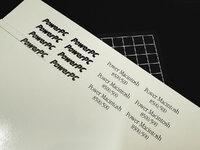
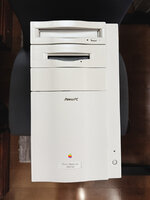
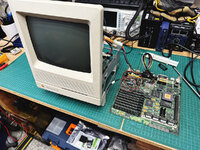
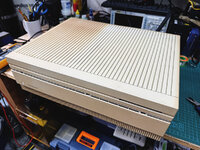
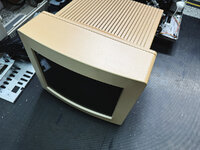
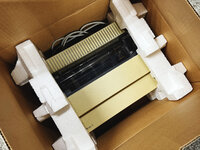
 going to be a while before it runs. I've got 3 of those M0401s now (not sure why), and 1 broken one. I really like them too!