Follow along with the video below to see how to install our site as a web app on your home screen.
Note: This feature may not be available in some browsers.
Hello MLAers! We've re-enabled auto-approval for accounts. If you are still waiting on account approval, please check this thread for more information.
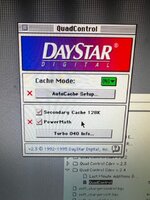
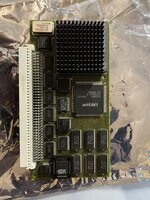
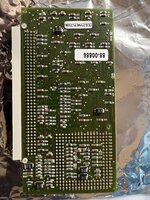
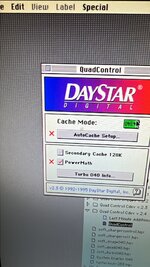
I'm not super familiar with these machines so I don't really know but I can't seem to enable the cache in the control panel, I can click it but after reboot it is unclicked, this is in a Mac II with the daystar adapter if that helps at all.
@macuserman If you hold down the Option key, you'll get an Advanced Features button. In there you can disable the Memory Test, which is useful if you have any reasonable amount of RAM installed. That way you don't have to wait for ever for it to complete the memory test after you start the computer up.
@macuserman If you hold down the Option key, you'll get an Advanced Features button. In there you can disable the Memory Test, which is useful if you have any reasonable amount of RAM installed. That way you don't have to wait for ever for it to complete the memory test after you start the computer up.
This site uses cookies to help personalise content, tailor your experience and to keep you logged in if you register.
By continuing to use this site, you are consenting to our use of cookies.