oh cool.
oh so you did nothing and posted slop. sad!
I understand your perspective but will give you the full picture. I’m as big a skeptic / critic / sometimes cynic / concerned citizen as you’ll find when it comes to AI. Especially when it comes to safety-critical applications, mental health, the environment, etc.
This effort probably took 14 hrs working with Claude Code in a terminal to get this to where it is — note this is not hitting “GO” and waiting for 14 hours, but interacting with it and making suggestions and at times fighting it. Probably more. Additionally about 8 hours just me work with resource stuff (the part that it couldn’t really try to do), process and tooling flow, testing on emulators and hardware, managing documentation and deployment wrangling with files etc between OS 7 and modern machine.
This wasn’t a hit ‘go’. and then ‘publish’ — And more importantly, we the vintage Mac community now have DOOM running on the SE/30. For 30+ years there have been people wishing for that and I’m happy to have delivered to that wish for myself and the vintage mac community - a community in which all are welcome, including yourself.
On a personal note - I actually was anticipating just the sort of response
@finkmac had —
It’s even exciting to have this conversation because Retro technologists and enthusiasts have to sort through how they, like everyone else, will grapple with AI in their favorite hobbies and pastimes. I say that with no assumption that there is a right or wrong answer and much less that I know the right answer (but I know lacking civility is wrong).
Here’s a
great article I was reading tonight that puts a lot of real perspective on the shift AI brings. Essentially that the cost of producing code has now plummeted, but the need to comprehend it hasn’t. But removing the code-production bottleneck immediately hides the need to comprehend it — Worse yet, much of our comprehension was enabled by the time it took to produce code. So current processes are well poised to have the comprehension part risked by simply removing the code-production bottleneck. MacDoom SE/30 certainly suffers from this.
But I absolutely contend that in this specific case of a non-retail, open-sourced, 32+ year old video game software made playable on an even older hardware platform running 30 year old system software — it’s OK to have incurred the comprehension debt for the sake of meeting the interests of hobbyists tinkering different with ‘em.





 .
. 


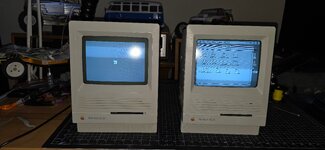





 No thoughts, only clout


