• Hello MLAers! We've re-enabled auto-approval for accounts. If you are still waiting on account approval, please check this thread for more information.

Daniël's PowerPC BGA chip swaps

That's unlikely to be their purpose on the 603e cards, as the datasheet for the 603e says:


I still need to do a deep dive into the differences of the early 603e QFPs, and later 603e BGAs, to figure out why that CPLD/FPGA might be necessary.
As for the 750 mockup, I'm not 100% sure what to make of it yet, as while it looks like it has quite a few chips that make sense, like L2 cache, the seemingly reused Xilinx IC wouldn't be sufficient if it's used for the same purpose and with the same programming.

That, and the Wikipedia article for the PowerBook 500 series, also states the NuPowr G3 would have had a 740 CPU.
It's not properly citated, I admit, but information on this subject is rather scarce to begin with.

I'll keep a watch for any of these cards to become available, so I can put practice to theory.
In the meantime, @finkmac pointed me to something interesting on the Japanese Mercari marketplace:

4400booster.jpg


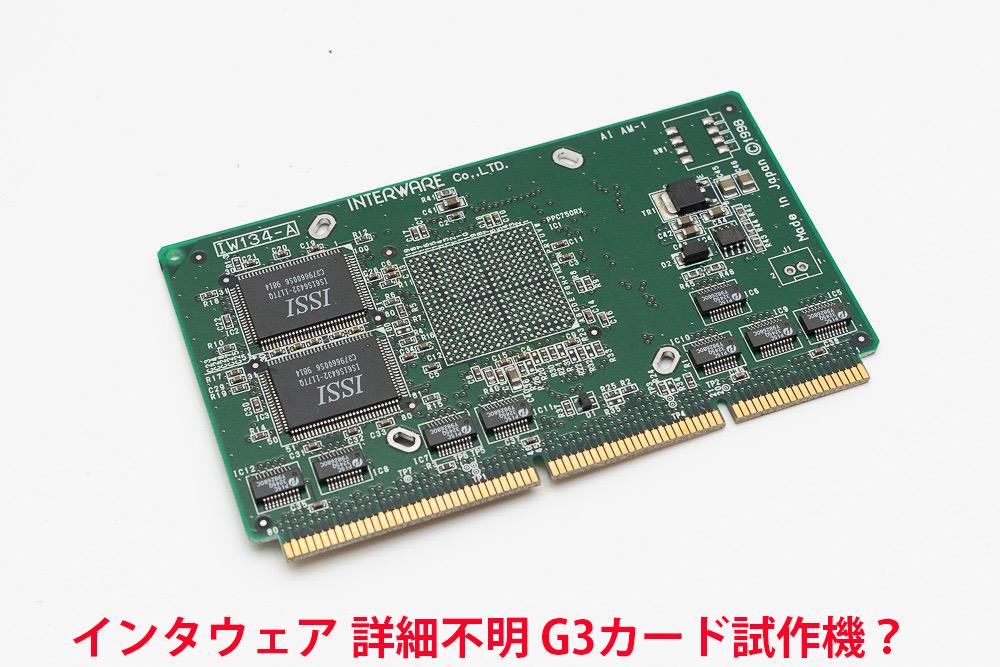
It's a G3 accelerator card for the Power Macintosh 4400/7220, or Tanzania clone boards.
But crucially, it's missing the actual chip, and the seller thinks it might be a prototype.

In any case, too interesting to pass up, so I've gone ahead and bought it through a proxy.
I might go ahead and see if a 7400 G4 could be fitted in place of a G3, as if it's anything like the Sonnets of the era, it should.

That said, I don't have a Tanzania based Mac (yet), but the L2 cache slot of the Tanzania is identical pinout wise to the Alchemy (5400/6400) and Gazelle (5500/6500/TAM) boards, and uses the same chipset architecture (PSX + O'Hare).
It might not fit in my 6400 chassis, or be a tight squeeze, but if I can set up a test bench type setup with an Alchemy or Gazelle board, I should be able to test it without needing a Tanzania board.
I have one of these that is populated and it does not work in my 6500, I had been under the assumption that perhaps it was locked in some way to only work on the 4400, but I haven't ever found one to try it in. Curious to know if it works for you.
 
I have one of these that is populated and it does not work in my 6500, I had been under the assumption that perhaps it was locked in some way to only work on the 4400, but I haven't ever found one to try it in. Curious to know if it works for you.

I think that fits with what @Coloruser mentioned about firmware differences, eg. the slot's the same, but Alchemy and Gazelle seemingly on a firmware level do not allow the system to boot directly off a CPU card.

The cards made for those systems specifically probably do some CPLD jitter-pokery as to not turn on the upgrade CPU until its Mac OS Extension does the magic trick to force the Mac to use the CPU anyways, which is of course why you can't use upgrades outside of Classic Mac OS.

That does of course raise the question if this isn't something someone with Mac ROM/OpenFirmware knowledge could work around, by figuring out the differences in how Tanzania and Alchemy/Gazelle handle this.
 
I think that fits with what @Coloruser mentioned about firmware differences, eg. the slot's the same, but Alchemy and Gazelle seemingly on a firmware level do not allow the system to boot directly off a CPU card.

The cards made for those systems specifically probably do some CPLD jitter-pokery as to not turn on the upgrade CPU until its Mac OS Extension does the magic trick to force the Mac to use the CPU anyways, which is of course why you can't use upgrades outside of Classic Mac OS.

That does of course raise the question if this isn't something someone with Mac ROM/OpenFirmware knowledge could work around, by figuring out the differences in how Tanzania and Alchemy/Gazelle handle this.
Not quite sure I"m tracking on that front, as all the L2 upgrades to my knowledge require an extension to work, I have interware L2 cards that are designed specifically for the 6500 and they work without issue using the extension, however my card that is designated as being for the 4400 does not in my specific 6500 machine.
 
Not quite sure I"m tracking on that front, as all the L2 upgrades to my knowledge require an extension to work, I have interware L2 cards that are designed specifically for the 6500 and they work without issue using the extension, however my card that is designated as being for the 4400 does not in my specific 6500 machine.

It's Tanzania that doesn't require an extension, so it seems, which is why it makes sense that it doesn't work on Gazelle, where accelerators do require one (as on Alchemy).

My suspicion is that Tanzania, being mainly designed for the Clone makers, probably had it left open so the manufacturers could design CPU upgrades for their Clones, whereas Alchemy and Gazelle were mainly designed for Apple's own use, who were probably less open to allowing aftermarket upgrades.

Sonnet and such worked around it with extensions, but it's not plug and play like Tanzania. I'm not certain if the 4400 adheres to it, or if Apple did tweak its firmware to behave more like their other machines.
 
It's Tanzania that doesn't require an extension, so it seems, which is why it makes sense that it doesn't work on Gazelle, where accelerators do require one (as on Alchemy).

My suspicion is that Tanzania, being mainly designed for the Clone makers, probably had it left open so the manufacturers could design CPU upgrades for their Clones, whereas Alchemy and Gazelle were mainly designed for Apple's own use, who were probably less open to allowing aftermarket upgrades.

Sonnet and such worked around it with extensions, but it's not plug and play like Tanzania. I'm not certain if the 4400 adheres to it, or if Apple did tweak its firmware to behave more like their other machines.
I see so your saying that the 4400 was likely designed to work without an extension and so isn’t happy in my later machines where one is required.
 
It's Tanzania that doesn't require an extension, so it seems, which is why it makes sense that it doesn't work on Gazelle, where accelerators do require one (as on Alchemy).
Indeed. All three need an extension to enable the back-side cache lf the G3/G4. Only Alchemy and Gazelle need another Init to switch over from 603e to G3/G4. Running the patched MacOS X Beta on Tanzania with an installed G3 card worked after some fiddling and the cache could be initialized. Trying the same with Alchemy/Gazelle still shows the 603e.
 
My suspicion is that Tanzania, being mainly designed for the Clone makers, probably had it left open so the manufacturers could design CPU upgrades for their Clones, whereas Alchemy and Gazelle were mainly designed for Apple's own use, who were probably less open to allowing aftermarket upgrades.
I do remember (now almost 28 years ago) that when visiting the Apple certification labs, the reps then said that we‘re free to select any supported CPU. Tanzania (or morroco as Moto called it) was indeed designed to be much more open and also more appealing ( PCI graphics, 5 PCI Slots). Apart from Umax and Power Computing, I do not know of any other Level 1 Clone licensee that jumped on the Alchemy bandwagon. They mostly focussed on Tanzania as the easy route - and that was surely the idea behind the joint development of Tanzania by Apple/Motorola.
 
Guess I might as well crosspost this one here, it's BGA work though again not on a Mac :p

Since getting my O2, I've had the plan to try and fit it with the 600MHz R7K CPU through a BGA swap on a 300MHz R5K card.
This is an old school upgrade, as described here, so doing it 20 years later did require some workarounds :p

It's been a couple of years now, but I've finally made the move to BGA soldering in the last few months, and after getting comfortable with it, I've decided to start on the SGI.
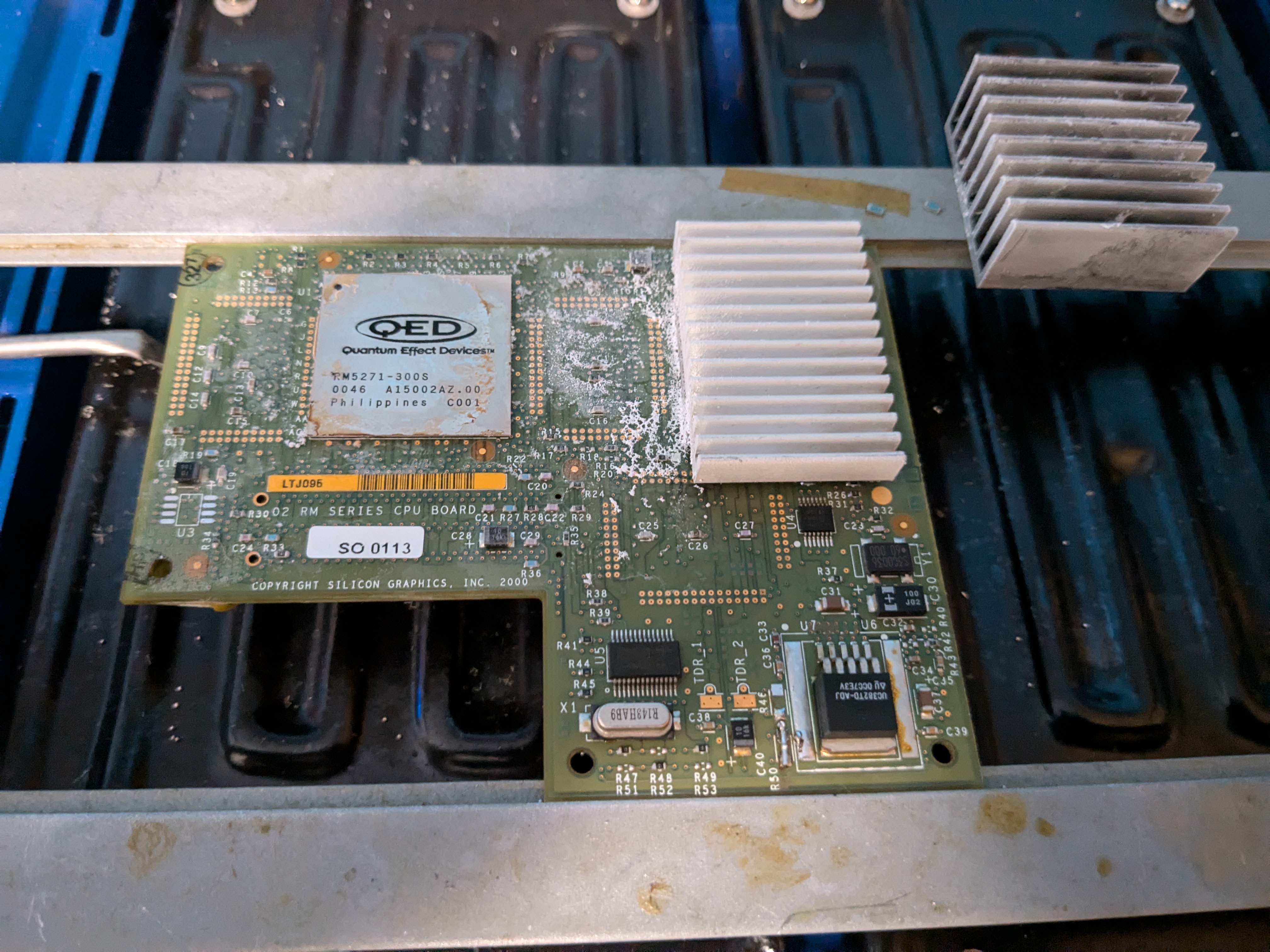
After removing the PROM and voltage regulator adjustment resistors, and fitting a simple bridge on R50 to set the vCore regulator to 2.5V, I removed the heatsink:

heatsinkremoval.jpg


(yes, my PCB preheater needed a clean, and got one after this project :p)

I use the method seen here, though I just use a can of compressed air held upside down, as a cheap freeze spray.
Once the heatsink is properly frozen, I put an old bank card under the heatsink at the bottom (above the yellow barcode sticker), then pop it off by wedging in a screwdriver, the card keeping the driver from digging into the PCB below.

Next, the CPU is desoldered with hot air, with the PCB preheater keeping the entire PCB reasonably hot to prevent warping or popcorning, and a good amount of flux applied around the old RM5271 CPU.
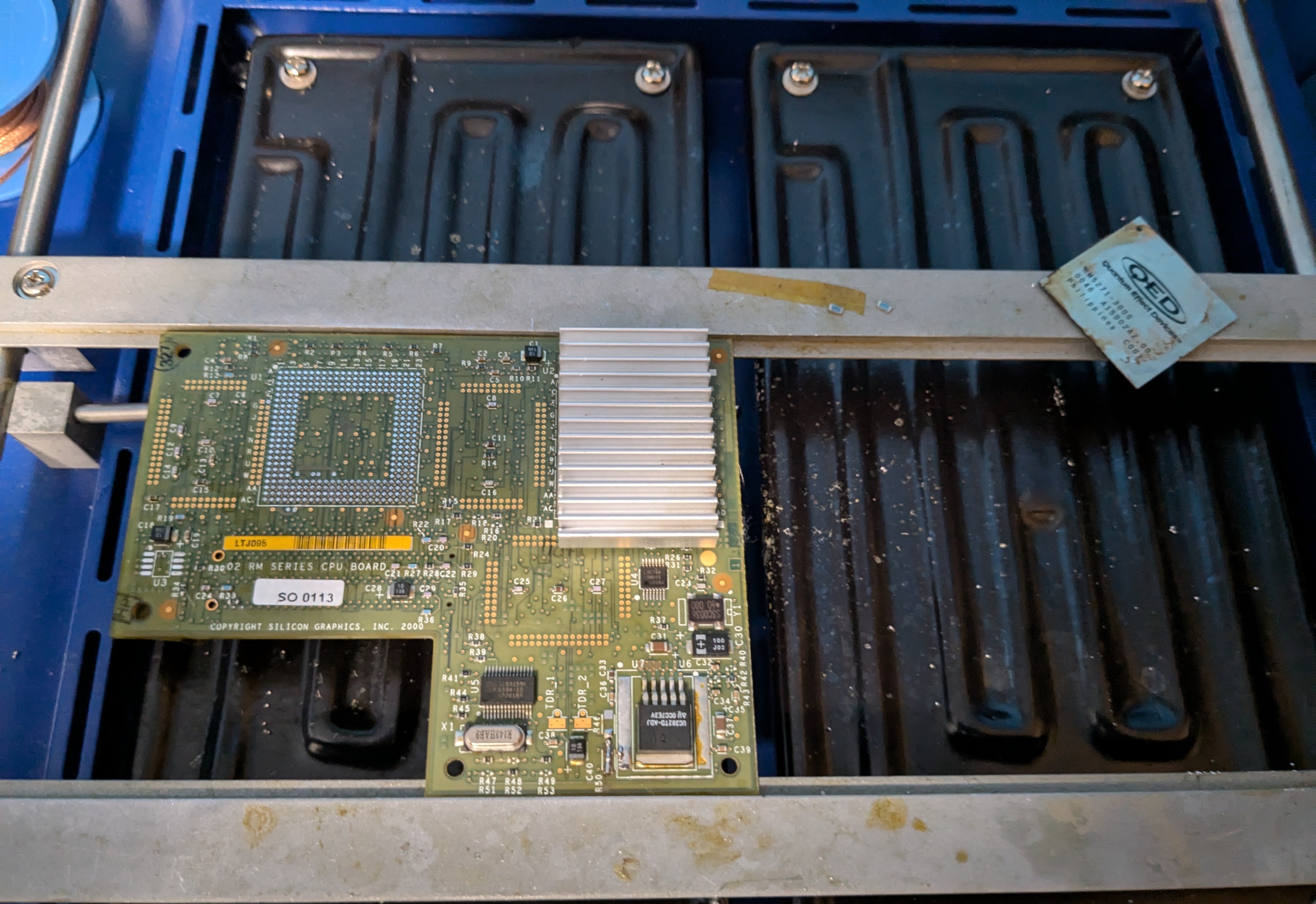
Once it's off, I then clean the pads with some solder braid:

cpuoff.jpg


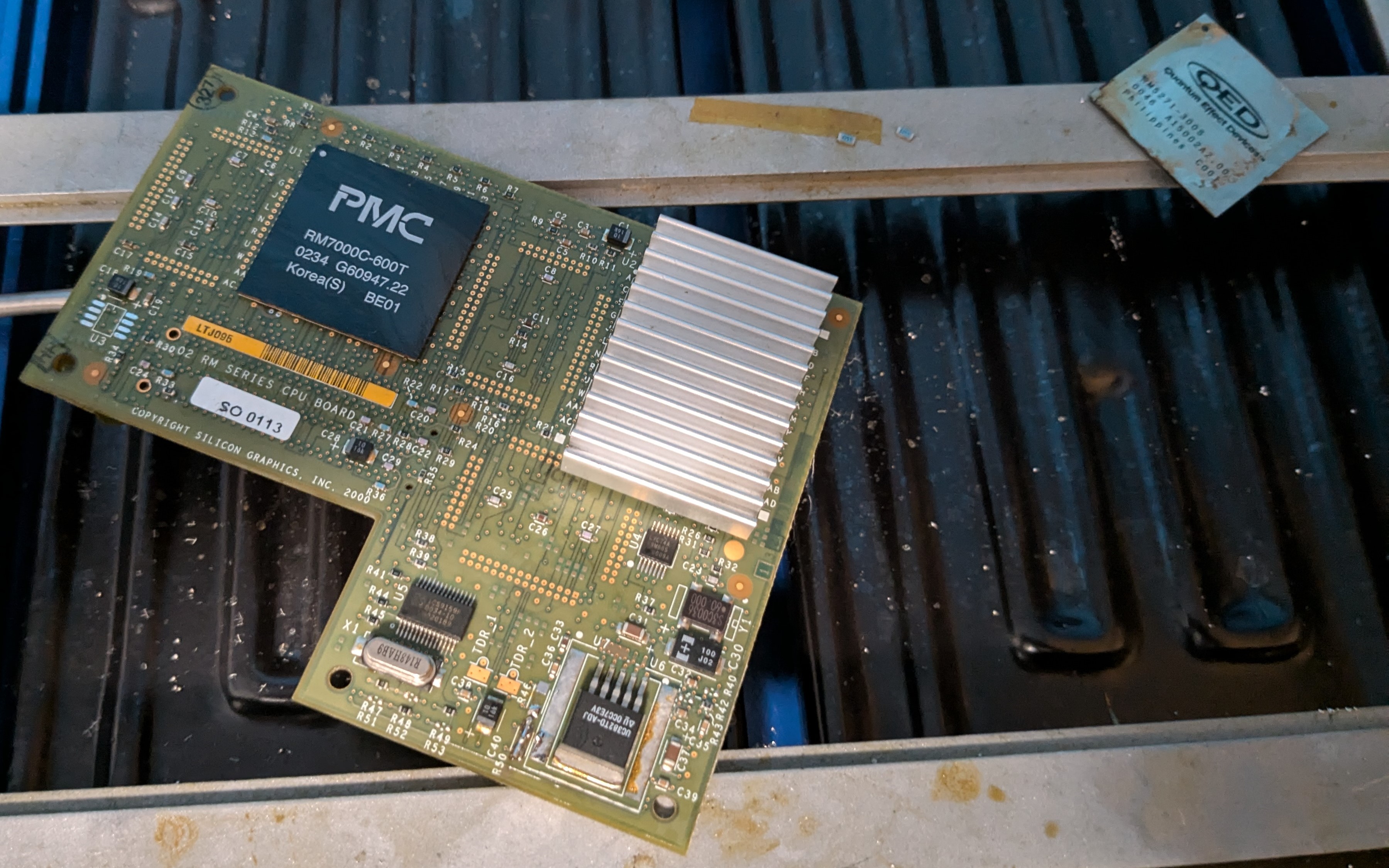
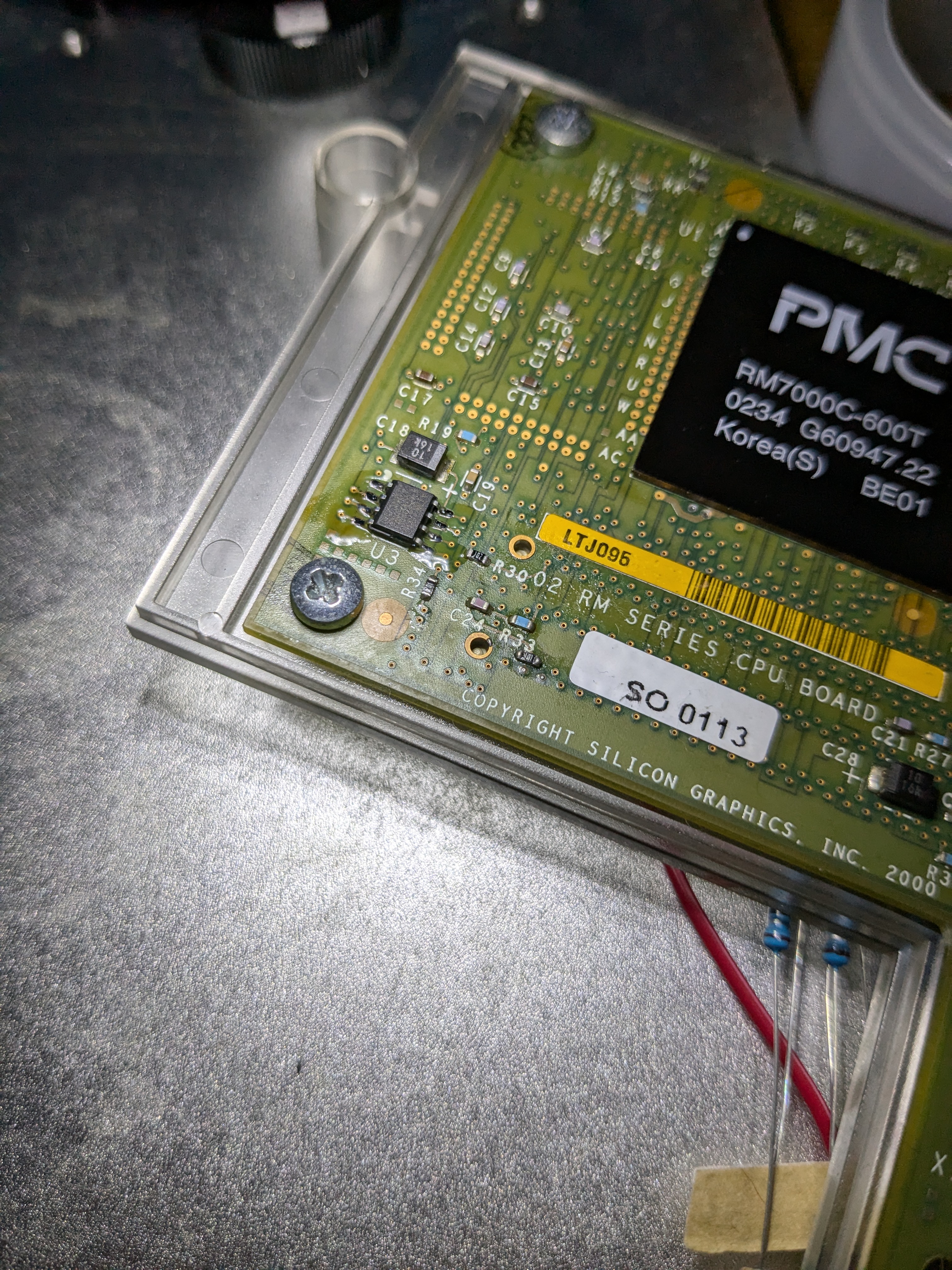
Finally, the RM7000C-600T is placed on the PCB, on top of a good bead of flux, and carefully aligned to the board, after which I solder it on.
Once I see the chip slightly moving into position and sinking a bit, I know the CPU is soldered on correctly, and I let the PCB cool down:

cpuon.jpg


Now, with that done, it's onto the PROM.
This part is a bit tricky, the original Xilinx PROMs are read-once, meaning you need to source a replacement, and hope you aren't getting old ones pulled off scrap boards if buying from China.

I was tipped by someone on the Silicon Graphics User's Group forums that the reprogrammable AT17LVxxx series would likely work in place of the Xilinx PROMs.
The programmer Atmel sold for these was the ATDH2200E, which has the schematics for the programmer listed in the manual.

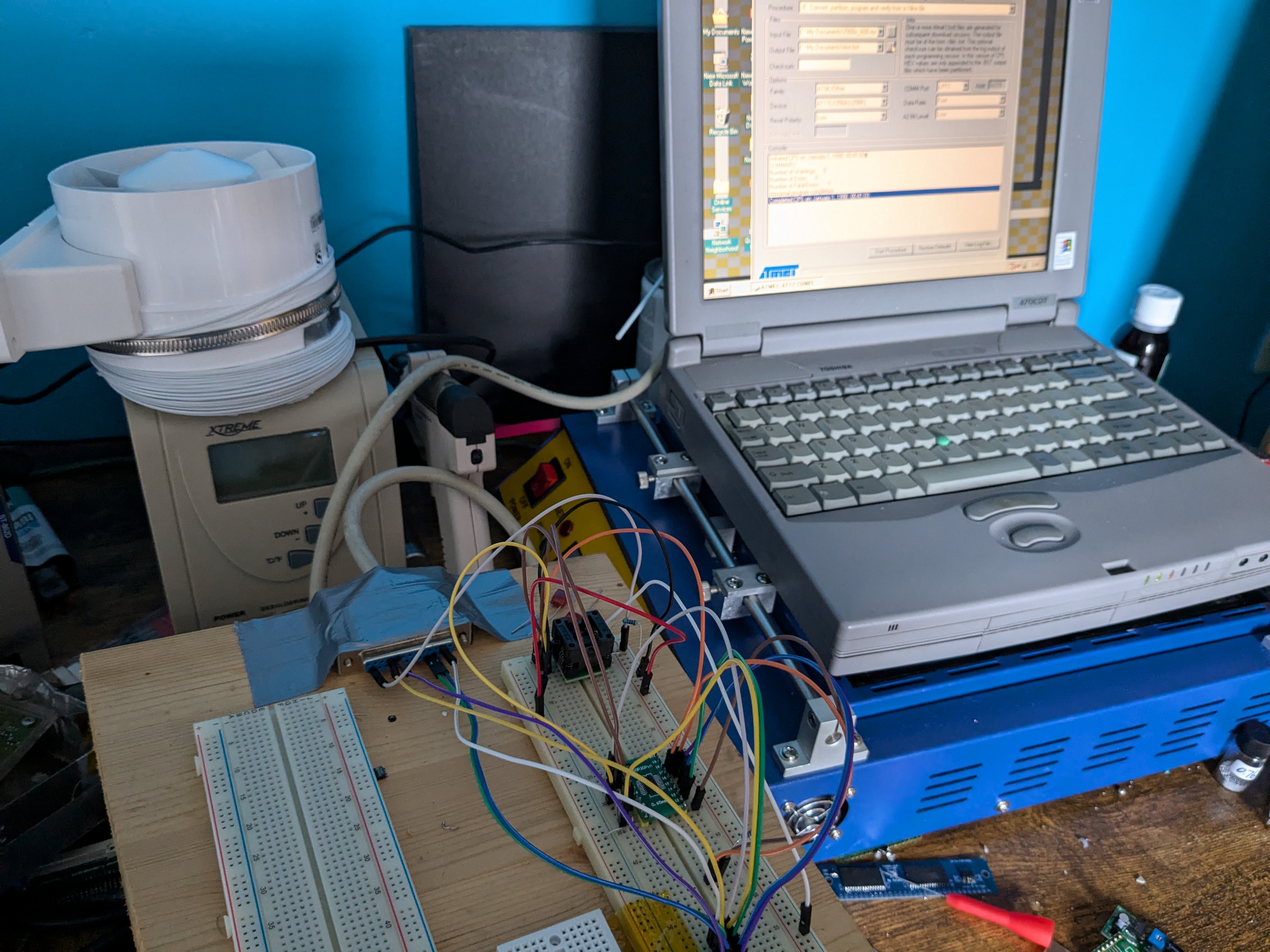
So, I did the entirely reasonable thing, and just spent an afternoon recreating the necessary bits of the programmer on a breadboard, using a 90s Toshiba laptop as the programming computer.
For the PROM, I'm using a simple DIP adapter from my TL866 programmer, and as the necessary 74 logic IC was seemingly only available in SMD, I soldered that onto a DIP adapter as well.

spaghettiprogrammer.jpg


Bit of a spaghetti situation, but it worked!
I did have to use Atmel CPS 7, CPS 8 gave me weird "0 AT17LV65/256 devices needed to download" errors when trying to program the chip.

In CPS7, loading the .MCS file with the "Convert, partition, write and verify Xilinx file" option worked fine, with it converting it to a .BST file and programming that in turn.
After verifying that reading the chip as a 64K device (AT17LV65) still gave good results, I went ahead and soldered the programmed chip to the CPU board:

promon.jpg


After cleaning the flux, it went into my SGI O2.
And yes, it did power up, although it appears the original HDD decided today of all days, was the day it dies... so I can't boot into IRIX until I replace it and reinstall it, which sadly I won't be able to get to until next week at the earliest!

That said, I'm very happy it is powering up.
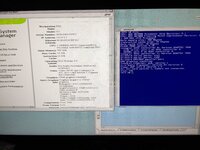
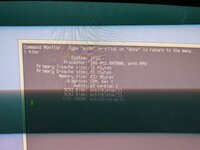
The ARCS hinv command shows incorrect CPU specs, missing the L2 and L3 cache and showing a wrong clockspeed, but I imagine those settings aren't fully active until IRIX is booted, or perhaps the hinv command in firmware doesn't fully "understand" the R7K's specifications, rather than a PROM issue:
PXL_20241016_141234220.MP.jpg

So a full IRIX hinv screencap will have to wait until later, but I'm glad this went as well as it did!
At a later date, I might also try and recreate a simplified version of the Atmel programmer in KiCAD, so a slightly less sketchy version could be easily put together with a professionally made PCB instead :p

 
Guess I might as well crosspost this one here, it's BGA work though again not on a Mac :p

Since getting my O2, I've had the plan to try and fit it with the 600MHz R7K CPU through a BGA swap on a 300MHz R5K card.
This is an old school upgrade, as described here, so doing it 20 years later did require some workarounds :p
Dang that's a sweet upgrade! My 180MHz R5K O2 can only be described as "sluggish". I imagine that screams, very nice work including the home-brew programming.

Are you using the latest system PROM? It's possible it has better R7K support if not.
 
Finally got to reinstall IRIX, but I found out the PROM situation has thrown a spanner in the works.
While I thought the system couldn't operate without a PROM on the CPU board, this is actually not true.

The 200MHz and no L2 and L3 cache seems to stem from the Atmel chip not working (correctly) in place of the original Xilinx.
It just falls back to this if the PROM can't be read, as it does the same with no PROM installed, so I need to go back to the drawing board on this first...

PXL_20241024_193153331.jpg
 
Finally got to reinstall IRIX, but I found out the PROM situation has thrown a spanner in the works.
While I thought the system couldn't operate without a PROM on the CPU board, this is actually not true.

The 200MHz and no L2 and L3 cache seems to stem from the Atmel chip not working (correctly) in place of the original Xilinx.
It just falls back to this if the PROM can't be read, as it does the same with no PROM installed, so I need to go back to the drawing board on this first...
Oh curious...I'm surprised it boots at all with no PROM. Maybe it's detecting the chip type before flashing and doesn't recognize it?

Or you actually flashed it manually and it refuses to even read it?
 
Well, I broke my brain over it today, but I managed to get through this hurdle.
I guess the PROM image being smaller than the actual Atmel chip, put the actual 32 bits of data out of range for the O2 to read.

After painstakingly figuring this out, I made an 32 kilobyte, 8-bit Intel HEX file full of zeros, and then transplanted the first line of HEX (containing the data, the rest of the MCS file is zeros in Intel HEX).
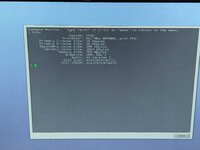
Flashing that to the Atmel got the desired result, as in the machine properly initializing the CPU card:

PXL_20241025_151843916.jpg

Unfortunately, that also revealed this card has cache issues, the machine will turn off video and lock up once IRIX starts booting.
IDE Diagnostics goes haywire on the L3 cache checks.

I knew the solder balls on this chip were potentially a bit iffy, but I really dread reballing these R7K chips due to the solder mask on the bottom of the chip coming off very easily, hindering proper desolder braid cleaning.

This one will have to wait for a day where my head's a bit clearer, I'm afraid.
 
Well, I broke my brain over it today, but I managed to get through this hurdle.
I guess the PROM image being smaller than the actual Atmel chip, put the actual 32 bits of data out of range for the O2 to read.

After painstakingly figuring this out, I made an 32 kilobyte, 8-bit Intel HEX file full of zeros, and then transplanted the first line of HEX (containing the data, the rest of the MCS file is zeros in Intel HEX).
Flashing that to the Atmel got the desired result, as in the machine properly initializing the CPU card:

View attachment 79896

Unfortunately, that also revealed this card has cache issues, the machine will turn off video and lock up once IRIX starts booting.
IDE Diagnostics goes haywire on the L3 cache checks.

I knew the solder balls on this chip were potentially a bit iffy, but I really dread reballing these R7K chips due to the solder mask on the bottom of the chip coming off very easily, hindering proper desolder braid cleaning.

This one will have to wait for a day where my head's a bit clearer, I'm afraid.
Interesting. I wonder if it took a checksum of the entire chip and without those zeros it wasn’t valid.
 
Interesting. I wonder if it took a checksum of the entire chip and without those zeros it wasn’t valid.

Perhaps, but the IC I used is about four times the size of the original (256 kilobits/32 kilobytes vs 64 kilobits/8 kilobytes), and the "partitioning" that the Atmel utility does might put the quarter of actual data in a part of the EEPROM that the SGI O2 can't access, as it would be looking for its 32 bits of data right at the "start" of the chip.

Padding it further out with zeros means the actual bit of data at the top, is actually at the top after the Atmel tool does whatever it needs to when converting the MCS file to its own format.
 
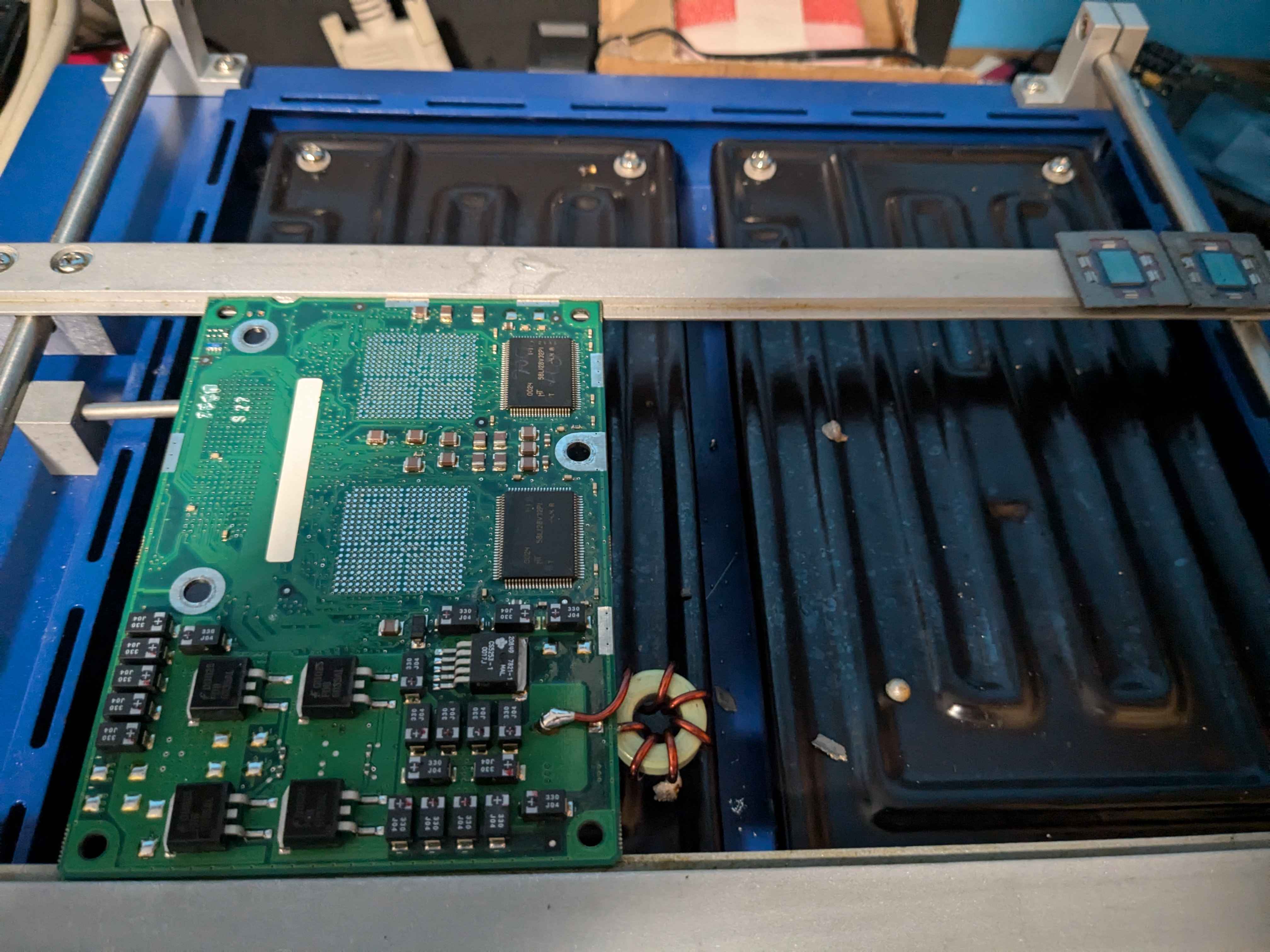
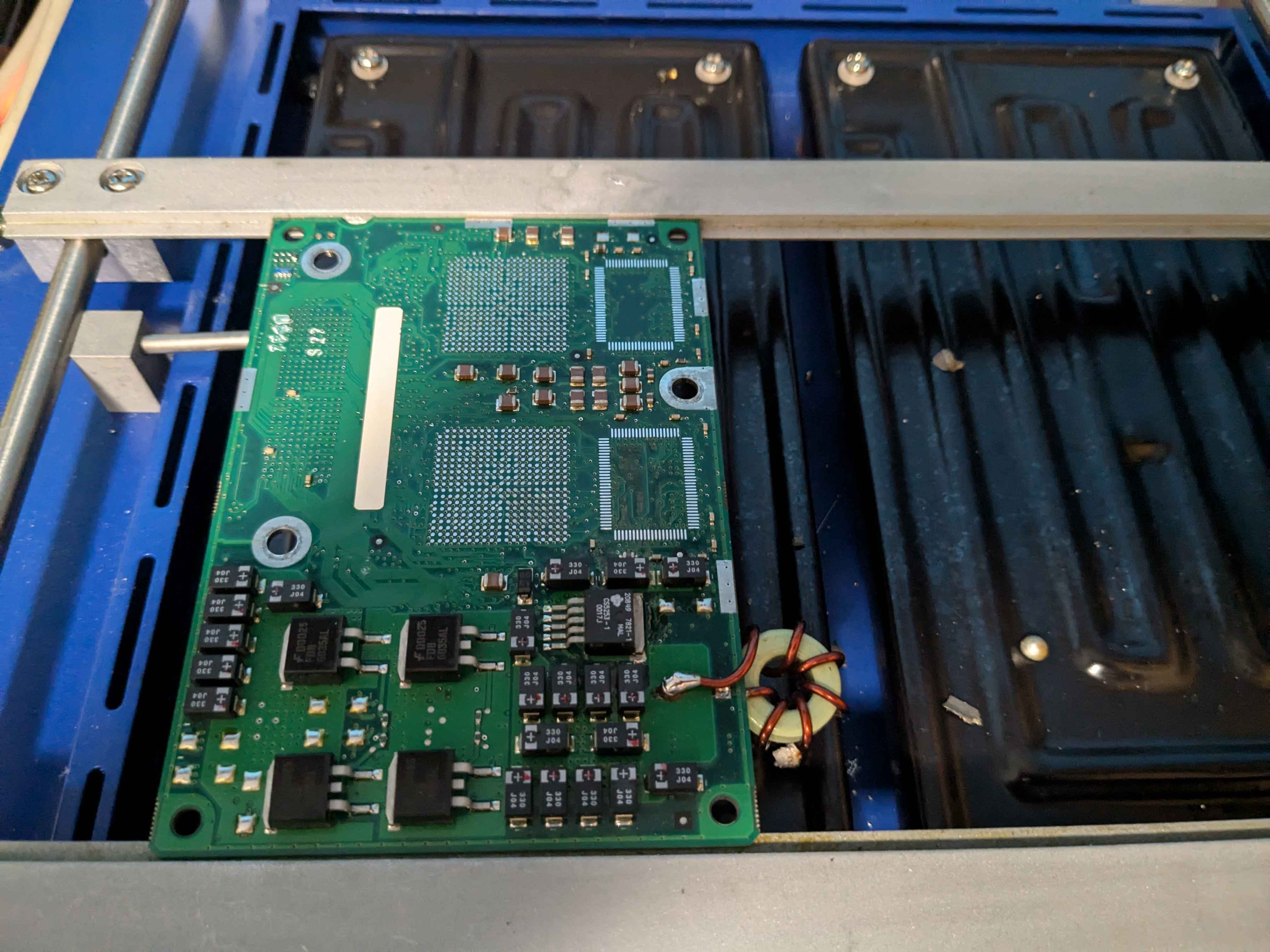
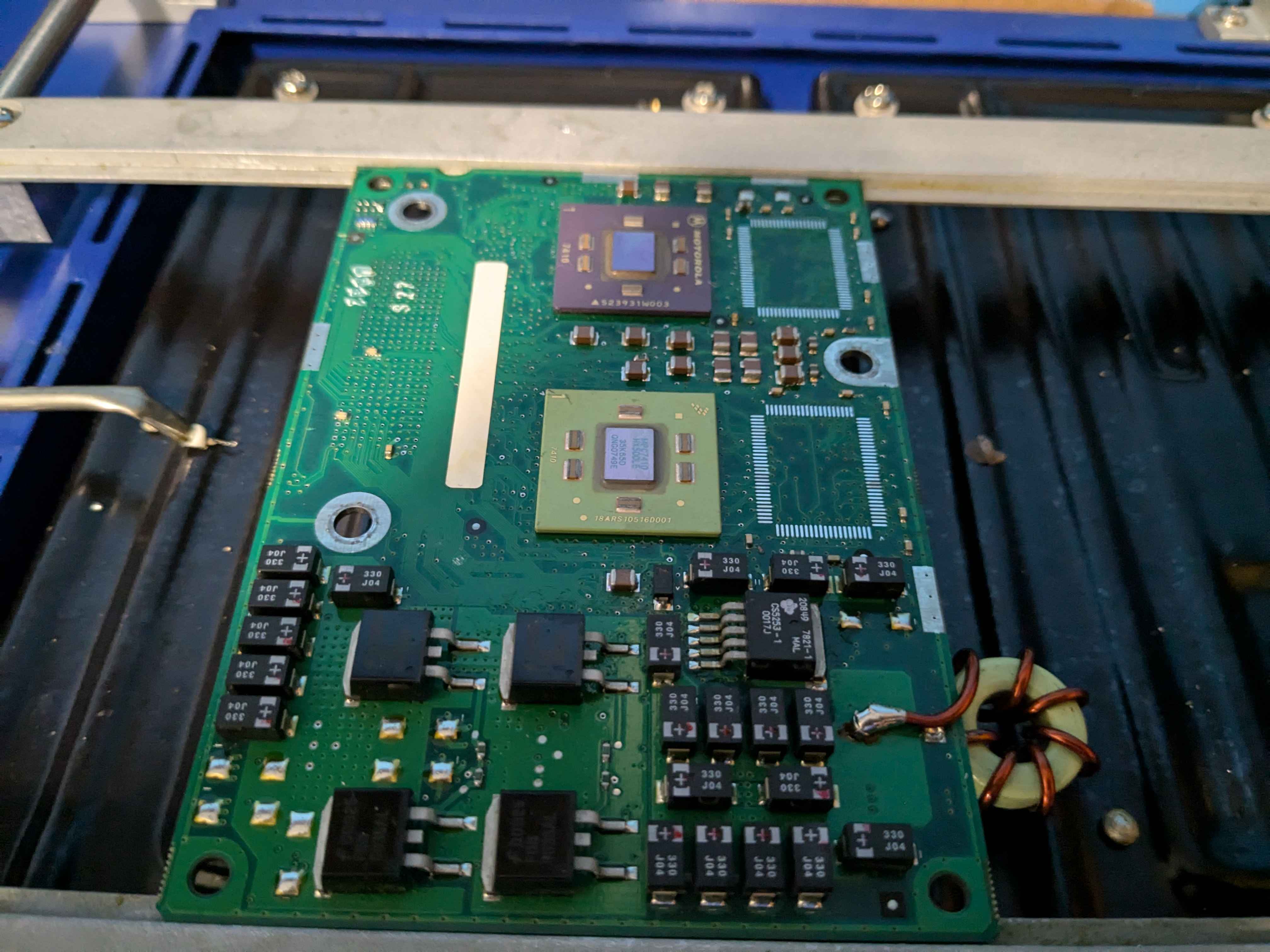
Doing some BGA + QFP work again, this time on a dual 450MHz G4 card destined for my G4 Cube:

G4_1.jpg

G4_2.jpg

G4_3.jpg

G4_4.jpg


Went for a pair of mismatched 500MHz 7410 G4s (same mask though), which are basically just slightly updated 7400s like the 450MHz ones they're replacing.
Main reason for doing this, is because the 7410 is die shrunk and uses less power (and outputs less heat), so I won't have to necessarily get an expensive aftermarket Cube VRM module to stop it from blowing up.

That, and the 7400s are 3.3V tolerant on the I/O lines to the backside cache, where the 7410s aren't.
On certain G3 CPU boards, like the iMac G3 Trayloader CPU cards, the cache can't be adjusted to operate below 3.3V, so using 7410s for a G4 upgrade there will result in a dead cache controller on the 7410 (it will still work, but it can never use L2 cache again).

So I can reuse those 7400s for other G3 -> G4 upgrades.
I'm also yoinking the cache, as hopefully I can get some 250MHz rated 1MB chips (two per CPU, one on the top and one on the bottom), to double the L2 cache.

I can then also reuse the 512KB cache chips from this board for iMac G3 Trayloader cards, which have 512KB (2x256KB) of L2.
So I'm partially upgrading, to be able to continue upgrading :-P

The lack of silkscreening on this board made aligning the chips a bit more of a PITA, due to the lack of an outline for reference, but it worked out.
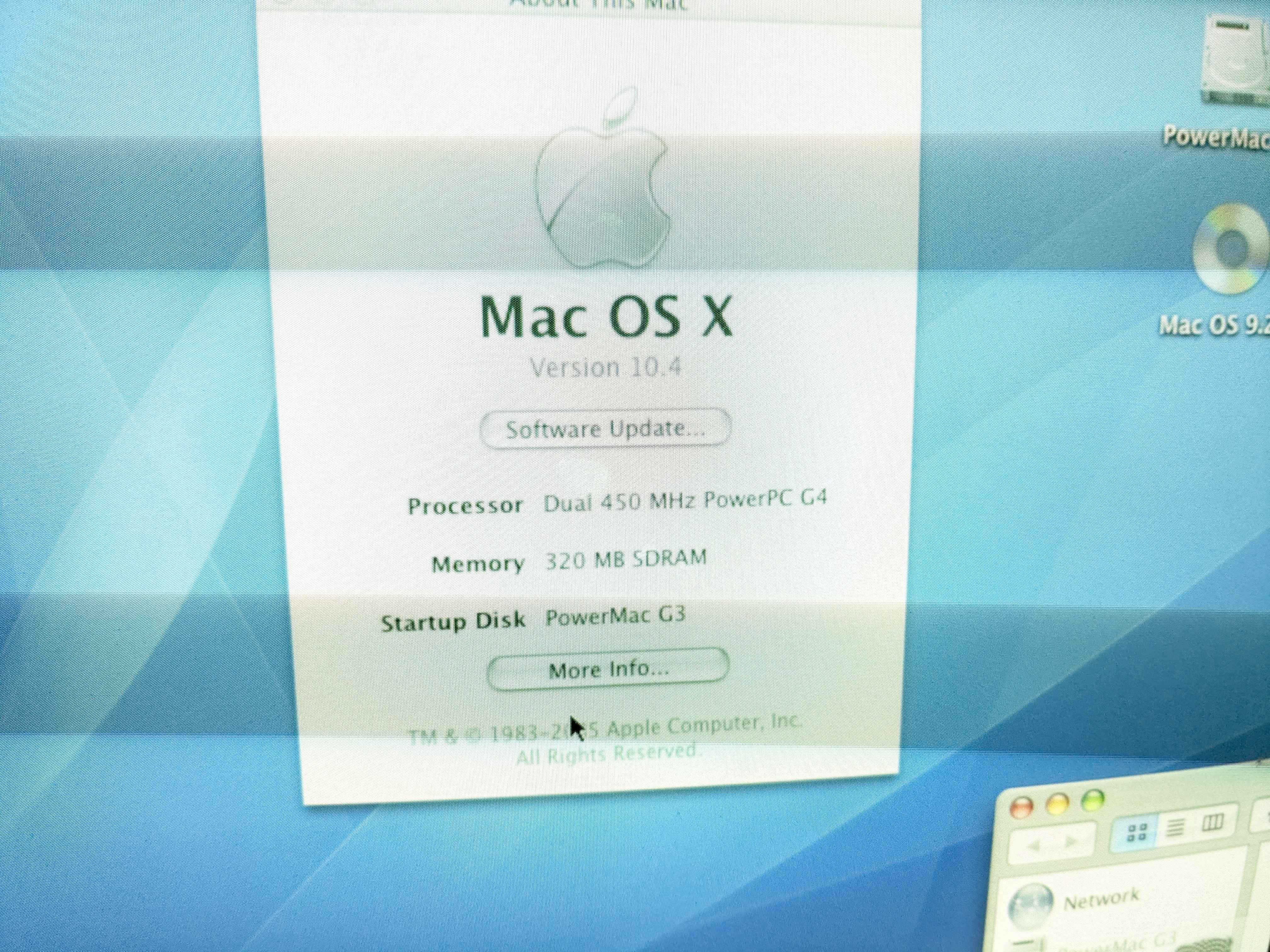
After wrangling the dead Deathstar out of my Cube, and putting the card and an HDD from a PMG3 B&W in, all's well in OS X 10.4:

ATM.jpg

SP.jpg
 
Doing some BGA + QFP work again, this time on a dual 450MHz G4 card destined for my G4 Cube:

G4_1.jpg

G4_2.jpg

G4_3.jpg

G4_4.jpg


Went for a pair of mismatched 500MHz 7410 G4s (same mask though), which are basically just slightly updated 7400s like the 450MHz ones they're replacing.
Main reason for doing this, is because the 7410 is die shrunk and uses less power (and outputs less heat), so I won't have to necessarily get an expensive aftermarket Cube VRM module to stop it from blowing up.

That, and the 7400s are 3.3V tolerant on the I/O lines to the backside cache, where the 7410s aren't.
On certain G3 CPU boards, like the iMac G3 Trayloader CPU cards, the cache can't be adjusted to operate below 3.3V, so using 7410s for a G4 upgrade there will result in a dead cache controller on the 7410 (it will still work, but it can never use L2 cache again).

So I can reuse those 7400s for other G3 -> G4 upgrades.
I'm also yoinking the cache, as hopefully I can get some 250MHz rated 1MB chips (two per CPU, one on the top and one on the bottom), to double the L2 cache.

I can then also reuse the 512KB cache chips from this board for iMac G3 Trayloader cards, which have 512KB (2x256KB) of L2.
So I'm partially upgrading, to be able to continue upgrading :p

The lack of silkscreening on this board made aligning the chips a bit more of a PITA, due to the lack of an outline for reference, but it worked out.
After wrangling the dead Deathstar out of my Cube, and putting the card and an HDD from a PMG3 B&W in, all's well in OS X 10.4:

ATM.jpg

SP.jpg

When heating up these CPU daughtercards on an IR preheater, how do you make sure you don’t melt the plastic connector on the underside? Do you protect it with aluminium foil… and is there a safe maximum preheating temperature?
 
When heating up these CPU daughtercards on an IR preheater, how do you make sure you don’t melt the plastic connector on the underside? Do you protect it with aluminium foil… and is there a safe maximum preheating temperature?

I do stick kapton tape over any and all plastic connectors, but generally my preheat temps (180C-ish, off the top of my head at the moment) don't seem to really cause issues with the bottom ones. The heat from the reflow station on the top of the board is definitely the bigger thing to keep away from the plastic connectors on top.
 
Danieel,

can you suggest a good Ali or Ebay seller that has a compatible G3 CPU for the 6500 board? Something I can do a direct swap, and also compatible with what is possible to obtain by the small VRM onboard….
 
At least Firmware wise the L2 Slot in Tanzania and Alchemy/Gazelle is different - maybe even some address routing. Something I learned when I and my colleagues developed G3 cards in the late 90s. The Tanzania can directly boot from a CPU in the L2 slot without any additional software (then of course the L2 Cache is disabled). In contrast, Alchemy/Gazelle first start with the onboard 603 and need an init to change the booting process and restart out of the L2 cache slot. So, both need some software to enable the backside L2 cache but Alchemy/Gazelle additionally need an init to switch CPUs.

Coming back to this, I did see that the Tanzania schematics surfaced, one big difference is that the interrupt going to the L2 cache slot is the CPU interrupt line, not the shared PCI Slot C interrupt line like on the Gazelle (and presumably Alchemy), which I suspected was the case. The Gazelle schematics specifically mention it's using that shared interrupt line, because they're not intending for the interrupt to be used in the first place (makes sense if they did not intend for CPU upgrades). That, and there are Checkstop in and out pins that are marked as "spare" on Gazelle/Alchemy.

I wonder if that might play a role in the CPU card compatibility? I'm guessing the Alchemy and Gazelle CPU cards do some low-level trickery to get the system to recognize the Slot C interrupt as a CPU interrupt line, which wouldn't conflict with anything else given it's not used otherwise anyway (the PCI ATi chip on Gazelle has its own distinct interrupt line). I'm kind of curious what were to happen if the interrupt line to the cache slot were to be cut on an Alchemy or Gazelle board, and the CPU interrupt line patched back in, potentially along with the Checkstop lines.
 
Back
Top