Apple LocalTalk interface box

Good news, works fine between the new LC475 and the Performa 5300.
Now I have working system to measure on with the logic analyzer.

My first ideas :
- it's slow to todays standards, but for the 90 with only small files and minimal extra HW needed I would have loved it.
- Also the slave computer gets slower, even on the LC475.

My original plan was to use the external clock option (or patch the mainboard clock to the 85C30) to increate the speed x3 or x4,
but this will probably only increase the load on the CPU, making the system even slower ?
AppleTalk was cheap, but without any ram buffer nor DMA support, it needs the CPU to often to intervene.
Just within the past day or two, I came across an extension or some software that allowed DMA transfers for AppleTalk. But now after reading your post, I don't remember where it was I found it.
 
My first ideas :
- it's slow to todays standards, but for the 90 with only small files and minimal extra HW needed I would have loved it.
- Also the slave computer gets slower, even on the LC475.

My original plan was to use the external clock option (or patch the mainboard clock to the 85C30) to increate the speed x3 or x4,
but this will probably only increase the load on the CPU, making the system even slower ?
AppleTalk was cheap, but without any ram buffer nor DMA support, it needs the CPU to often to intervene.
External clock is probably the easiest and best choice:
https://68kmla.org/bb/threads/localtalk-but-faster.45615/post-505309

The PCLK could be used, but there's a couple issues with that:
- Different Macs have different PCLKs. Maybe only Power Macs had PCLKs in the >10MHz range.
- The PCLK has to go through the baud rate generator which reduces the maximum bit rate by a lot. You would need > 4 * 3.678 MHz to exceed the 230.4 kbps option allowed by using the 3.678 MHz from the RTxC pin.

The external clock can easily do 1 Mbps because both machines will use the same clock and therefore can use the X1 Clock Mode instead of X16 or X32.

It might be interesting to see if you can output the transmit clock TRxC to one of the pins (HSKi?). Then one Mac can be the source of the external clock and they can use X1 mode. It would require special cables.
 
Just within the past day or two, I came across an extension or some software that allowed DMA transfers for AppleTalk. But now after reading your post, I don't remember where it was I found it.
I know the AM85C80 SCC+SCSI chip also supports DMA for the SCC (and the SCSI), but this signal runs only to the GLUE logic VYI6508-2 gate array. Is there any documentation available about this chip how to program it please ?
 
External clock is probably the easiest and best choice:
https://68kmla.org/bb/threads/localtalk-but-faster.45615/post-505309

The PCLK could be used, but there's a couple issues with that:
- Different Macs have different PCLKs. Maybe only Power Macs had PCLKs in the >10MHz range.
- The PCLK has to go through the baud rate generator which reduces the maximum bit rate by a lot. You would need > 4 * 3.678 MHz to exceed the 230.4 kbps option allowed by using the 3.678 MHz from the RTxC pin.

The external clock can easily do 1 Mbps because both machines will use the same clock and therefore can use the X1 Clock Mode instead of X16 or X32.

It might be interesting to see if you can output the transmit clock TRxC to one of the pins (HSKi?). Then one Mac can be the source of the external clock and they can use X1 mode. It would require special cables.
Thanks for the link, I was wondering how to set the external clock option and found something in that thread.

It's input only (differential buffer in-between), the signal also need a boost to be used by multiple other Macs.

I would go for 1 external 1MHz clock and a good driver chip, it doesn't even have to be a xtal oscillator, a simply clock generator chip will also work and the frequency can be changed on the fly for max speed or reliability.
 
Reading the "Guide_to_Macintosh_Family_Hardware_2nd_Edition_1990" I found some interesting info :

1. The /W/REQA signal from the SCC (only option for DMA) on the Plus, SE and SE/30 goes to PA7 of the VIA chip,
So DMA is not possible on the old Macs. Only on the IIfx they go to the IOP.
This PA7 pin is used the check for incoming data during disk access, as interrupts are disabled by it.
Loss of data by AppleTalk during disk access is possible, increasing clock speed will not help.

2. Synchronous communication is only supported from SE and up, not on the Plus.

3. AppleTalk is a synchronous protocol, but the AppleTalk Driver operates the SCC in asynchronous mode ???? Need to check this.

4. The max speed is 500Kbaud on Plus and SE models in synchronous mode, on Mac II this is 900Kbaud.

In conclusion : Max speed increase is 3x, or only 2x if I also want to support Plus and SE models.
My LC475 is already slower at normal speed, so on a SE or Classic it will probably be worse.
 
3. AppleTalk is a synchronous protocol, but the AppleTalk Driver operates the SCC in asynchronous mode ???? Need to check this.
Asynchronous in this case just means that the sender and receiver don't share a clock? They must use the x16 or x32 or x64 clock mode to recover the clock from the receiver. They don't have a start bit or stop bits? They use a SYNC character?

I'm adding logging to DingusPPC to show how the SCC registers are modified for AppleTalk (used in Mac OS) vs normal asynchronous transmission (used in Open Firmware or terminal app in Mac OS).

I would go for 1 external 1MHz clock and a good driver chip, it doesn't even have to be a xtal oscillator, a simply clock generator chip will also work and the frequency can be changed on the fly for max speed or reliability.
I used a 555 timer with potentiometer to get 1 Mbps for a Mac serial port to Sony PlayStation controller/memory card/Multitap adapter.
 
I'm back and first thing I did was the repair a not working SE/40 with success :) Clear picture, no strange noises from HD nor fan.
New from September 1996 and last used on November 1998, just run as they say.
This will be a perfect candidate for the Low End MAC on the Apple Talk network.

Looking at a beige G3 266 now as Top line machine, I read this was the last Mac with Apple talk ?

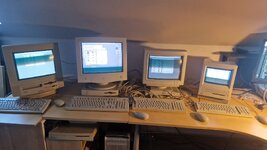
Meanwhile I'm experimenting with my home made AppleTalk hub and KVM.
 
Found an alternative to the interface boxes and cabling, as these parts are not to be found in my country.

Solder a couple of PS2 female connector in parallel, only 4 pins to solder on every connector.
For cabling I used also PS2 cable (SVIDEO could also work) and broke away to plastic key so they will fit to the MAC.
Works perfectly on 4 MACs, as a test I used 20m cable for one machine (others are 5m), no difference in signal.
Had a look at the signal with the scoop, all withing spec...
Don't know if there is a tool who will show any errors, signal noise ratio ?

20260407_154002.jpg

I would like to test it with a higher external clock, yes this signal is also available on the PS2 cable.
But for this you need to switch the receiver first to external clock input, don't know if that is possible with the normal control panel ?
 
Does the B&W G3 than also support synchronous communication, what I found on the web is that the Griffin gPort only converts to RS422 signals ?
I think it does all the things the Z8530 SCC can. Same register set for all 68K and PowerPC Macs which include an SCC.
https://68kmla.org/bb/threads/localtalk-but-faster.45615/post-505309

I'm not sure what you mean by RS422 signals. RS422 has differential pairs while RS232 has a single line each for transmit and receive. RS422 has a certain voltage range that might be different than RS232. Even with the differences, an adapter can work between RS422 and RS232.
 
Does the B&W G3 than also support synchronous communication
What exactly do you mean by "synchronous", here? The term refers to communication where both ends are working from the same clock signal. In traditional serial signalling, this is achieved by continuously sending ASCII SYN ("synchronous idle") characters when nothing else is being sent, so that once the receiver has figured out the timing it doesn't have to worry about losing it again. None of that applies to LocalTalk's modified HDLC format, which as far as I'm aware is always asynchronous (the clock timing of every newly received message is independent of any others received previously).
 
What exactly do you mean by "synchronous", here? The term refers to communication where both ends are working from the same clock signal. In traditional serial signalling, this is achieved by continuously sending ASCII SYN ("synchronous idle") characters when nothing else is being sent, so that once the receiver has figured out the timing it doesn't have to worry about losing it again. None of that applies to LocalTalk's modified HDLC format, which as far as I'm aware is always asynchronous (the clock timing of every newly received message is independent of any others received previously).

The clock is one of the differences between syn and async communication, but there is also the max length of one package.
Async, most known as RS232 on PC, only supports on single character + optional 9th bit (mostly parity).

Sync comm. has a much larger package size, I think on AppleTalk one DDP is 599 bytes max !
So AppleTalk is async comm. with SDLC& FM0 and that's why they used the more expensive SCC on old Mac.

FTDI chips nor almost all microcontrollers internal UART (PIC, ATMEL, ...) don't support this.
So then you need to emulate it by bit banging an IO port (aka TaskTalk) what limits the max speed (TaskTalk can reach max 230k) .

I have worked with the 68360 controller in the nineties, this CPU has 4 SCC build-in supporting AppleTalk and an 32 bit 68k.
It's propose was as communication bridge like ISDN, printer buffer, ethernet ...
By chance I still have some of those chips and development boards and would like to build an AppleTalk switch/bridge,
where every Mac has a direct line to this 68360 and clock speed can be optimized for every Mac also.

I'm very new to the Mac, so I first want to have a working network with all different old Mac so I can study the protocol.

 
Last edited:
The clock is one of the differences between syn and async communication, but there is also the max length of one package.
Async, most known as RS232 on PC, only supports on single character + optional 9th bit (mostly parity).

That's certainly an... interesting interpretation. What I mentioned above about continuous SYN characters is also RS-232 (what I called "traditional serial signalling") and doesn't really apply to anything else.

Sync comm. has a much larger package size, I think on AppleTalk one DDP is 599 bytes max !
So AppleTalk is async comm. with SDLC& FM0 and that's why they used the more expensive SCC on old Mac.

Correct. I suppose you could say that LocalTalk is synchronous within each packet, but is indeed asynchronous overall. (The packets do not necessarily arrive exact multiples of the bit time apart.)

FTDI chips nor almost all microcontrollers internal UART (PIC, ATMEL, ...) don't support this.
So then you need to emulate it by bit banging an IO port (aka TaskTalk) what limits the max speed (TaskTalk can reach max 230k).

Mostly correct. There are a few added details – on a Mac the bit-banging is achieved by a program fed to the SCC rather than directly by the CPU, but is still bit-banged when you view it at that lower level. The 230k limitation is imposed by the original 128K Mac's SCC clock, which has that maximum when divided down from the (1.something?) MHz input to provide enough resolution that it can reliably resolve the incoming bit cells. I think the divider is x16 or some such. (It's been a few decades.) This is why it can generally go faster when an external clock is supplied, though IIRC a few earlier models don’t support that feature, and (also IIRC) the actual maximum attainable depends to some extent on the specific Mac model.

I have worked with the 68360 controller in the nineties, this CPU has 4 SCC build-in supporting AppleTalk and an 32 bit 68k.
It's propose was as communication bridge like ISDN, printer buffer, ethernet ...
By chance I still have some of those chips and development boards and would like to build an AppleTalk switch/bridge,
where every Mac has a direct line to this 68360 and clock speed can be optimized for every Mac also.

That is an awesome project! I'd love to hear about your progress as you dig into it.

I'm very new to the Mac, so I first want to have a working network with all different old Mac so I can study the protocol.


I strongly recommend the book “Inside AppleTalk”, second edition. I just gave away my second copy or I’d mail it to you. (There’s a recent thread on here somewhere, where a guy is planning to take the somewhat oversubscribed copy on the Internet Archive and make it available via open-sourced OCR through Github.) There is also apparently an internal Apple document that is essential reading for some of the subtle details needed for ADEVs (AppleTalk drivers) and the like, but according to the OTHER thread here that I learnt about it from a few months ago, that document is pretty much made of unobtainium at the moment. :¬(
 
Your terminology in this thread is very confused, and I think this might not be helping your project. All of this stuff is documented, as far as the wire protocols go, and I strongly endorse @gsteemso 's suggestion to get yourself a copy of Inside Appletalk 2nd ed. and read it. It is easily available and explains a lot. You do not need to reverse engineer things here, mostly.

Please decide whether you're using AppleTalk to mean LocalTalk or DDP. Most people these days refer to the physical layer as LocalTalk and use AppleTalk to refer to Layer 3+; but do as you wish, just do so consistently.

Does the B&W G3 than also support synchronous communication, what I found on the web is that the Griffin gPort only converts to RS422 signals ?

RS422 is an electrical standard, no more. It isn't even a complete layer 1. You can do synchronous serial down RS422. You can do asynchronous serial down RS422. If you really want to, you could do morse code over RS422. The fact that any given hardware does RS422 tells you precisely nothing about the

The clock is one of the differences between syn and async communication, but there is also the max length of one package.

Can you provide a source for this? Because as far as I can see it is not true. I have non-packetised stream-oriented synchronous serial hardware here which is completely unpacketised but which nevertheless is synchronous because it has an explicit clock.

What is actually going on here is that LLAP is a a form of SDLC where the clock is the responsibility of the speaker and the validity of the clock is valid only for one transmission. This is what distinguishes LocalTalk from earlier SDLC-based low-cost networking technologies such as Acorn's Econet, which have network-wide always-on clocks. The clock is recovered from the signal due to the use of FM-0; and it is definitely intended as a synchronous signal, because the "lost clock" interrupt is actually used as part of the collision avoidance mechanism.
 
Back
Top