Hi!
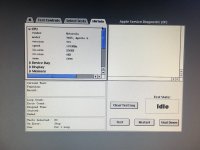
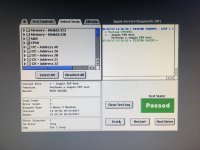
I have Xserve G4 slot-loading (https://everymac.com/systems/apple/xserve/specs/xserve_g4_1.33.html). I've noticed that Diagnostics tab of System Information shows L3 cache failure. I reset NVRAM, ran Apple Service Diagnostics and it shows L3 cache 0 bytes. I physically removed the CPU and looked at two Samsung memory chips there — it is GBA soldered. What to do, how to enable L3 cache again? Is it a software restriction (if yes, then where to enable)? But I think it is a hardware failure, who and how fixed it? It it enough to re-solder two memory BGA chips, or need chips replacement, or something else?
I have Xserve G4 slot-loading (https://everymac.com/systems/apple/xserve/specs/xserve_g4_1.33.html). I've noticed that Diagnostics tab of System Information shows L3 cache failure. I reset NVRAM, ran Apple Service Diagnostics and it shows L3 cache 0 bytes. I physically removed the CPU and looked at two Samsung memory chips there — it is GBA soldered. What to do, how to enable L3 cache again? Is it a software restriction (if yes, then where to enable)? But I think it is a hardware failure, who and how fixed it? It it enough to re-solder two memory BGA chips, or need chips replacement, or something else?
Last edited by a moderator: