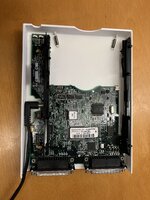
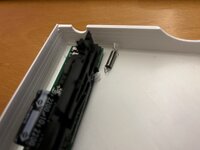
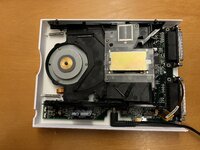
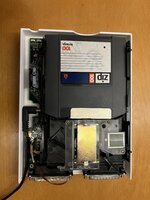
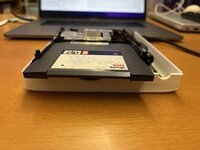
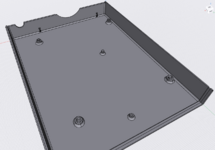
Most owners of zip 100 drives know how brittle the plastic becomes over time. You cannot even open the case without braking most of the holding clips. In the direction of preserving my two drives (one parallel and one scsi) I have begun to model a new case. Please note that my 3d modelling experience is very limited. I am using Sapr3D which I find quite intuitive.
The project is not finished, but I am sharing it anyway in case someone with more knowledge on 3d design can share some thoughts or would like to help.
What works:
a) The case is functional and prints well. I have not copied the original design because it is very complex, and even if we could model it, it would not print well (overhangs).
b) The measurements of holes/screws are correct and the PCB fits nicely
c) The holes for the drive side rails are a bit tight but get the job done
d) Attachments for the springs (eject mechanism)
Next Steps:
a) Make it so that the original rubber feed can be transferred to the new case
b) lower the front face by 1-2mm so that the disk inserts without hitting it
c) make rear cover (will have openings for the two ports, the dc cable, and the two switches id/termination)
d) Top case
e) Some way to "clip" top and bottom case (might need some help here)
The project is not finished, but I am sharing it anyway in case someone with more knowledge on 3d design can share some thoughts or would like to help.
What works:
a) The case is functional and prints well. I have not copied the original design because it is very complex, and even if we could model it, it would not print well (overhangs).
b) The measurements of holes/screws are correct and the PCB fits nicely
c) The holes for the drive side rails are a bit tight but get the job done
d) Attachments for the springs (eject mechanism)
Next Steps:
a) Make it so that the original rubber feed can be transferred to the new case
b) lower the front face by 1-2mm so that the disk inserts without hitting it
c) make rear cover (will have openings for the two ports, the dc cable, and the two switches id/termination)
d) Top case
e) Some way to "clip" top and bottom case (might need some help here)