• Hello MLAers! We've re-enabled auto-approval for accounts. If you are still waiting on account approval, please check this thread for more information.

Try to bring a Mac 128K back to life...Neeed help

MegaImg

6502
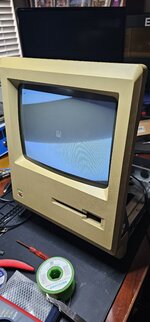
I got a Mac 128K at VCF a couple of weeks ago. The unit didn't do anything. First, recaped the analog board and the main logic board but still nothing. After a couple of tests, discovered the flyback transformer was dead. Replace it from a SE/30 Analog board and the unit power on, give me a bong but display Sad Mac with error code 020400.

The unit was modified to be 512K. I removed the modification, put a new dual-side IC socket for the memory, and replaced all the memory IC with Samsung 4164B. But the same behavior. Do you have any idea what to check next?

All traces where checked on all the memory connections. Test OK.
 

Attachments

  • 20240706_162906 (002).jpg
    20240706_162906 (002).jpg
    6.1 MB · Views: 19
I have desoldered and tested the following Logic connected to the memory, all pass ok.
74LS257 (2)
74LS161 (2)
74LS166 (2)
74LS257 (2)
 
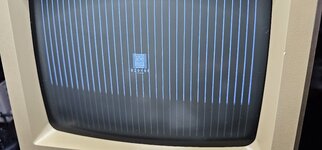
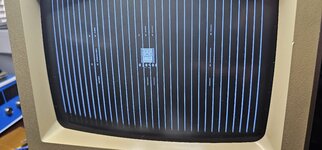
Verify One more time, forgot to solder one pin...image is better but same issue. Move the G7 Memory to another location, the error dont change. Regarding the Vertical lines. I think still an issue on the Analog board, any directions?
 

Attachments

  • 20240706_185702.jpg
    20240706_185702.jpg
    3.4 MB · Views: 17
Last edited:
I found an issue... The line going from CPU on pin 59 (D10) fail continuity to G7 pin 2. Will test some time tomorrow,
 
I am happy to inform you that the unit is Back online!
A little surprise that no one replied to my original post...
 

Attachments

  • 20240707_182220.jpg
    20240707_182220.jpg
    1.2 MB · Views: 16
I personally go through phases where I’ll be active on here for a while then step away for a bit, depending on life events, etc.
 
I am happy to inform you that the unit is Back online!
A little surprise that no one replied to my original post...
Hello, I am having the exact same issue with my 128k mainboard. Well first it gave me 020800 sad mac code, so I replaced the ram at G8. I power it on again and now have the 020400 code. I replaced the ram at G7 and it is still giving me the code. May I ask what your solution was?
Thanks,
 
Back
Top