
My friends, I am a music teacher in Michigan. Twenty five years ago I changed jobs to a school with no technology and purchased around 20 PowerPC 5260, 5400 and 5500 models for my new classroom. At the time they had just become obsolete with the new iMacs arrival so I paid between five and twenty dollars each. I've lost about 5 to 8 over the years (I wish I had kept the shells) but have kept about 12 running all this time. There are two programs I use for the kids that are not available on any modern machine; Morton Subotnick's Making Music, and Paramount's Rock Rap N Roll. I just purchased another 5400 and want to know if there is a way to hook it up to one of my older machines to migrate Rock Rap N Roll to my new purchase. Is this possible? (I can't find my old floppy's for the program). What do you think?

-
 Hello Guest! We're hosting a challenge to welcome vintage Intel macs to the MLA during the month of July! See this thread for more information.
 -
We've made some quality of life improvements to the Trading Post. More info here.
You are using an out of date browser. It may not display this or other websites correctly.
You should upgrade or use an alternative browser.
You should upgrade or use an alternative browser.
Transfer Programs Between 5260, 5400, 5500 Models
- Thread starter Mr Knoch
- Start date


You've got multiple options:
- if you've got a Macintosh serial cable you can just copy the data. https://68kmla.org/bb/index.php?thr...hex-archiving-and-serial-transfer-tool.47508/ You can use the same technique to get Tiny Transfer onto the Macs too! (e.g. use Clarisworks terminal to bootstrap it). if you're doing Music, then I guess those Macs used serial cable to connect to MIDI instruments. Serial transfer will be somewhat slow though, but perhaps faster for single copies than taking Macs apart.
- if you've got an IDE based CD-R you can probably replace the CD-ROM with one, assuming you have a more recent OS on the Performas.
- If you've got a SCSI ZIP drive you can transfer data that way.
- You can buy Blue SCSI or Zulu SCSI adapters, then you can use an SD card.
- You can take the IDE drives out of the Macs and if you have a Linux machine that takes old IDE drives, pop it in there and get it to mount as HFS.
- Maybe you can put two IDE drives on your Performas. OK, I think you can do that - remove the CD ROM and replace it with the IDE from the new 5400. Of course, you'd have to take the Macs apart, but these Macs were fairly accessible weren't they? Motherboards were easy to pull out for a start.
My friends, I am a music teacher in Michigan. Twenty five years ago I changed jobs to a school with no technology and purchased around 20 PowerPC 5260, 5400 and 5500 models for my new classroom. At the time they had just become obsolete with the new iMacs arrival so I paid between five and twenty dollars each. I've lost about 5 to 8 over the years (I wish I had kept the shells) but have kept about 12 running all this time. There are two programs I use for the kids that are not available on any modern machine; Morton Subotnick's Making Music, and Paramount's Rock Rap N Roll. I just purchased another 5400 and want to know if there is a way to hook it up to one of my older machines to migrate Rock Rap N Roll to my new purchase. Is this possible? (I can't find my old floppy's for the program). What do you think?
@Mr Knoch That is so wonderful and cool that you’re keeping these alive for your kids.
One option is to just redownload those apps, rather than try to transfer them. You can find them here:
- https://www.macintoshrepository.org/2481-morton-subotnick-s-making-music
- https://www.macintoshrepository.org/1597-making-more-music (a newer version??)
- https://www.macintoshrepository.org/2164-rock-rap-n-roll
Good luck with getting those setup!
My bad, the 5400 uses a SCSI CD-ROM :-( .You've got multiple options:
Is that helpful enough (option 6 seems like the most promising from my viewpoint)?
- Maybe you can put two IDE drives on your Performas. OK, I think you can do that - remove the CD ROM and replace it with the IDE from the new 5400. Of course, you'd have to take the Macs apart, but these Macs were fairly accessible weren't they? Motherboards were easy to pull out for a start.
OK, so option 7: download the apps to a CD-R, then pop the CD in the new 5400 (assumes he has a CD-R drive, which is plausible).@Mr Knoch That is so wonderful and cool that you’re keeping these alive for your kids.
One option is to just redownload those apps, rather than try to transfer them. You can find them here:
Some people get their old Macs connected to the Internet and download directly, others get USB floppy drives for their more modern computers and copy them onto there.
- https://www.macintoshrepository.org/2481-morton-subotnick-s-making-music
- https://www.macintoshrepository.org/1597-making-more-music (a newer version??)
- https://www.macintoshrepository.org/2164-rock-rap-n-roll
Good luck with getting those setup!
My old Macs aren't online; could I download them to, say, a CD using my Mac Studio and transfer them like that?Mr. Knoch,
you can find both on macintoshrepository.org
Yes, create a HFS+ disk image (assumes your 5400s are running Mac OS 8.1 or later), copy the files to it, burn the cd from the image, put the CD in the 5400sMy old Macs aren't online; could I download them to, say, a CD using my Mac Studio and transfer them like that?
 !
!
IRTalk
What is that, Mike?IRTalk


Infrared AppleTalk. Some Mac models have the ability to transfer files wirelessly. The 5260 and the 5500 ibelive have the ability to transfer files over built-in AppleTalk over infrared.

No, you can’t unfortunately. I’ve tried it and it doesn’t work. I think the IDE controller in this line of Performas doesn’t support the master/slave protocol.Maybe you can put two IDE drives on your Performas.
What happens if you try? Is only one drive seen or neither?No, you can’t unfortunately. I’ve tried it and it doesn’t work. I think the IDE controller in this line of Performas doesn’t support the master/slave protocol.
[@Mr Knoch, don't try this until confirmed, which it probably won't be, but I'm curious]: Hmm, can SCSI Target Disk Mode be used?The easiest way is to use the external SCSI port with a standard HD enclosure. Which, btw, would also be uber useful for a lot of other things given you have multiple machines.
"With the change to IDE drives starting with the PowerBook 150 and 190, Apple implemented HD Target Mode, which essentially enabled SCSI Disk Mode by translating the external SCSI commands via the ATA driver. Officially reserved for Apple's portables only, the mode was supported by all PowerBooks except the 140, 145, 145B, 150 and 170. However, SCSI Disk Mode can be implemented unofficially on any Macintosh with an external SCSI port by suspending the startup process with the interrupt switch, as long as all internal drives on the chain can be set to different IDs than the active host system's devices."
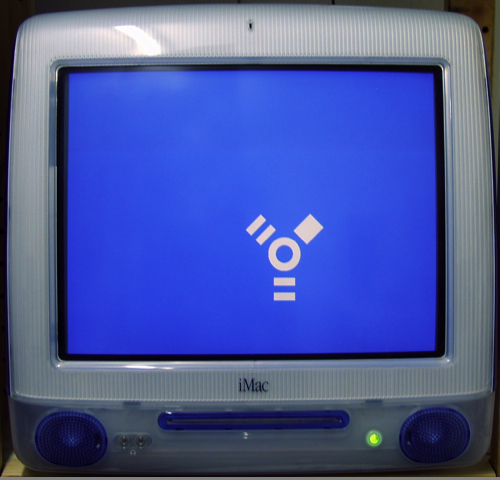
Target Disk Mode - Wikipedia
The wording of this implies that this method for target disk mode on a SCSI Mac could work with an IDE drive Mac, because it doesn't say "unofficially on any internal SCSI drive Macintosh". OTOH, I can't see how suspending the startup process with an interrupt switch on an internal IDE-based PowerMac could support the feature, because as it says earlier, it'd need to use the HD target mode, which requires the AT driver to translate external SCSI commands and that's not possible, if the startup process has been interrupted.
But it does give a clue on how to make it work, even though that won't be very helpful for the OP. It should be possible to write an application which implements HD target mode, translating SCSI commands. I think you'd have to run it with VM off and somehow stop the OS from writing to the disk. But it is one possibility, a possibility much more costly in time and money than buying a Blue/Zulu SCSI ;-) .
I'm thinking of getting a couple of PI PICO based ones: they could be used for My Mac Plus, LC II, SE (when fixed) and PB1400. So, maybe I need 6!an external Zuluscsi is really cheap and a very effective investment when you work with all those vintage machines….
Similar threads

- Replies
- 48
- Views
- 13K
