• Hello MLAers! We've re-enabled auto-approval for accounts. If you are still waiting on account approval, please check this thread for more information.

TashTwenty: Single-Chip DCD (Hard Disk 20) Interface

For now, you can take the demo images that I've provided and try changing the partition type (using a tool like fdisk) of either of the two partitions on it to any number between 0x01 and 0x1E. 0x1E is Clarus the dogcow. 0x0A is classic Steve Jobs. 0x19 is modern Steve Jobs. The others... well, explore and find out. =)

I use macOS 11 and I’m new to fdisk.

When typing fdisk in terminal these commands show up:

Code:
    -i: initialize disk with new MBR
    -u: update MBR code, preserve partition table
    -e: edit MBRs on disk interactively
    -f: specify non-standard MBR template
    -chs: specify disk geometry
    -S: specify disk size
    -r: read partition specs from stdin (implies -i)
    -a: auto-partition with the given style
    -d: dump partition table
    -y: don't ask any questions
    -t: test if disk is partitioned

What would a typical command line for changing partition type look like?

Speaking of which, I'm still looking for good 32x32 monochrome icons to add to the demo images, if anyone has a source or collection they'd like to share. Whenever I go looking for icons, I find plenty of color ones, but few monochrome ones...
I’d like to contribute with some Icons :)
 
I flashed your 1704 image with ApplePiBaker, and it's alive! I tested on my SE FDHD and it works great. R/W LED still isn't flashing, but the drive seems to work OK.

Interesting issue. The R/W LED is a dual one, so it's unlikely that both colors are dead. Either the LED driver is busted (but it's used as well for the SDCard so that shouldn't work at all) or the LED is backwards. Do you have a picture of it ?
 
Well, shipment to Sweden took a good while, but my TashTwenty Tiny is assembled and ready for a test drive. It was sure fun to solder, I enjoyed every second of hiding in the basement. Next, I’ll start by doing some reading up in the thread regarding formatting and SD card convolutions.

Nice soldering skills !
I'm wondering if all modern SD cards are able to work "slower" than they are expected to.
 
It didn’t like my two SanDisk 64 GB XC and 4 GB HC, respectively, but the PNY 16 GB that came with my MacSD went through. I’m so relieved.
Good, I'm glad you were able to find one that worked! It'd be interesting to know what the blink code was for the cards that didn't work, if you feel like finding out.

I have a feeling that increasing card compatibility will be what I work on next in the firmware. I was expecting more compatibility errors with cards than I've ended up experiencing myself, I may just have gotten lucky... only one so far that I've hit an issue with is a very old 64 MB card, and I'm fairly sure that's because I don't support an old version of the init sequence... and I know that can't be why your 64 GB card doesn't work, since the address space that init sequence supports is only 4 GB. Mysteries abound.
 
I use macOS 11
Does Mac OS include Python these days? (And is it Python 3.x? I sure hope it is...) If it does, I could clean up and publish the Python script I've written to make it a bit easier to cook up MBR images with custom icons. I might have to bang out a utility to convert some more common graphical format into the Mac-native monochrome-icon-and-mask format, though...
 
Does Mac OS include Python these days? (And is it Python 3.x? I sure hope it is...)

Code:
cheesey@coracle ~ % uname -a
Darwin coracle.local 21.4.0 Darwin Kernel Version 21.4.0: Fri Mar 18 00:46:32 PDT 2022; root:xnu-8020.101.4~15/RELEASE_ARM64_T6000 arm64
cheesey@coracle ~ % /usr/bin/python3 --version
Python 3.8.9
 
use '-e' to get into interactive mode, then use the 'setpid' command, iirc
I’ll give it a try!
Nice soldering skills !
Thank you! :)
Good, I'm glad you were able to find one that worked! It'd be interesting to know what the blink code was for the cards that didn't work, if you feel like finding out.
I only have a Multimeter, please give me some more step by step details on how to use it for obtaining the blink codes, and I will be happy to provide them for you.
Does Mac OS include Python these days?
I’m currently on 3.8.5 (y)
I might have to bang out a utility to convert some more common graphical format into the Mac-native monochrome-icon-and-mask format, though..
That would be great!
 
I only have a Multimeter, please give me some more step by step details on how to use it for obtaining the blink codes, and I will be happy to provide them for you.
Your multimeter has to have a pretty fast sampling rate to be able to tell, mine is much too slow for this - but it's also possible to hook up an LED and resistor to the necessary pins and watch it blink. Instructions for that are in this post - let me know if you need any more information.
 
use '-e' to get into interactive mode, then use the 'setpid' command, iirc
Ahhh, now I figured it out! I was a little confused because the first partition id shows up as “DOS_FAT_12” whereas the others show up as “0x02 and 0x03”. When looking at the list of id values it became clear Dogcow or 0x01 is “DOS FAT 12” thus 0x04 is Hobbes or “DOS FAT-16”. Let’s see what’s under ”Extended DOS” ;).
 
Your multimeter has to have a pretty fast sampling rate to be able to tell, mine is much too slow for this - but it's also possible to hook up an LED and resistor to the necessary pins and watch it blink. Instructions for that are in this post - let me know if you need any more information.
I’d like to try. But I have never done anything close to this before. For starters, I wouldn’t know how to choose a resistor.
 
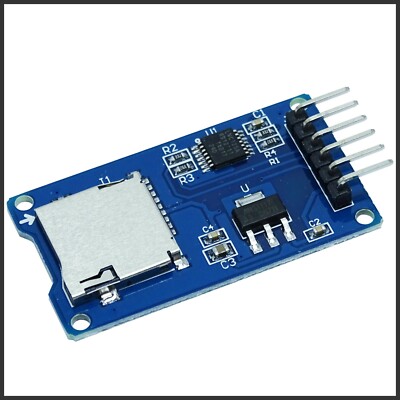
Removing the pull up resistor did not solve my problems with some SD-cards. I think that the spark shifter board could be the problem. I will try another board with some cables as connection to the tashtwenty.
 
I think that the spark shifter board could be the problem.
I really don't know how to account for all the trouble that these things have been causing. I developed the firmware using one of the SparkFun boards and it worked fine for quite some time, and worked fine with my first build of my PCB as well, then it suddenly stopped, and then neither it nor any of the ones I bought since then have worked. Something something solar flares? Adafruit's board has been much more dependable, thankfully.
 
Icon update. One weird thing happened when shifting icons using ‘fdisk’ and ‘setpid’ in the terminal of macOS. Some ids make the volumes disappear. For instance, 0x05 is listed as ‘Extended DOS’ in fdisk; when set for one volume, none of the volumes shows up, but they are still present. Changing back to good value, everything is back to normal. Have I missed something?
 
So I went looking for potential points of card incompatibility and I found this StackOverflow question - implemented that fix in my firmware and now can use the one SD card I had that didn't work. @Iesca is sending me another troublesome SD card that should arrive tomorrow, I'll see if this makes that one work as well. No guarantees, but I feel optimistic that this could be the cause of a lot of the "this one works, that one doesn't" situations folks have been having with SD cards.
 
implemented that fix in my firmware and now can use the one SD card I had that didn't work
Interesting. Is the firmware available? I've slso run into issues with a couple of my uSD cards. My 1704s and PICkit3 have arrived, so willing to give this a spin and report back.
 
Back
Top