


• Hello MLAers! We've re-enabled auto-approval for accounts. If you are still waiting on account approval, please check this thread for more information.

Setting up a PC Trasporter on a IIGS

Awesome possum! Now I can start cross checking stuff.

My color switch card does nothing when connected, so I just threw a few bucks at it and replac d these parts... Let's see.

Bought the same chips with the same intent of replacing them on a (seemingly) non-working ColorSwitch... but then never found the time to do it :D - let us all know if something changes!

Anyway I guess the new ColorSwitch pcb project could be a place to look at, for finding some answers, even related to the pinout we're all trying to figure out; for instance your question:
Also, does Ground need to get connected to each of the various grounds at the DB15, or is one sufficient? (Pin1+Pin6+Pin13)
have been bugging me for a couple years already :D as I am scared to fry / mess up something with wrong connections, being a total noob with electronics.
 
Bought the same chips with the same intent of replacing them on a (seemingly) non-working ColorSwitch... but then never found the time to do it :D - let us all know if something changes!

Anyway I guess the new ColorSwitch pcb project could be a place to look at, for finding some answers, even related to the pinout we're all trying to figure out; for instance your question:

have been bugging me for a couple years already :D as I am scared to fry / mess up something with wrong connections, being a total noob with electronics.
Confirmed. I plugged a IIgs video cable into the back of a IIgs, and then measured pins 1, 6, 13, and the shield, and they all have continuity to each-other, so are all a common ground. I'll wire up my DA15 (?) the same way.
 
Unfortunately, even after chip replacement and proper wiring harness, i still get no IIgs video output via the colorswitch.

I'm going to hook up two monitors in parallel and see if i can get PC Transporter signs-of-life or not. Have to figure out how to get software into this machine, which is booting off of an ancient IDE type card (that has a CF card on it now). May have to borrow my son's CFFA3000 and use that to shuttle software onto it - ugh.
 
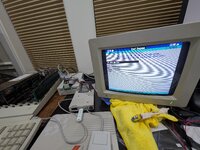
Progress!

Switcher doesn't work, but video output does!

Got to figure out how to configure stuff now.

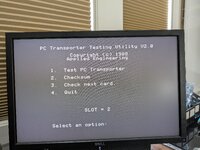
The TEST feature says it's going to erase the card. What do s this mean, any concern?
 

Attachments

  • PXL_20251229_193349082.MP.jpg
    PXL_20251229_193349082.MP.jpg
    1.8 MB · Views: 3
Progress!

Switcher doesn't work, but video output does!

Got to figure out how to configure stuff now.

The TEST feature says it's going to erase the card. What do s this mean, any concern?

I knew it! Direct video-out signal seems to never fail.

Reading through the first posts, you will discover that under proDOS the card memory can be used as a RAM disk - in this case, testing it will erase any file saved there.

Your issue anyway seems to be with the ColorSwitch... which seems to me quite common. I would recommend to focus on setting up devices, disk images, programs etc and have fun with the PCT as much as possible - then maybe new developments of the ColorSwitch clone will help us :D
 
So no matter what I do, i can't get 720K 3.5" drive emulation to work via Gotek and the nanja.info adapter. How did you get this working?

Meanwhile, any chance you have a MSDOSVOL type "hard-file" that is bootable and functional so I can test with? So far, i can get this thing to pass all its tests, I can configure it "properly", but i haven't been able to get it to boot anything.
 
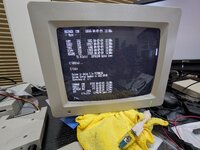
I ended up only able to fit the mostly empty 20mb dos "partition" (from the pct-connectors-rebuild github) onto my Alltech CF card's 2nd partition. But got it to boot!
PXL_20251230_053756571.MP.jpg
PXL_20251230_053639882.jpg

I'll try a bit longer with the color switch and floppy stuff, and see if I can get anywhere further.

Then, it's all for sale!
 
Last edited:
Back
Top