• Hello MLAers! We've re-enabled auto-approval for accounts. If you are still waiting on account approval, please check this thread for more information.

Running the IBM T221 on vintage (new world) Macs

I've had a couple of these displays on my bench for a few months now. I intend to perform more testing, but for now I've assembled a relatively comprehensive page of information here, so I can keep it organized as I update it:


Hopefully this is useful to somebody other than me :)

Feedback is welcome! Probing these taught me how little I previously understood the interworkings of LCD displays, EDIDs, blanking, etc. and I had no formal basis for many of the statements I've recorded beforehand; it's rather pieced-together.

So far I've added internal photos, model delineations, resolutions dumped from flashable EDID modes, and validated test setups mixed with other relevant background information. I've tailored my testing so far to Macintosh systems from the beginning of the 'DVI age' to the end of the 'mini DisplayPort age.'
 
Jeremy great site!
It is a fantastic monitor!
I have the 9503-DG5 and was pondering how to get full resolution from a Mac as I lack the converter box. I cannot source (3rd party) adapters to do the job.
 
Last edited:
Jeremy great site!
It is a fantastic monitor!
I have the 9503-DG5 and was pondering how to get full resolution from a Mac as I lack the converter box. I cannot source (3rd party) adapters to do the job.
Thank you! I’m sorry I didn’t get to this sooner.

Without the LFH-60 to DVI-DL adapter(s) the closest alternatives rely on having one or two of the ‘stock’ LFH60 to dual DVI-SL with USB cables.

If you have one of these cables I’d recommend the Matrox DualHead2Go DP Edition or TripleHead2Go DP edition. Using either of these and a pair of active or passive (DP++) DVI adapters you’ll be able to drive the T221 up to 34 Hz using SwitchResX or equivalent:
34.460 Hz (3840 x 2400 - 64, 64, 192 [H+] 2, 4, 2 [V-] 82.981 kHz / 345.20 MHz)

If you have two of the ‘stock’ twin DVI-SL cables you can get a little more performance out of Matrox’s TripleHead2Go Digital SE. In order to achieve the best results, it should be configured in Matrox PowerDesk for 3*1280x1024, and then SwitchResX or similar can send the full resolution up to over 37 Hz:
37.627 Hz (3840 x 2400 - 16, 32, 72 [H+] 2, 1, 1 [V+] 90.455 kHz / 358.20 MHz)

Only the 9503-DG5, DGM, and DGP models accept the three stripe input scheme, so any 9503-DG3 equivalents will only work with the Matrox DP Editions over two stripes.

Reducing the vertical resolution values works in both cases to achieve higher refresh rates, and I have had some haphazard success using the TripleHead2Go Digital SE with a 4K HDMI to DP adapter which fails over to 6bpc beyond ~340MHz, allowing the T221 to run in full resolution up to 47.314 Hz but with slightly visible banding in gradients. Hypothetically if Mac OS would directly send 6bpc to the DP output, modes beyond 48 Hz would work.

It’s also possible to use these Matrox adapters behind DVI-DL to miniDP adapters such as from Gefen or Atlona. I’ve tested with Gefen’s and it’s limited to around 30 Hz at full resolution but does remain stable.

For comparison with the DVI-DL to LFH-60 adapters, the T221 can sync directly up to just a fraction faster than with the Matrox DP Edition boxes:
34.537 Hz (3840 x 2400 - 48, 32, 64 [H+] 1, 1, 1 [V-] 82.992 kHz / 330.64 MHz)

There seems a slight degradation in motion clarity with the Matrox schemes than with the DVI-DL adapters (occasional frame tear,) though I’ve yet to work out if this is resolvable using different blanking intervals. There’s no vertical tearing apparent between the stripes, however.

Hope this helps!
 
Last edited:
Hello again...being playing with a Macpro G5 with a FX4500 and driving the T221
setup T221
Video Connector A -> LFH-60 to DVI- DL -> DVI A -> DVI cable to FX 4500 DVI A
-> DVI B -> not conencted
Video Connector B -> LHF-60 to DVI-DL -> DVI A -> DVI cable to FX 4500 DVI A
-> DVI B -> not conencted

With the above setup I can either get two 1920 x 1200 side by side or one 1920 x 1200 when I mirror monitors. Also in both cases they do not fill the entire screen. Obviously if I connect only 1 DVI then I get fullscreen video.

Where can I go from here?
 
Where can I go from here?

If you're using the LFH-60 cables with two DVI connectors + USB, then they're not actually DVI-DL. It's a discrepancy which can be a bit confusing, but those cables provide dual single-link DVI (two signals displayed side-by-side on the T221), whereas dual-link DVI natively interpolates each vertical line between the two links. The -DG5, -DGM, and -DGP variants of the T221 can interpret dual-link signals with the correct (difficult to source) adapters, though the monitor would still only advertise the EDID with dual-link resolutions if it was selected on the OSD interface.

Factory documentation for identifying and changing the EDID mode is here:

If you're running single-link cables, you can still run two links of 1920x2400; they'll just be limited to 20-34Hz instead of the 40-68Hz range of dual-link signals. The fact that you're currently only seeing 1920x1200 suggests the EDID mode selected on the OSD isn't exposing 1920x2400 modes.

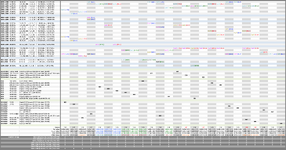
A comprehensive chart of every modeline exposed by each EDID mode is attached. There's so much information there that it can be difficult to understand, so feel free to ask questions. If you're using a software like SwitchResX which can set explicit resolutions regardless of EDID, you won't necessarily need to mess with the monitor's OSD; the T221 will adapt to any in-range input regardless of the modes currently exposed in the EDID.IMG_1967.png
 
Back
Top