• Hello MLAers! We've re-enabled auto-approval for accounts. If you are still waiting on account approval, please check this thread for more information.

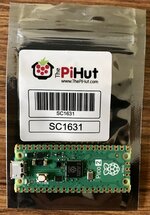
RP2350: Raspberry PI PICO-2 with 520kB of RAM

The RP2350B version is particularly interesting, the 48 GPIO pins opens it up to interfacing with a lot more stuff.
 
I feel like we're not far off from being able to drop one of these in to entirely replace the CPU...forget the pico, just mount a tiny board with an RP2350 and an emulation ROM into the socket. Certainly would be a lot more plug-and-play than a PiStorm (totally ignoring all the system ROM timing issues for a moment).
 
I feel like we're not far off from being able to drop one of these in to entirely replace the CPU...forget the pico, just mount a tiny board with an RP2350 and an emulation ROM into the socket. Certainly would be a lot more plug-and-play than a PiStorm (totally ignoring all the system ROM timing issues for a moment).
it would make a good FPU replacement, though
 
man, imagine using that to replace an 882 or 881
Oh, I wondered what you meant by the 882 or 881. I was thinking some kind of Roland drum-machine, but that's 808! Instead you mean the FPU. I suspect interfacing a PICO to a real 68882 pinout will be tricky due to the need for cycle-accurate timing (or at least bus-accurate timing), even though the M33's FPU will offer a much higher performance (actually dual FPUs I believe!!).

The reason why I mentioned the Fat Mac was because this project implements a 128kB Mac:


I've been working (on and off) on a much higher performance 68000 emulator for the Cortex M0+. I know that, for example, it will:
  1. Fit entirely in the 16kB of XIP cache on an RP2040.
  2. Be never slower than a real 128kB Mac's CPU, which is 7.5MHz x 75% due to the video cycles. The worst case, ironically, are MOVE.W Rs,Rd instructions, because of the higher decode overhead to execution time. Instructions where one operand is a register or any instruction where memory accesses are involved have an increasing advantage.
  3. Capable of emulating the mythical 256kB Macintosh.
My emulator core makes no attempt to even count cycles. It's more like Gary Davidian's 68LC040 emulator in that sense (though nowhere near as fast). With 520kB of RAM it's possible to emulate a real Fat Mac of course, and the mythical 256kB remains mythical!

But yes, if people think a PICO can emulate a 68882 or 68881 that sounds cool!
 
I suspect interfacing a PICO to a real 68882 pinout will be tricky due to the need for cycle-accurate timing (or at least bus-accurate timing)
I've never programmed the RPi chips, but the PIO devices seem like they would be helpful for dealing with this. The 2350 has 12 of them, and maybe that's enough for a lot of the FPU control signals? Of course they'd have to be coordinated somehow, and I don't know how that works.
 
I feel like we're not far off from being able to drop one of these in to entirely replace the CPU...forget the pico, just mount a tiny board with an RP2350 and an emulation ROM into the socket. Certainly would be a lot more plug-and-play than a PiStorm (totally ignoring all the system ROM timing issues for a moment).

Am looking forward to that day. We'll probably have a PICO device, or two, in every one of our vintage machines doing something interesting and cool. PiStorm is awesome, I've got one in my Amiga 1200 and I don't think I'll be putting my '030 accelerator back in ever.
 
Am looking forward to that day. We'll probably have a PICO device, or two, in every one of our vintage machines doing something interesting and cool. PiStorm is awesome, I've got one in my Amiga 1200 and I don't think I'll be putting my '030 accelerator back in ever.
I've never programmed the RPi chips, but the PIO devices seem like they would be helpful for dealing with this. The 2350 has 12 of them, and maybe that's enough for a lot of the FPU control signals? Of course they'd have to be coordinated somehow, and I don't know how that works.
The PIOs would certainly help with bus transfers as they can handle bit-fields as well as individual bits. My reading of the command-level MPU to CoPro protocol looks a bit complex for a PIO to handle by itself and I think that the latency between: PIO->DMA->CPU... decode/execution.. -> DMA -> PIO might be a bit much?


Anyway, the URL is given above.

-cheers from Julz
 
So, do you think at 150MHz it could handle fast-wide SCSI?
If it can already do fast scsi, then I don't really think that it will require much clock bump to do wide scsi. I wouldn't be surprised if it could do Ultra Wide SCSI. The PIO DVI examples of the RP2040 and the new HSTX port show that the device can move much more bandwidth than even U160 SCSI provides, but I wouldn't swear that there wouldn't be hitches to supporting that. I think that Ultra Wide SCSI would be a nice point to have though. That would allow using SD emulators for late 90s video editing systems, such as SGI O2/Octane.
 
If it can already do fast scsi, then I don't really think that it will require much clock bump to do wide scsi. I wouldn't be surprised if it could do Ultra Wide SCSI. The PIO DVI examples of the RP2040 and the new HSTX port show that the device can move much more bandwidth than even U160 SCSI provides, but I wouldn't swear that there wouldn't be hitches to supporting that. I think that Ultra Wide SCSI would be a nice point to have though. That would allow using SD emulators for late 90s video editing systems, such as SGI O2/Octane.
I'm thinking of my SGI Indy... if I ever get it going ;-) ! List of things to sort out:
1. Video cable to VGA.
2. Clock chip: cut out the battery (I got most of the way) and replace with a removable one.
3. New disk drive.

Doesn't sound like much, but I've never managed to achieve that so far!
 
I'm thinking of my SGI Indy... if I ever get it going ;-) ! List of things to sort out:
1. Video cable to VGA.
2. Clock chip: cut out the battery (I got most of the way) and replace with a removable one.
3. New disk drive.

Doesn't sound like much, but I've never managed to achieve that so far!
Now you are making me think I need to check my Indys. One of them has a bunch of licensed software, and I should be sure to back of what is needed from the NVRAM (I think just mac address) to preserve that software.

Related to the topic, the Indys have Fast (but not Wide) SCSI, so a bluescsi upgraded to support Fast SCSI would be nice there. I think Fast SCSI is also what the Sun Sparc 5s and 20s use.
 
Now you are making me think I need to check my Indys. One of them has a bunch of licensed software, and I should be sure to back of what is needed from the NVRAM (I think just mac address) to preserve that software.

Related to the topic, the Indys have Fast (but not Wide) SCSI, so a bluescsi upgraded to support Fast SCSI would be nice there. I think Fast SCSI is also what the Sun Sparc 5s and 20s use.
Oh, even easier then! I just assumed it was Wide SCSI, because the cable looked like it had more wires on than the one on the Macs I've had. Mine's an R4000 Indy with the rubbish pseudo-24 bit (i.e. 8-bit LOL) graphics, but I think it has 32MB to 64MB of RAM, which is enough for anyone. I do have an IRIX 5.3 install CD (I know 6.x is later and 5.3 is still 32-bit).
 
Raspberry PI, PICO2! 2x RAM, 2x Flash; 50% more PIOs, 20% Faster, software selectable RISC-V cores; fixed Adc!

C4819FAD-3FC0-43A7-ABD9-6EB553F876D9.jpeg
 
Modern compiler toolchains infuriate me with their inane complexity!

I've tried about 3 different ways to be able to install the Raspberry PI Pico toolchain. Stupid <expletive> cmake!!! Why not just ordinary makefiles??!?!!?!?!?!?! Anyway, I tried installing the tools manually to begin with. Then I tried vscodium (you might ask why I don't just install vscode, but I hate Microsoft so much I'd do anything else than support their empire), but I never figured out how to get vscodium to pick up the right paths for arm-none-eabi-gcc; the pico sdk and pico examples. And this stuff should be easy!

Finally, I've been trying to use eclipse. Actually I've been fairly comfortable with eclipse, but again, it's a <expletive> cmake conflict. The Raspberry PI PICO getting started manual tells you how:

  • At the same level as the pico-examples folder, create a new folder, for example pico-examples-eclipse
  • Change directory to that folder
  • Set the path to the PICO_SDK_PATH
$ export PICO_SDK_PATH=<wherever>

(that's a bad instruction, because it absolutely matters what that path is, the implication is that it should be the path to the pico-examples-eclipse folder your've just created).

$ cmake -G"Eclipse CDT4 - Unix Makefiles" -DCMAKE_BUILD_TYPE=Debug ../pico-examples

And it's this line that fails. I really don't understand that freakin' cmake CLI gibberish, life's too short to build your life around the arcane command line options of every tool, so I'm just treating that guff like magic. Unfortunately, regardless of whether I have PICO_SDK_PATH=~/Development/pico/pico-examples-eclipse or PICO_SDK_PATH=~/Development/pico/pico-examples it complains that:

CMake Error at pico_sdk_import.cmake:68 (message):
Directory '/Users/julianskidmore/Development/pico/pico-examples-eclipse'
does not appear to contain the Raspberry Pi Pico SDK
Call Stack (most recent call first):
CMakeLists.txt:4 (include)


Well, of course it bloomin' doesn't, because that's where the conversions are supposed to be stored!

Any Ideas? (please don't just tell me to install vscode).

Oh my goodness, even if I cd to the pico-examples AND set the PICO_SDK_PATH to pico-examples, I still get the same error message!!!?!? How can it possibly know what the target directory is if nothing specifies it?!?!?!!!

Modern development tools: a swamp within an ocean of sewage.

 
Back
Top