Hey all,
As I have Quadra 800 logic board inside Quadra 700 case, it also has DOS compatible card installed with extension to the NuBus ports as well.
(Quadra 700 logicboard was battery cancer, and Quadra 800 case shattered into pieces hence two into one - Love the shape of Quadra 700 case, and it has feets too!
Anyway; I love Quadra 840av but I don't like moving it around too much as its so brittle, but if I could get Quadra 800 faster than 840av then I am very happy with that.
I have researched and I have found 3 options as I already have spare 68040 40mhz CPU;
Option A) Replace the Crystal Oscillator from 16.667mhz to 20.0 mhz and install 68040 40mhz CPU - then it'll run at 40 mhz.
Option B) Remove crystal oscillator and install Spicy O'Clock.
Option C) Install and run 68040 40mhz CPU, install jumper in J28 & 29 plus replace R152 resister to 1.2kΩ, replace to 330Ω in R233, and no resister in R151, URL link below;

 elephantandchicken.co.uk
I am not interested any faster than 40mhz, I am thinking lending towards option B that way I can switch over from 40mhz to 33mhz if I wanted to.
Lastly; I am running System 7.1, my other concern which I haven't found info for - will it still boot in 7.1 - if so which enabler should I use?
Cheers
AP
As I have Quadra 800 logic board inside Quadra 700 case, it also has DOS compatible card installed with extension to the NuBus ports as well.
(Quadra 700 logicboard was battery cancer, and Quadra 800 case shattered into pieces hence two into one - Love the shape of Quadra 700 case, and it has feets too!
Anyway; I love Quadra 840av but I don't like moving it around too much as its so brittle, but if I could get Quadra 800 faster than 840av then I am very happy with that.
I have researched and I have found 3 options as I already have spare 68040 40mhz CPU;
Option A) Replace the Crystal Oscillator from 16.667mhz to 20.0 mhz and install 68040 40mhz CPU - then it'll run at 40 mhz.
Option B) Remove crystal oscillator and install Spicy O'Clock.
Option C) Install and run 68040 40mhz CPU, install jumper in J28 & 29 plus replace R152 resister to 1.2kΩ, replace to 330Ω in R233, and no resister in R151, URL link below;
Making a Wombat Fast
Making a Wombat Fast Or, how to bump your Centris 650, Quadra 650 or Quadra 800 to 40 MHz with minimal effort. A 40 MHz Quadra 650 (“Current System”) Traditionally, the way we have over…
elephantandchicken.co.uk

I've found a new way to overclock Wombats.
If you have a 33MHz Q650 or a Q800...
Step 1 - bridge J29 with solder, it is next to the CPU.
That's it.
Your Wombat will now boot at 40MHz.
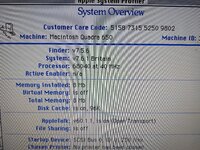
The machine photographed above has a 16.6MHz clock fitted at G3!
More detail.
So it turns out that the chip U71 is only there to select between two clock sources, all shipped Wombats, it is hard wired to route the clock output from G3, the 12.5 or 16.6MHz clock, to U21, which doubles it's frequency and sends it to the CPU... But it turns out that if you fit J29, it selects an alternative...
If you have a 33MHz Q650 or a Q800...
Step 1 - bridge J29 with solder, it is next to the CPU.
That's it.
Your Wombat will now boot at 40MHz.
The machine photographed above has a 16.6MHz clock fitted at G3!
More detail.
So it turns out that the chip U71 is only there to select between two clock sources, all shipped Wombats, it is hard wired to route the clock output from G3, the 12.5 or 16.6MHz clock, to U21, which doubles it's frequency and sends it to the CPU... But it turns out that if you fit J29, it selects an alternative...
- Phipli
- Replies: 18
- Forum: Mac II, Quadra & Centris
I am not interested any faster than 40mhz, I am thinking lending towards option B that way I can switch over from 40mhz to 33mhz if I wanted to.
Lastly; I am running System 7.1, my other concern which I haven't found info for - will it still boot in 7.1 - if so which enabler should I use?
Cheers
AP