• Hello MLAers! We've re-enabled auto-approval for accounts. If you are still waiting on account approval, please check this thread for more information.

PB190 & System 7.1?

I just completed a full restore of a PB190cs, only to realize that, apparently, it's the ONLY(?) 68k machine that doesn't support system 7.1. Or is there a way to make it work? I checked the System Enabler docs but I don't see a supported version.

 
I was referring to any variant of 7.1 (including 7.1.2 etc). But yeah, looks like Performa 630, 640, and PB190 are the only ones without either native 7.1 support or a system enabler. I guess Apple just didn’t bother for these three models. Weird.

I assume the way it works is that the System checks the machine ID during boot and will refuse to start if the machine isn’t whitelisted? Are there any workarounds?

P.S. Looks like LC580 as well. According to this.
 
Last edited:
I was referring to any variant of 7.1 (including 7.1.2 etc). But yeah, looks like Performa 630, 640, and PB190 are the only ones without either native 7.1 support or a system enabler. I guess Apple just didn’t bother for these three models. Weird.

This is pretty standard Apple – the PB190 came out after System 7.5 was released, so there was no requirement or motive to write an enabler for an old OS.

I assume the way it works is that the System checks the machine ID during boot and will refuse to start if the machine isn’t whitelisted? Are there any workarounds?

You could patch the ID check, but it would then crash. You might be able to simulate this by invoking the NMI/MicroBug (hit command-power) when the error message comes up, and then typing G and pressing enter.

For it to actually boot you'd have to make a custom enabler for it, containing drivers for chipsets and similar. In practice you'd probably start with something like the PB 500 Series enabler and modify it.

What's your motivation to run System 7.1 on the 190? If it's to keep things lightweight, a realistic & fun approach would be to strip down System 7.5.x to make it more like 7.1, perhaps swapping in extensions from the latter. You might even be able to use the 7.1 Finder with 7.5. Also, if you use ResEdit to delete the PICT resources for the Mac OS splash screen in the 7.5.2/7.5.3/7.5.5 System File, it will default back to the basic 'Welcome to Macintosh' splash with progress bar that was seen briefly in the 7.5.0 release. Much more 7.1 esque!
 
For it to actually boot you'd have to make a custom enabler for it, containing drivers for chipsets and similar. In practice you'd probably start with something like the PB 500 Series enabler and modify it.
Yeah, I was afraid of that. Although I was still hoping that someone found a way...

What's your motivation to run System 7.1 on the 190?

I use 7.1.(1/2/Pro) pretty much exclusively on my 68k Macs and I was hoping that the 190cs could be a convenient portable contemporary with a fast CPU to boot. But if it has to run a different (and, IMHO, inferior in terms of compatibility) OS, it's not as useful from that perspective. I guess I'll go for the 540c next. I just recently started adding Powerbooks to my collection. I lucked out on a tunnel-free 180 recently, and while I love it, I wanted to add something a bit faster and with color. The 190 restoration was still fun, and I have a 5300ce display in the mail to play with, but the lack of 7.1.x support is a real bummer.
 
7.5 is 7.1 with a bunch of extra control panels
and extensions. Strip a lot of those out and it should still run fine.
 
7.5 is basically 7 Pro with some of the Performa stuff added in. Pretty much 99.9999% of stuff that runs under 7.1 also runs under 7.5, btw.
 
I hate to disagree here, but 7.1 is much more compatible with older games than 7.5+. The main issue is sound handling, which appears to be completely different. This results in many older games having weird sound issues or no sound at all. Additionally, some games will crash completely in 7.5+, while running fine in 7.1, possibly also due to incompatible sound drivers. In some versions of System 7.1.x, this issue is also present, but it can be fixed by deleting the Sound Manager extension, but later versions appear to have the sound drivers integrated directly into System, which makes the issue permanent and unavoidable. I wish there was some remedy, but I have never been able yo overcome this.

P.S. Hopefully I made it clear that my concern is compatibility, not resources (RAM etc).
 
Last edited:
The Sound Manager thing makes sense. I think there's a good motive for patching this out in System 7.5, because it also causes issues with some accelerators. I wonder how deeply integrated it is into the System File - could be as simple as removing a specific resource if you're lucky.

A 540c would also be a good bet, too. They're great machines. Kind of the same as a 190 really, but nicer. You lose the PCMCIA card cage but gain built-in ethernet.
 
You can trash the Sound Manager 3.x extension on pre-PPC machines. Super Tetris works fine on both my IIfx and Quadra 650, running 7.5 and 7.6.1, respectively. If the Sound Manager extension is installed, the game is silent.

I've even run Arkanoid on a LC 475 under 7.5.5. Again, works just like it does on a Plus, running System 6. Just a lot more responsive.
 
You can trash the Sound Manager 3.x extension on pre-PPC machines. Super Tetris works fine on both my IIfx and Quadra 650, running 7.5 and 7.6.1, respectively. If the Sound Manager extension is installed, the game is silent.

I've even run Arkanoid on a LC 475 under 7.5.5. Again, works just like it does on a Plus, running System 6. Just a lot more responsive.

You can trash Sound Manager on System 7.1.x. But not on 7.5+ because it doesn't exist (it's integrated into the System file).
 
7.5, to me, was always the ultimate bloatware. I never upgraded my LC to it even when it was new (it's been stuck at 7.1 for over 30 years now...imagine if Software Update was a thing back then, just how much nagging I would have accumulated over the years).

Yes, the 190 does require 7.5. It's snappy enough that it won't be weighed down, but I had trouble with some software on a 190 when I had one.

The 190 is kind of an odd machine to begin with. It's basically a 5300 with an 040 and is a 100 series PB in name only. It's not a bad machine by any stretch, but a rather peculiarly named one for what it is. Even the startup chime is unusual in the fact it's not the standard Quadra chime.

Regarding 7.5 vs 7.1 (on machines that can use it)...biggest reasons I'd go with 7.5 on a machine if needed are as follows:

1. Some software package requires it.
2. You have a post-1992 Mac and can't find the enabler for it or don't want to bother with enablers.
3. You like some of the modern features of newer Mac OS versions (like a menu bar clock or a hierarchical Apple menu) and don't want to hunt down the extensions that add those functionalities to 7.1 or earlier.
4. You value having a CD-ROM as your installation disc. 7.5 CDs are pretty easy to find, not so much with earlier versions (and the 7.0 disc doesn't even boot).

I wouldn't consider installing 7.5 on anything with less than 4MB RAM. I did, just for fun, boot a 2MB Classic into 7.5 once, taking a hard drive from a Classic II and swapping it in. The experience was terrible and I wound up restarting with the Classic's ROM disk.

I could make another thread as to why System 6 is the winner sometimes (in fact, all of our lab machines run System 6), but I'll save that for later.
 
Regarding Sound Manager, was anyone else a bit confused after installing Sound Manager as to why the "Simple Beep" changed on some machines? I know it did on my LC. I'm pretty sure I got Sound Manager with the CD-ROM compilation of SimCity 2000, though it may have come on some other CD-ROM software I got earlier that year (maybe even the Grolier encyclopedia that was bundled with so many CD-ROM drives back then).
 
I'd run System 7.5 on any 68030 Mac faster than 16MHz, so a IIsi or up!

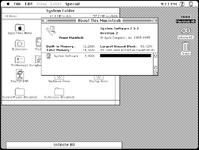
Meanwhile, System 7.5 can be squeezed into 3900kB on a PowerMac 6100 in 1bpp mode.

1757107748856.png
Or down to 2500kB on a Q650, both via Infinite Mac. Gosh, PPC is hungry!
 
Back
Top