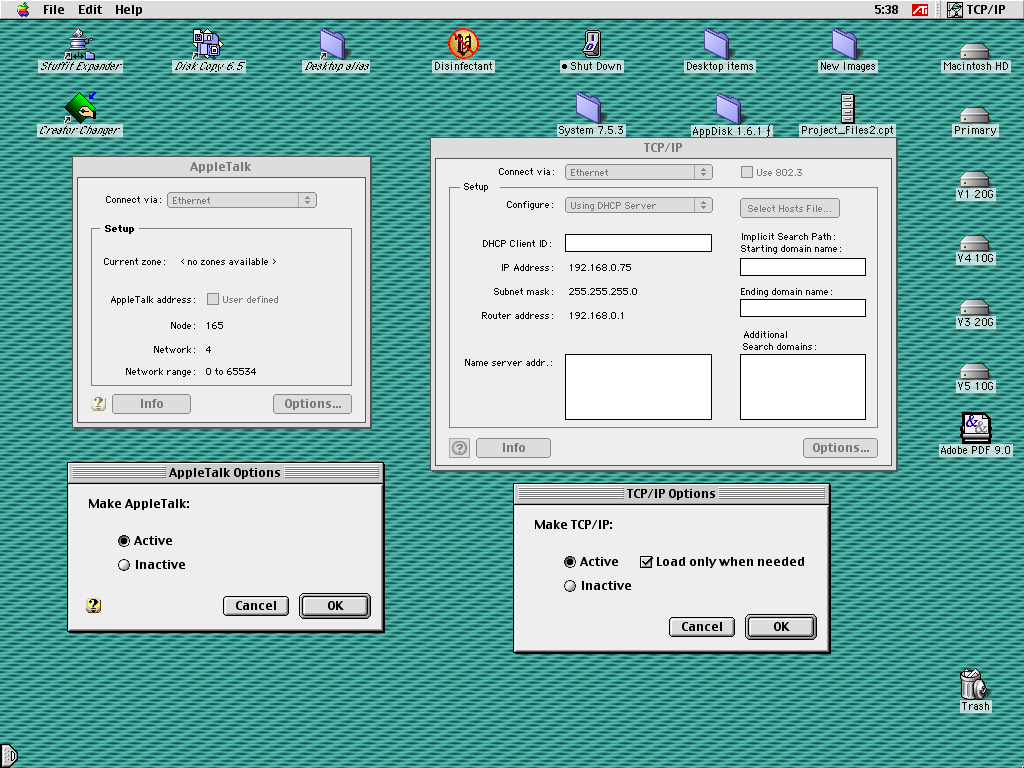
On some of my systems, some of the time, the Appletalk control panel shows Zone (if available), network and station numbers and offers the option of specifying the latter two. Other times, it simply tells me the zone is not known while displaying nothing about network and station. Can anyone help me make sense of this? The local TCP/IP network has an older netatalk server; a separate tashrouter machine serves a small localtalk network.

Network and station number in Appletalk control panel
- Thread starter shirsch
- Start date