Hi everyone,
I’ve been getting some good help from
pcamen and others setting up an AppleShare server on Virtual Box. This runs on my MacMini server. I’ve been using the pre-made Netatalk 2 setup for the Apple II sharing. It works right out of the box: the server is visible and connectable to macOS 10.14 and System 7 - exactly what I wanted. Now, I need to get this thing fine tuned. My goals thus far are:
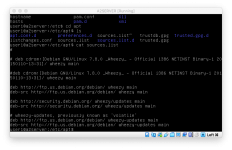
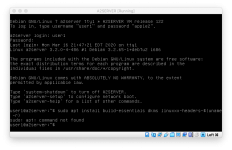
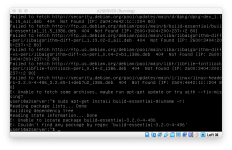
1. Using my RAID drive as a shared drive and using it as the root for the A2Server. All of my legacy software is on there, and it will be the biggest boon to me to be able to copy software right from there to a System 7 Mac. I am not sure just how to accomplish this, however, via Linux. I have no experience whatsoever with Linux. I got some instructions from a link pcamen sent me that instruct you to install stuff to make shared drives available, but my system tells me that the command is not available. I assume this is because I have a stripped down OS running this thing...but in reality I have no idea.
Currently, that is the biggest thing. Small things like renaming the server I can get to later.
I’ve been getting some good help from
pcamen and others setting up an AppleShare server on Virtual Box. This runs on my MacMini server. I’ve been using the pre-made Netatalk 2 setup for the Apple II sharing. It works right out of the box: the server is visible and connectable to macOS 10.14 and System 7 - exactly what I wanted. Now, I need to get this thing fine tuned. My goals thus far are:
1. Using my RAID drive as a shared drive and using it as the root for the A2Server. All of my legacy software is on there, and it will be the biggest boon to me to be able to copy software right from there to a System 7 Mac. I am not sure just how to accomplish this, however, via Linux. I have no experience whatsoever with Linux. I got some instructions from a link pcamen sent me that instruct you to install stuff to make shared drives available, but my system tells me that the command is not available. I assume this is because I have a stripped down OS running this thing...but in reality I have no idea.
Currently, that is the biggest thing. Small things like renaming the server I can get to later.



 . This stuff is an acquired taste, especially when you're trying to muck about with older versions of things. Sorting out an AppleTalk/AFP fileserver is on my own list to do too, so seeing how A2Server works is very useful