

• Hello MLAers! We've re-enabled auto-approval for accounts. If you are still waiting on account approval, please check this thread for more information.

Netatalk/Virtual Box setup and config

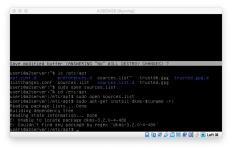
Yup.  You want to replace all that lot in that file with the single line

Code:
deb http://archive.debian.org/debian wheezy main
using nano or something.  Then do 'sudo apt-get update' again and see what happens?

 
Last edited by a moderator:
Of course I edit it, then it says that permission to write the file is denied. Must be permissions or something. Oh, bother...

 
Use 'sudo' again :-) that turns you into the superuser (actual term, I always imagine putting on a special costume and a secret identity).  'sudo nano /etc/apt/sources.list' should do it.
When you're editing system-wide configuration files, you almost always need to explicitly become the superuser to do so.  It's basically the same thing as the password prompt in the OS X GUI, just you need to explicitly say you want it rather than the system telling you you want it...

 
Last edited by a moderator:
Oh thanks, yes I am familiar with Super User Do...however forgot that you need to do that when you START the program. Oh, boy...

 
Ahh, cool.  I hope I'm not being too basic—definitely don't mean to be patronising, just trying to make sure I explain why I'm suggesting what I'm suggesting.  I'm not the oracular kind who likes to be mysterious...

 
No keep it simple, this level is very helpful!

Ok, so now update was able to find files to update and it installed them. I tried then using "apt-get install" with the multiple packages, but the packages could not be found. Is there another document that would specify where these things come from?

 
Can you share the exact output of the apt-get install command? (I may not answer now till tomorrow morning, as it is bed time here in jolly old blighted Blighty)

 
Yes I would imagine so!
Ah.  I think the instructions you are following are a bit wrong.  What happens if you just 'sudo apt-get install dkms' without the weirdy incantation at the end?

(unnecessary detail: detail: The "-$(uname -r)" on the end is trying to download a specific version of dkms, one that doesn't actually exist.  The "uname -r" command gives you the kernel version and the $() means "take the result of this command and insert it in the command here", so it's trying to download a version of dkms that matches the version of the kernel.  But dkms versions aren't, as far as I know, the same as kernel versions, so trying to download that version won't work because it just ain't there.  Perhaps these are Ubuntu instructions and they do their package versioning differently?

DKMS is a system to work around the fact that developing Linux drivers separately from the kernel is an exercise in pain - this is partly for ideological reasons and is a whole complicated discussion in its own right.  Here, it's being used presumably to make the VirtualBox drivers work without being tied strongly to the kernel source?  I'm honestly not even sure what instructions you are following here...)

 
Great! I'll spare the details and the tweaks and such that I made along the way, but I managed to get all the way to being able to see and access the RAID folder as a shared drive. Now to point the thing to that instead of the A2SHARED drive...

You have been incredibly helpful. It turns out only the last package required (uname -r), as there were several packages to choose from.

 
Much appreciated. Once I Have this good, I will just make a copy for the future! Now I am attempting to find the file that maps the server directory so I can modify it to the directory I want. Does anyone know where this is stored?

 
Ok, i've got this thing up and running! Now, to try it with my IIfx when I get home. This will be the single biggest thing for me in a very long time: the ability to connect to my classic mac files and upload/download from any machine I have without using a bridge machine!

 
Ok, so this is my never-ending saga. Now that it is all set up and accessible from my macOS machines, I tried again on my IIfx with 7.5.5. Although it sees it in the Chooser, when I try to connect it says "no response from server, please try again." I have changed various things, so I don't know what has caused this to happen.

Edit: hmm, when I enable AppleTalk via the command line, when enabling, it says "sudo: unable to resolve host AppleTalkServer"

AppleTalkServer is what I have named the host, so I wonder where it is having an issue.

 
Last edited by a moderator:
Back
Top


