• Hello MLAers! We've re-enabled auto-approval for accounts. If you are still waiting on account approval, please check this thread for more information.

Mac IIsi - No color

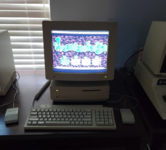
I'm new to the world of Macs compared to others of this era. I've been restoring a Mac IIsi with a M1297 monitor. Everything is pretty much stock except using a blueiscsi. This is a silly thing, but in Mac OS 7.5.3 I can not get the monitor option to show under control panel to change from B/W to color. Did Macs at this time have the equivalent of plug and play detection for monitors and it's just not detecting it?

I can take the image off my blueiscsi and load it into basilisk and it magically appears. I've dialed the screen in and it looks amazing, it's just in B/W lol. I've tried different 15 pin d-sub cables, and I have also connected the monitor to a vga source with a dip adapter so I can ensure it displays it color still.

I'm hoping it's just some OS detail I don't know about, it sounds like a deceptively easy problem.
 
IIsi has settings for how much memory to use for video. If the setting is set to only 1bit, you will only see the black and white option in monitors control panel.

There is no "plug and play" regarding monitors, etc. They are simply dumb devices. The computer dictates the resolution and bit depth, and the monitor "just takes it". Only exception is the sense on some Macs that detect the monitor's resolutions, and display only what's compatible. That doesn't affect what you're seeing, though, which is no color option.
 
Interesting!! I appreciate anything. I googled a bunch of memory configuration stuff. Learned a lot about memory architecture. It looks like there is an application called ram-muncher witch let's the iisi address more than the first section of the first MB of on board ram. Is this what you are referring to? Looks like 4 MB upgrade chips are a thing as well.

I found ram-muncher and learned how to transfer it with an app called cider into my bluescsi image but I guess I have to find an app to launch it. It came in some hqx or sit format as my choices.


It's super frustrating googling stuff because it's all lost in search terms for later generations. lol. What's interesting is the actual monitor icon is missing completely. I don't have options to change even the b/w settings inside the OS.
 
You open control panels, monitors control panel, and click options I believe it is, and you’ll be presented with a list of memory consumption and bit depth indication options. Choose the 8 bit color option and reboot.
 
Do you think there is another way to get to that option? Control Panel > Monitors is missing when I boot into the OS on the physical IIsi. I've done a fresh install twice now with different MacOS versions just to make sure.

I see the option on the exact same hard drive image mounted in basilisk emulator which lead me down the path originally of asking about Monitor being plug and play. It's like the OS doesn't detect there is a monitor attached.

1716775092780.png
 
Last edited:
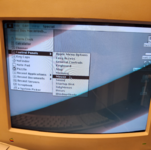
Instead of using the submenu, if you just choose Controls Panels itself from the Apple menu, do you get a folder with all the control panels in it? Is Monitors in that folder?
 
What‘s that third-party „TidyMenus“ control panel? Is it maybe hiding some control panels from which it *thinks* you are not going to need them? Like @David Cook suggested, best click directly on the Control Panels entry in your Apple Menu; this should show you all Control Panels in the Finder.
 
It wasn't there as well.. BUT I mounted another drive's disk as a separate drive and got into system folder there, loaded control panels and monitors was there! I flipped it to 256 color and all is good with life. I appreciate the help guys!

Now I have to recap the board to get sound working (it's just barely audible) and it will be 100%.

edit: I had turned on every option and installed everything I could find to get that damn monitors button to show up previously. Tidymenus just hides the label button at the top it looks like.


1716850597042.png
 
Last edited:
When you are doing the recap, look carefully for damage from leaking caps. The IIsi is well known as one of the most finicky machines to repair, the leaking electrolyte can wreak havoc on the boards. I have two of them, and I have spent countless hours working on them. I currently have one that works perfectly, and one that works fine as long as no PDS card is installed. I always consider "working" to be a temporary state for a IIsi. I do quite like them though, they are fun machines. You can easily overclock them from 20mhz to 25mhz by swapping a crystal on the logic board.
 
Back
Top