Mac iisi Ethernet woes

I have a nubus angle adapter with asante Ethernet card in my iisi. It also has fpu installed. I cannot get it to network. The fpu is detected so i know the riser card is being seen. The lights flash on the Ethernet card but I cannot get it to network with known working cable. I have also tried my maccon Ethernet for iisi / se/30 and it does the same thing. So wondering is there something on the logic thats pooched?

I have about 10 of my old Macs hooked up via Ethernet so i know what settings to use. I tried reinstalling the mac os to rule out os being the issue.


Any ideas are welcome!
 
How does it show up in Mac OS? Are you using Open Transport (TCP/IP and AppleTalk control panels) or the Classic (Network/MacTCP control panels)? - Some cards don't support both.
 
You've probably already checked these, but just in case:
  1. You have the EtherTalk software installed and known working? It's not just that the OS install has broken Ethernet?
  2. This isn't one of those cards that needs 10/half is it? If you have an old hub, sticking it between the card and your switch might help in this case
(edit: ah, beaten; that'll teach me for leaving the posting window open while I make a coffee...)
 
How to do that? Sorry! Thanks!
- Some managed switches allow you to configure each port's speed. Check the web interface of your switch (or router). It it has none, you're out of luck here
- Use a hub as @cheesestraws suggests
- Connect it to another computer (maybe you'll need a crossover cable here) and configure the ethernet port to 10Mbit/half duplex. Then you need to set up your computer to make it forward ethernet frames. You could use a Raspberry Pi with an extra Ethernet port for this. Or maybe a pre-Big Sur Mac.
- Modify the card itself. There is a guide on TinkerDifferent IIRC
 
My Asante EN/SC adapter won’t do auto negotiation. I have to force that particular port on my router to 10baseT half duplex as robin-fo suggests. Granted, the router itself isn’t new either.
 
- Some managed switches allow you to configure each port's speed. Check the web interface of your switch (or router). It it has none, you're out of luck here

One of the projects in my backlog is a five-port ethernet switch that just has a physical button next to four of the ports for 'auto' or '10/half', for old computer hobbyists who want to be able to set this but don't need the overhead of a real managed switch. At the moment all my community projects are on hold going on mothballed but maybe I'll get back to it at some point.
 
With the Asante Installer 5.1.2 Installed after a fresh install of Mac OS 7.5.x I have never had a problem using classic networking or Open Transport on my Mac IIsi or Mac SE/30. I have always had a 10/100 switch between Macs and router. I've never had to manually specify port speed either. With earlier systems I needed to Install the Network Software Installer from Apple on a fresh Mac OS install and then Install the Asante Installer 5.1.2
 
I've never had to manually specify port speed either

this behaviour is on specific cards that were designed/released before 10BaseT was fully standardised in 1990, and which generally have both AUI and 10BaseT ports. Autoneg is backwards-compatible to that first standard, but cards that do not strictly follow that standard are apt to get confused and use AUI when a perfectly good 10BaseT connection is actually available.
 
I’m not sure when the two that I have were released I don’t feel like opening them right now but they have RJ 45, coax, and AUI so I’ll assume they were released before twisted pair was officially accepted as the standard. In any event I have never got them to work by connecting them directly to a gigabit router/hub. So the 10/100 switch between is essential.
 
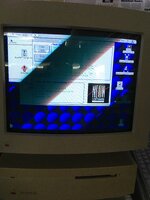
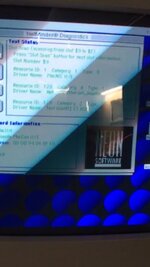
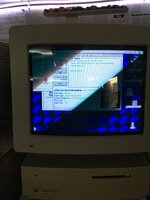
Sorry for delay. Thanks for responses. I am still having no luck. The these are some pictures of the diagnostics that came with drivers. I also cant get a regular nubus asante card working so weird. Next step is try nubus in another mac. I dont have another iisi to test maccon and i dont want to pull fpu to put in se/30.
 

Attachments

  • IMG_0003.jpeg
    IMG_0003.jpeg
    1.8 MB · Views: 0
  • IMG_0004.jpeg
    IMG_0004.jpeg
    2 MB · Views: 0
  • IMG_0007.jpeg
    IMG_0007.jpeg
    38.9 KB · Views: 0
  • IMG_0005.jpeg
    IMG_0005.jpeg
    1.6 MB · Views: 0
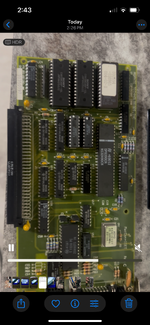
Ok, so the asante card i pulled from the iicx is working properly in the iisi now. So i hope the maccon card isnt pooched or the other nubus lol.. will play around with other card in iicx and see if i can get that working. The picture is the one working in iisi
 

Attachments

  • IMG_8342.png
    IMG_8342.png
    3.5 MB · Views: 0
Back
Top