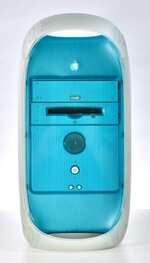
If your MDD is playing up, the most likely cause is the PSU as it is a very common failure mode.
As a former "MDD doctor" during their heyday, 100% this. Unfortunately this wasn't well known at the time, so we'd often get a new PSU and have the exact same problems, then swap the board, same problems, etc. ASD always passed, but the weird behaviors would continue (for instance, shutting down randomly, failing to power up consistently, etc). Some of these had symptoms of capacitor plague brand new.
However, there are a few other things to check for after you've recapped or ATX modded (personally I recommend this, but it is a chore) the PSU:
1. CPU<-->mainboard interface, especially as the heatsink applies pressure to the CPU PCB potentially bending it or leading to poor contact. This has lead to the "push on the heatsink" advice. This also worked with TiBooks with bad graphics, but I forget which corner...had one that worked fine with a clamp applied.
2. Front panel board, though I think it was usually actually the PSU being intermittent when people replaced these. It never solved issues for me, but there were a larger than normal number of people replacing these in the early 2000s.
3. Cable damage from the hinge/constant flexing
I recently picked one up and it only sometimes boots. Still diagnosing but I think it has both a bad GeForce gpu and a bad PSU. I'm not convinced these machines were ever well-designed (Apple was really pushing the thermal envelope of the case design and powerpc, and then got burned by cheap bad capacitors) but they are fast and pretty.