Good evening everyone!
I've been working on this for the past week. I know it's nothing groundbreaking, it's not the first time it's been done, but I'm going to document everything I've done and discovered, and in the end, I need your help to finish it.
I have an iMac G3 DV 400MHz, and I had a spare motherboard. Although they're hard to find, I was able to locate a G4 DA 533MHz processor.The original G3 processor is running at 2.05V, and the new processor, an XPC7410RX533PD, has a nominal Vcore of 2.0V, although it can run up to 2.1V.
It wouldn't have been necessary to reduce the voltage, but I decided to see how it could be done. I was discussing it with @herd; the integrated circuit responsible for managing the Vcore was the CS5158.
The voltage should be managed by Vid0-4, but it wasn't. I have a faulty 350 motherboard, and I've desoldered CS5158. None of the pads for Vid0-Vid3 are connected to anything, and Vid4 is connected directly to ground.
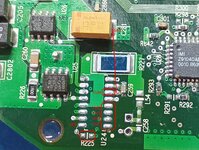
Vid0-3 were not connected to anything (logic 1 according to the datasheet) but Vid4 was connected to GND (logic 0), so the voltage should be 1.3V. So something must have been forcing the Vcore to rise to 2.05V, when @herd suggested to me that there might be a voltage divider in VFB.
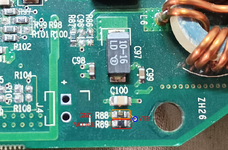
On the 400MHz motherboard, R225 is in parallel with R89 connected to Vcore, and R88 to GND, creating a voltage divider on VFB. But if you look at the first picture of the 350MHz motherboard, R225 isn't there. So perhaps the 350MHz motherboard has a different voltage, but I can't measure it; it's faulty.
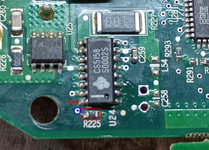
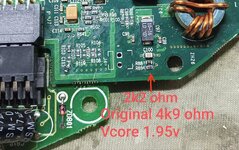
I kept R225 (660 ohm) and changed R89 from 4.9kΩ to 2.2kΩ, and the Vcore dropped to 1.95V. Although I finally opted for 2.7kΩ and got 2V.
I forgot to take a picture with the new CPU, but after adjusting the voltage, I swapped the G3 processor for the XPC7410 and also changed the two cache chips from the iMac (2x 256kB) for those from the G4 533 (2x 512kB).
And I adjusted the speed to 600MHz. I couldn't get it past the "chime" at 650MHz, maybe with more Vcore, but for now it's fine as is. If you look at the photo, on the left in C115, I'm keeping the original R89.
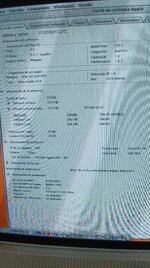
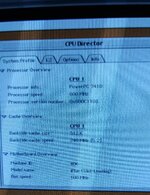
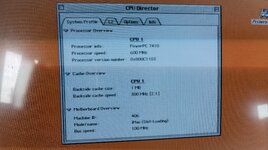
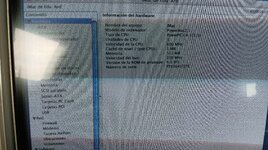
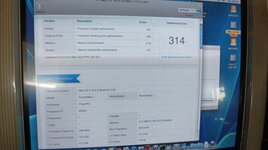
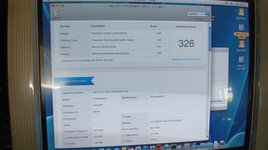
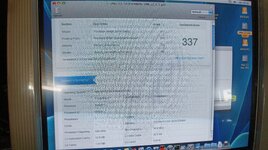
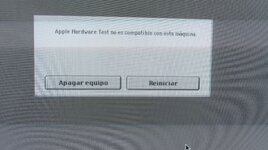
At this point, as you'll see in the photos, there are two setbacks. The first is that it only recognizes 512kB of L2 cache, due to the firmware configuration, and the second is that the ratio is also fixed at 2.5:1 (5:2), meaning we're not using the maximum speed of the cache chips (275MHz chips capable of running at 300MHz).
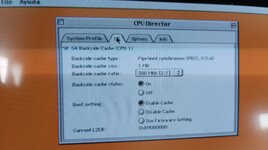
First, I needed to verify that the 1MB of cache was available and also that the speed was capable of running at 300MHz. For the speed, in CPU Director, under OS9, I was able to configure the ratio to 2:1, and it works perfectly.
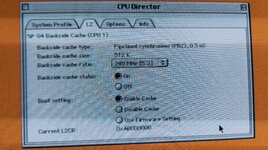
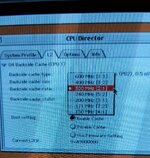
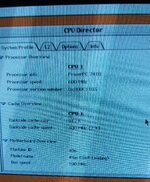
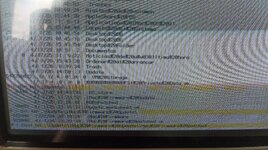
To verify that the 1MB was available (there was a possibility that Apple had not routed the necessary tracks to be recognized) I had to use some temporary "tricks" that a colleague told me about, under OS X Tiger.
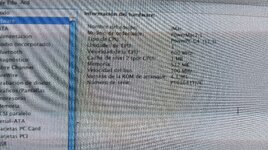
Everything seems to be working correctly. Here comes the difficult part, and where I'm stuck. I admit my limitations; I can manage by swapping chips, but working with and manipulating OpenFirmware isn't my strong suit. I've always used third-party patchers, but there isn't one for this iMac that can set a 2:1 ratio in the firmware and also change the cache size from 512kB to 1MB.
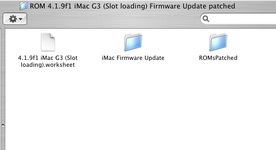
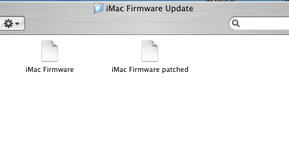
Following @joevt 's instructions (from this), I was able to download the complete iMac firmware, which I've attached along with the PDF that explains how to configure the CPU parameters, which I also find difficult to decipher. I had done this with the small EEPROMs that accompany the PM G4 processors; there I was able to locate the ratio and size configuration, but this file is very large and I don't even know where to start.
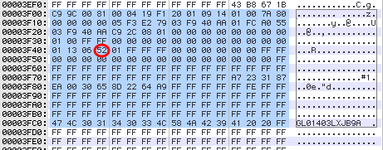
Perhaps this point is the ratio? Would the red circle represent the ratio? But if it were, I can't locate which parameter is the cache size.
I've been told that I could modify the iMac's Firmware Updater to make these changes, but I need help. First, I need to locate the values I need to change, then correct the checksum (I've only done this with Sega Megadrive ROMs using a specific tool; I don't even know how to calculate it), and finally, modify the Firmware Updater to run it.
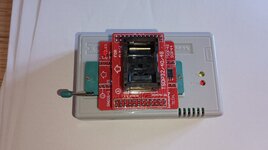
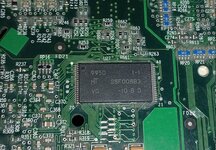
I know it could go wrong, but as a last resort, I have a TL866 and this adapter.
Before I finish, I want to give a HUGE thank you to @herd and @joevt for their help and patience in guiding this project, which I hope can help many people make this modification.
I've been working on this for the past week. I know it's nothing groundbreaking, it's not the first time it's been done, but I'm going to document everything I've done and discovered, and in the end, I need your help to finish it.
I have an iMac G3 DV 400MHz, and I had a spare motherboard. Although they're hard to find, I was able to locate a G4 DA 533MHz processor.The original G3 processor is running at 2.05V, and the new processor, an XPC7410RX533PD, has a nominal Vcore of 2.0V, although it can run up to 2.1V.
It wouldn't have been necessary to reduce the voltage, but I decided to see how it could be done. I was discussing it with @herd; the integrated circuit responsible for managing the Vcore was the CS5158.
The voltage should be managed by Vid0-4, but it wasn't. I have a faulty 350 motherboard, and I've desoldered CS5158. None of the pads for Vid0-Vid3 are connected to anything, and Vid4 is connected directly to ground.
Vid0-3 were not connected to anything (logic 1 according to the datasheet) but Vid4 was connected to GND (logic 0), so the voltage should be 1.3V. So something must have been forcing the Vcore to rise to 2.05V, when @herd suggested to me that there might be a voltage divider in VFB.
On the 400MHz motherboard, R225 is in parallel with R89 connected to Vcore, and R88 to GND, creating a voltage divider on VFB. But if you look at the first picture of the 350MHz motherboard, R225 isn't there. So perhaps the 350MHz motherboard has a different voltage, but I can't measure it; it's faulty.
I kept R225 (660 ohm) and changed R89 from 4.9kΩ to 2.2kΩ, and the Vcore dropped to 1.95V. Although I finally opted for 2.7kΩ and got 2V.
I forgot to take a picture with the new CPU, but after adjusting the voltage, I swapped the G3 processor for the XPC7410 and also changed the two cache chips from the iMac (2x 256kB) for those from the G4 533 (2x 512kB).
And I adjusted the speed to 600MHz. I couldn't get it past the "chime" at 650MHz, maybe with more Vcore, but for now it's fine as is. If you look at the photo, on the left in C115, I'm keeping the original R89.
At this point, as you'll see in the photos, there are two setbacks. The first is that it only recognizes 512kB of L2 cache, due to the firmware configuration, and the second is that the ratio is also fixed at 2.5:1 (5:2), meaning we're not using the maximum speed of the cache chips (275MHz chips capable of running at 300MHz).
First, I needed to verify that the 1MB of cache was available and also that the speed was capable of running at 300MHz. For the speed, in CPU Director, under OS9, I was able to configure the ratio to 2:1, and it works perfectly.
To verify that the 1MB was available (there was a possibility that Apple had not routed the necessary tracks to be recognized) I had to use some temporary "tricks" that a colleague told me about, under OS X Tiger.
Everything seems to be working correctly. Here comes the difficult part, and where I'm stuck. I admit my limitations; I can manage by swapping chips, but working with and manipulating OpenFirmware isn't my strong suit. I've always used third-party patchers, but there isn't one for this iMac that can set a 2:1 ratio in the firmware and also change the cache size from 512kB to 1MB.
Following @joevt 's instructions (from this), I was able to download the complete iMac firmware, which I've attached along with the PDF that explains how to configure the CPU parameters, which I also find difficult to decipher. I had done this with the small EEPROMs that accompany the PM G4 processors; there I was able to locate the ratio and size configuration, but this file is very large and I don't even know where to start.
Perhaps this point is the ratio? Would the red circle represent the ratio? But if it were, I can't locate which parameter is the cache size.
I've been told that I could modify the iMac's Firmware Updater to make these changes, but I need help. First, I need to locate the values I need to change, then correct the checksum (I've only done this with Sega Megadrive ROMs using a specific tool; I don't even know how to calculate it), and finally, modify the Firmware Updater to run it.
I know it could go wrong, but as a last resort, I have a TL866 and this adapter.
Before I finish, I want to give a HUGE thank you to @herd and @joevt for their help and patience in guiding this project, which I hope can help many people make this modification.