• Hello MLAers! We've re-enabled auto-approval for accounts. If you are still waiting on account approval, please check this thread for more information.

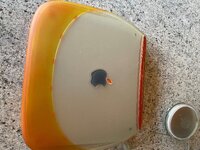
iBook G3 Clamshell vinegar syndrome

Wow, that was quite the saga to read. I have a similar story to you, I have a clamshell in every color and I take them out every 6 months or so to power them up and make sure everything still works. My graphite has pretty bad vinegar syndrome so I was hoping your LCD replacement was going to be a smooth process I can replicate easily - what a hassle, can't believe a flipped connector fried your whole machine (RIP). I think I'm going to just try and replace the polarizer on my existing panel.

 
Yeah, this has been quite a mess. But that's very similar to how I manage mine. I was finally able to locate a replacement FireWire motherboard which should be here in a few days. Lesson learned - just because the connector fits does NOT mean it is compatible. Hoping the new mobo will get this thing back up and running again.

I probably would have gone the polarizer route if I'd known that this level of disaster was even possible. I remain baffled and infuriated that any manufacturer would make two versions of the SAME PANEL with the connector FLIPPED. Serious WTF.
 
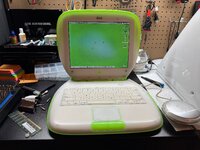
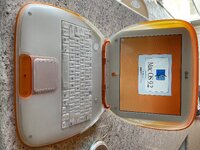
Well, finally a step back in the right direction. Got the replacement motherboard installed and I have an iBook with operational display again (granted it is the original panel with the vinegar syndrome, but still a huge improvement).

IMG_1560.jpeg

So I am now more or less back to where I started. It is also good to know that the original panel was not damaged electrically during this saga.

I'm gonna let this one sit over the holidays while I muster up the courage to attempt fitting the replacement panel again...
 
Good luck with it. Unfortunately I ordered one of these panels a couple of days ago So I'm hoping you sort it out before I attempt to change mine. Cheers
 
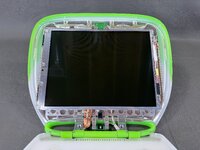
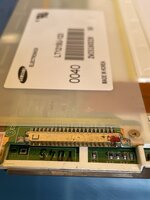
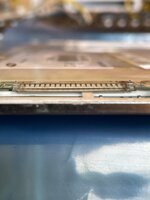
After a break from this project over the holidays I went ahead and snipped the (very tiny) plastic tabs/ridges off of the connector on the cable harness and got the new panel reinstalled back into the iBook once again.

IMG_1588.jpeg

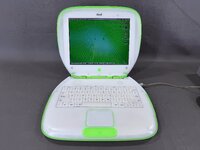
Ta-da ... Worked like a charm. No fried motherboard or lack of video! Thank goodness.

IMG_1601.jpeg

After all that, I'm actually not that impressed with the new panel; it's no brighter than the original (which I somewhat expected) but it's also got a glossy finish which I'm not a fan of. But at least it's sharp, working, and vinegar-syndrome-free.

So if anyone is reading this far in the future and is able to recommend a *known, tested working* replacement panel that has a *matte* finish, I'd be curious to hear about it. Also always curious to hear if others have had similarly major problems with this panel/seller.

Thank you to wottle on TinkerDifferent and @GRudolf94 for the advice on this one. Very glad to have this mess of a project behind me.

Good luck with it. Unfortunately I ordered one of these panels a couple of days ago So I'm hoping you sort it out before I attempt to change mine. Cheers

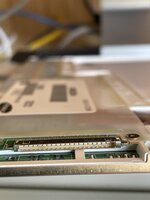
So I'm gonna attest that it is *absolutely mandatory* that you *check* the orientation of your iBook's cable/signals, using a multimeter/probe type thing, before attempting this replacement. On mine, the tabs had to be snipped off so that the connector could remain in its original orientation but still fit the replacement panel which had it flipped. But others have reported buying the SAME panel from the SAME seller and receiving a unit that worked with no mods required. Not sure why but please don't end up with a fried motherboard like I did!
 
Back
Top