Follow along with the video below to see how to install our site as a web app on your home screen.
Note: This feature may not be available in some browsers.
Hello MLAers! We've re-enabled auto-approval for accounts. If you are still waiting on account approval, please check this thread for more information.
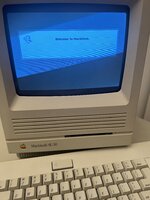
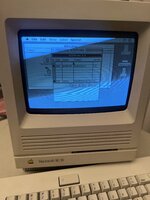
if it's getting that far then I'd guess it's more of a software configuration issue - try booting with extensions off, different system folder, version, reformat, etc.
While i realize that i'm now necro-posting on an old thread, i had the same issue and also found the solution to it (for any future readers benefit).
You have to alter the "Gestald ID" (https://www.bigmessowires.com/mac-se30-with-upgraded-rom/) using a resource editor most likely.
I had to do it 15+ years ago when i swapped the scsi hdd out for an ide one (using a scsi/ide bridge) and 6+ years ago when i went scsi/cf and just recently once again when going BlueScsi/SD on the SE/30.
Just follow the instructions in the linked page and it will work out just fine
This site uses cookies to help personalise content, tailor your experience and to keep you logged in if you register.
By continuing to use this site, you are consenting to our use of cookies.