
-
 Hello Guest! We're hosting a challenge to welcome vintage Intel macs to the MLA during the month of July! See this thread for more information.
 -
We've made some quality of life improvements to the Trading Post. More info here.
You are using an out of date browser. It may not display this or other websites correctly.
You should upgrade or use an alternative browser.
You should upgrade or use an alternative browser.
Blue SCSI for PowerBook 100
- Thread starter Frederick
- Start date


You need the internal, desktop version.The Blue SCSI board available for Powerbooks are 40 pin but the PB 100 has a 50 pin connector cable. I really would like to install a Blue SCSI to get rid of my lady Conner drive. Is there any solution?
The homepage's first image is of a desktop version, so basically anywhere you can buy BlueSCSI. I got mine from Europe as I'm British, but I think you'll find resellers in the US will have the internal desktop version too.Where would I get that
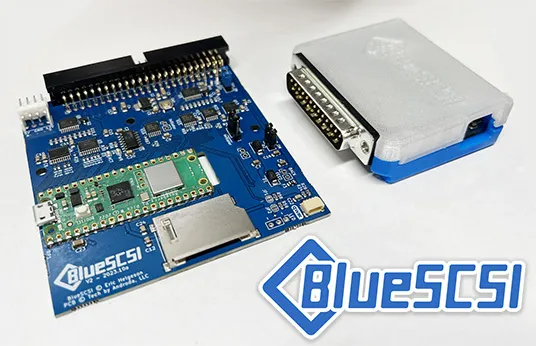
BlueSCSI - The Future of Retro SCSI
BlueSCSI is a modern, open-source SCSI solution for vintage computers. Powered by Raspberry Pi. Replace your old SCSI hard drives with a reliable microSD card.
The PowerBook 100 uses a regular PowerBook SCSI connection. The last 10 pins aren’t used by many devices, including the BlueSCSI - they can just “hang off the end”
You do want the PowerBook version. The desktop one won’t fit.
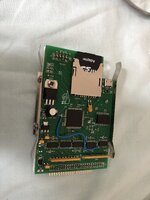
See my old Scuznet PowerBook version to explain what I mean - the last holes on the right aren’t even populated and this particular version I use in my PB100
You do want the PowerBook version. The desktop one won’t fit.
See my old Scuznet PowerBook version to explain what I mean - the last holes on the right aren’t even populated and this particular version I use in my PB100
That’s right. The pins are even offset IIRC so the cable fits without an extra bend.
I will say, though. I have a BlueSCSI V2 with WiFi which I used in a PowerBook 540c and stability wasn’t great. I’ve not tried it in the 100. Presumably since the machine is slower it might be better. I went back to an old SCSI2SD I had in it before and it’s much more stable (albeit no WiFi!)
I will let others chime in with comments on that!
I will say, though. I have a BlueSCSI V2 with WiFi which I used in a PowerBook 540c and stability wasn’t great. I’ve not tried it in the 100. Presumably since the machine is slower it might be better. I went back to an old SCSI2SD I had in it before and it’s much more stable (albeit no WiFi!)
I will let others chime in with comments on that!


If you look at the bottom of the drive that shipped with the PowerBook, you'll notice a space in the connector. The BlueSCSI should be plugged in to the side of the cable before that break.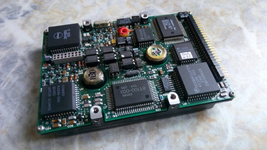

How bout this?

Aren't those extra pins factored into the operation of the drive on the PB100?If you look at the bottom of the drive that shipped with the PowerBook, you'll notice a space in the connector. The BlueSCSI should be plugged in to the side of the cable before that break.View attachment 99274
It does work. I literally have a BlueSCSI in my PB100. The extra pins aren't needed for the BlueSCSI. Those pins are for things like turning on termination and setting the spinup delay.Won't work. Tried that route. It's a 40 pin device and the Powerbook 100 has a 50 pin ribbon cable. Bummer
I tried doing that and the Blue SCSI board lights lit up all right. But the PB100 isn't finding it. Doesn't boot.The PowerBook 100 uses a regular PowerBook SCSI connection. The last 10 pins aren’t used by many devices, including the BlueSCSI - they can just “hang off the end”
You do want the PowerBook version. The desktop one won’t fit.
See my old Scuznet PowerBook version to explain what I mean - the last holes on the right aren’t even populated and this particular version I use in my PB100
View attachment 99269
The 50 pin model is for desktop machines and machines large enough to accommodate larger devices. Do not recommend that model to PowerBook owners looking to install it internally.Oh, didn't realize sorry. JCM also sells the 50 pin desktop one. I have one in my portable from him.
I tried doing that and the Blue SCSI board lights lit up all right. But the PB100 isn't finding it. Doesn't boot.
What does the log on the SD card say? What did you use to create your drive images? What method are you using to install system software?
You can easily build your own boot images using InfinateMac and the Legacy Software Recovery CD. I watched a video about it on YouTube.Have you tried the macpack? It is the only one that has worked so far in my portable.

Similar threads

- Replies
- 8
- Views
- 1K

- Replies
- 12
- Views
- 248