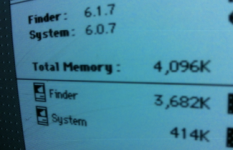
Just after checking my 4Mb SE: no jumper is set. Also Pina says (for reference):
MEM____Row2______Row1________Jumper
512K.....all 256K......empty..........2/4 on
1M.......all 256k......all 256k.........1 on
2M........all 1M.........empty.........2/4 on
2.5M.....all 1M........all 256k.........out
4M........all 1M........all 1M...........out
Pina also says:
"Note while the "2/4M" label may suggest the shorting blocks should be installed over the two left pins for 4M, that's just not the case. When the two left pins are shorted, all you end up with is 2M, regardless of how much extra RAM is installed!"
Talking about misleading!
So that would match what I have. Let us know if that works


 Hello Guest! We're hosting a challenge to welcome vintage Intel macs to the MLA during the month of July! See this thread for more information.