• Hello MLAers! We've re-enabled auto-approval for accounts. If you are still waiting on account approval, please check this thread for more information.

MO400 display

Alex

6502
My latest …

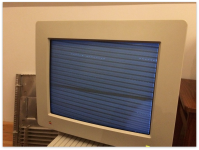
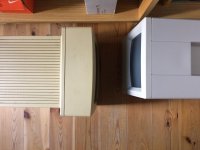
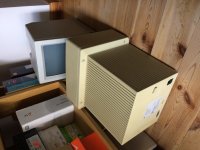
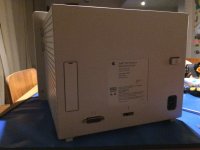
An MO400 monochrome dispay.

Owner said it would click when coming on and then nothing but no computer to test with.

Hopefully I can get it going, total take apart to go on and then testing. Need a cable though, which cable do I need? I have a Quadra 950 that I should be able to plug it to.

Very yellowed but that will be taken care of, will check all caps but can't change them now due to lack of soldering iron. I think I do need to connect it to a Mac for it to be tested.
IMG_0269.JPG

IMG_0270.JPG

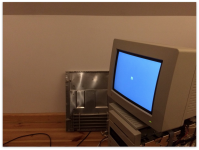
Initial power on with no computer attached shows steady Green LED.
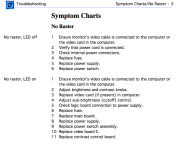
Screen Shot 2017-07-18 at 1.28.40 PM.png

 
Last edited by a moderator:
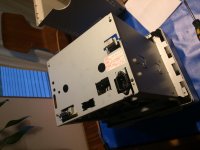
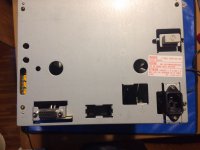
I will take photos of the take apart and post them here. I think there is little info on this little monitor out there, especially in terms of a take apart. If interested let me know and I will definitely do it.

If anyone has a cable in Europe that they can part with I would be stoked. Just let me know what price you want. I know of a source in the US but he is unwilling to ship to Poland.

 
If you don't have luck more locally, it looks like this US seller ships to Europe: http://www.ebay.com/itm/311903842272
Just a short update. So far I have almost whitened up the plastics and cleaned everything up with IPA. The display is in nice shape but I have to inspect the CRT video board but I have to desolder it from its cage so I am going to order the TS100 Soldering Iron which has received some really unbelievable reviews.

By the way, thank you for the link! I am just going to double check my own stock of cables to be sure I am not going to by a cable unnecessarily.

When I get some time I will post some photos, it's a fairly interesting display. Glad I picked it up and look forward to putting it back together and finally testing it with a cable.

Kind regards

—Alex

 
lets hope it doesnt have the maxell bomb that burst, thats what worries me on the no raster. That, and the caps that leak all over the place. 

 
A display won't have a PRAM battery in it, so a battery having leaked shouldn't be a problem.

 
that display needs a special card and cable if im not mistaken.  
Ohh you may be right.

As per PN 072-0228 - Macintosh Family - Volume 4 (on archive.org)

Screen Shot 1.png

Works with IIci

as per Guide_to_the_Macintosh_Family_Hardware (Second Edition) (in archive.org)

I think the key to understand compatibility might be the cable requirement as it would be compatible with a number of macs.

Appear to work with an LC as per PN 072-0228 - Macintosh Family - Volume 2. I would imagine that built in video is in some macs support this display.

Screen Shot 1.png

 
You have a Quadra 950. All you need is the cable.

A video card is necessary for the Macs without integrated video (II, IIx, IIfx, IIcx, SE/30). Any Mac with onboard video will be able to drive that monitor just fine.

I may have an extra cable floating around. If I find it, I'll send you a PM. I'll be at the storage unit tomorrow at some point.

 
Last edited by a moderator:
You have a Quadra 950. All you need is the cable.

A video card is necessary for the Macs without integrated video (II, IIx, IIfx, IIcx, SE/30). Any Mac with onboard video will be able to drive that monitor just fine.

I may have an extra cable floating around. If I find it, I'll send you a PM. I'll be at the storage unit tomorrow at some point.
If you have a cable I will pay shipping, preferably to Poland but I have a US address that I can give you if you prefer. I am not sure if you are in the EU or the States but I have addresses in both geos. I would greatly appreciate it if you have a cable that you can part with, a little tricky to find nowadays. Thanks in advance.

 
For Reference

This is a section of manual "PN_072-0228_Macintosh_Family_Volume_3"

High-Res Monochrome Monitor


Technical Procedures

TABLE OF CONTENTS 


SectionBasics

1.2 Product Description

Section Take-Apart

2.3 Rear Cover

2.4 Discharging the Cathode-Ray Tube (CRT)

  • 2.5 Anode Cap
2.6 Main Logic Board Power Supply

2.10 Power Supply

2.12 Fuse

2.14 Contrast Control Board 

2.16 Video Board "C"

2.20 Chassis Assembly 

2.22 Cathode-Ray Tube (CRT) 

2.24 LED Cable Assembly 

2.26 Power Switch

Section Adjustments

3.2 Introduction

3.3 Safety Instructions

3.4 MacTest 11/IIx Test Patterns

  • 3.4 Introduction
  • 3.4 Materials Required 
  • 3.4 Generating the Test Patterns
3.6 Adjustment Procedures 

  • 3.6 Introduction
  • 3.Horizontal Size (Width) 
  • 3.7 Vertical Size (Height)
  • 3.7 Focus
  • 3.8 Cutoff
3.11 MacTest Ilcx/IIci Test Patterns 

  • 3.11 Materials Required 
  • 3.11 Generating the Test Patterns 
PN_072-0228_Macintosh_Family_Volume_3_Apple_Hi_Resolution_Monochrome.pdf


Attachments

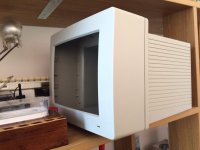
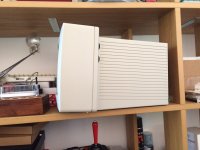
Just some updates of the shell.

I think I am done whitening her up. I think it took 4 or 5 passes in total using a brush. As it reached the goal it tends to take longer to make progress, at the start the change was dramatic.

So there is nothing here to say but maybe someone will like to see the change.

Next steps are reintroducing the guts.

Apple Hi Resolution Display (MO-400) 1.JPG

Apple Hi Resolution Display (MO-400) 3.JPG

Apple Hi Resolution Display (MO-400) 4.JPG

Kind regards

—Alex

 
Last edited by a moderator:
The video card has the strange end of the cable, if the monitor needs it, not sure how not having the video card would work.  The cable on the video card side will not fit a DB15 port.  Its different.

 
ok, just posting a few more pics. I have more but I stored them in Photos.app on another mac but if anyone wants I can post them.

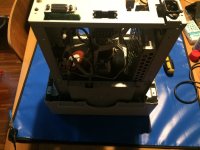
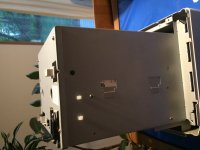
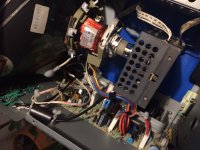
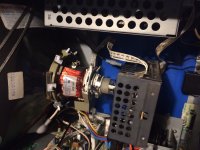
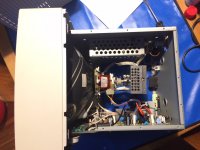
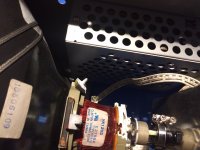
So the biggest challenge in terms of putting it back together are all the cables, it's a but of a maze but everything can easily be put back together. Out of 5 I would rate this take apart a 2, as in not too difficult. In fact, I left it in pieces for about a month and used the PDF I posted in this thread as a guide. It's a pretty nifty little screen.

Someone offered a cable but if no one has one I will see if I can find out how it gets wired and make a cable. It should be easy to put a cable together, at least I think it should.

Ok so some pics:

I apologize for the low quality but it was at night and this is off a 5S which is not the greatest with lo-light so some are grainy.

MO400_Apple Hi-Resolution Monochrome Display_IMG_0495.JPG

MO400_Apple Hi-Resolution Monochrome Display_IMG_0499.JPG

MO400_Apple Hi-Resolution Monochrome Display_IMG_0485.JPG

MO400_Apple Hi-Resolution Monochrome Display_IMG_0486-1.JPG

MO400_Apple Hi-Resolution Monochrome Display_IMG_0487-1.JPG

MO400_Apple Hi-Resolution Monochrome Display_IMG_0489.JPG

MO400_Apple Hi-Resolution Monochrome Display_IMG_0490.JPG

MO400_Apple Hi-Resolution Monochrome Display_IMG_0491.JPG

MO400_Apple Hi-Resolution Monochrome Display_IMG_0492.JPG

MO400_Apple Hi-Resolution Monochrome Display_IMG_0493.JPG

 
Last edited by a moderator:
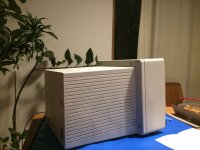
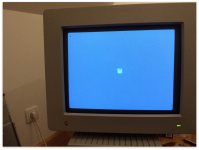
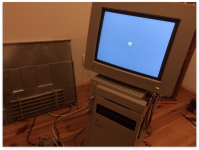
I know it's been a while but I was waiting for the correct Apple part cable and I've connected it to the Quadra 950 and the monitor works beautifully. I had to make a few adjustments in the back to stabilize the image and bring down brightness. The image has no burn in at all and incredibly stable. This is a really beautiful screen, love those greyscale/black and white CRTs. Now I have to get a 50 to 68 pin converter for the machine, will likely convert the main 50 pin on the logic board to 68 pin and settle the machine to 68 pin all around.

Images look a little yellow but I was using indoor lighting. Sorry about that.

There are some final tweaks I need to make to the image to center it and so on but I thought folks might like to see the results — just to close this post as it were.

Screen Shot 2018-01-06 at 6.48.32 PM.png

Screen Shot 2018-01-06 at 6.48.37 PM.png

Screen Shot 2018-01-06 at 6.48.42 PM.png

Screen Shot 2018-01-06 at 6.48.47 PM.png

 
Last edited by a moderator:
Back
Top