• Hello Guest! We're hosting a challenge to welcome vintage Intel macs to the MLA during the month of July! See this thread for more information.

Microspot Backgrounder & MacPalette II Error

Thanks to @GameMan370, I now have working color ribbons for my IW II.

However, I’m having a problem with the MacPalette II driver. After I print a full color document, if I decide to print a second document (or another copy of the previous document), I get an error from Microspot Backgrounder telling me that the “Selected Port is in use by another application” and the IW II does nothing.

I have my IW II connected to my B&W G3 using a Keyspan USA-28 adapter. I am using the printer port in Chooser (serial port option does nothing). AppleTalk is disabled. Currently running OS 9.2.1

Pic of the error message:
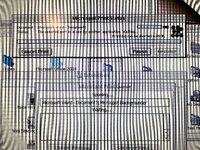
IMG_2079.jpeg
 
Hi,

Never heard of this alternate driver; what benefits does it provide over the stock IW driver? As it's pretty early late OS 6/early OS 7 software it might be an incompatibility here over anything else - try it on an older Mac perhaps without Keyspan bridge running < OS 7.6
 
Never heard of this alternate driver; what benefits does it provide over the stock IW driver
It allows you to print in color on the IW II.

MS Word and Acrobat Reader have no way of telling the IW II to print a document in color at the print prompt. The MacPalette II driver (which replaces Apple’s IW II driver in Chooser) supposedly fixes this problem.
Try it on an older Mac perhaps without Keyspan bridge
Will do. I always seem to be slightly ahead of the times with software. 😎
 
Hum, you might struggle there. Isn't MacPalette about a decade older thant the G3, USB and the Keyspan adapter? Even more so compared to 9.2.1.

I'm pretty impressed that in even does the first print 😆

Or did MicroSpot keep updating it?
 
It's only the demo, but a while back I uploaded the demo of version 2.5 as part of MacDraft here : http://macintoshgarden.org/apps/macdraft-51

That version of MacDraft is from like, 2003, so perhaps, possibly, that version of MacPalette is new enough to fix your issue.

Not sure what the demo limitations are. Perhaps you could email MicroSpot and beg for a newer version of the newest version they have. See if they'll sell you one.

MicroSpot are still going (last time I checked) support the old school long term Mac Developers :) there aren't many left!
 
It's only the demo, but a while back I uploaded the demo of version 2.5 as part of MacDraft here
I downloaded both the zip and iso version. When I unstuff the zip version in 9.2.1, I get an error message stating that one of the files is damaged and nothing appears in the unstuffed folder.

The iso version shows up as a PC file in 9.2.1 and StuffIt Expander immediately closes.
 
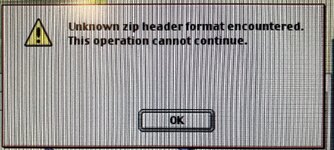
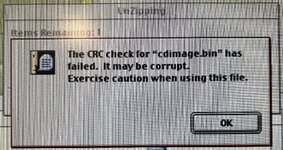
I also tried downloading the same link from the Macintosh Repository. I get these errors:
View attachment 100823View attachment 100824

I'm not quite sure what you're trying to do to the poor iso and bin cue images. You don't open iso disk images in a decompression program, they're not compressed. Either mount it (Toast or http://macintoshgarden.org/apps/virtual-dvd-romcd-utility ), or burn it to a CD.

More generally use MacZip to decompress zip files on classic Mac OS http://macintoshgarden.org/apps/maczip-106
Stuffit isn't any good at unzipping.
 
I'm not quite sure what you're trying to do to the poor iso and bin cue images
All I did was download your zip file from the Garden using my W520. I then saved the downloaded file onto a USB stick, plugged it into my B&W G3, and used StuffIt to decompress the file. Same process I’ve done a million times before.
Stuffit isn't any good at unzipping
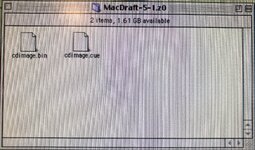
Unless I’m missing something here, MacZip isn’t faring any better. I downloaded version 1.06, dragged the MacDraft 5.1 zip file directly onto the MacZip icon, and all I get are a .bin and .cue file:
IMG_2113.jpeg
 
Back
Top