But it could be if you're using a Backronym.Just so you know, and sorry about that, but: Mac is short for Macintosh. You do not write it in ALL CAPS. Thank you.
 MAC is not an ACronym.


But it could be if you're using a Backronym.Just so you know, and sorry about that, but: Mac is short for Macintosh. You do not write it in ALL CAPS. Thank you.
MAC is not an ACronym. 

Indeed there is no support for hardware cursor in 6/7/8. I also have the hardware cursor (albeit smaller at IIRC 32x32, a clone of what available in Brooktree DACs in SPARCstations, also with a limited number of colors) but it's only useful in X11.
At that size, if the sprite is full-color (same depth and CLUT as the display), then it could replace the SW implementation.
Maybe it could be used by hijacking some of the QD functions - but it's likely going to be quite difficult to implement.
 github.com
"True" hardware cursor, in the style of Brooktree, don't rely on a blitter - do you use what I would describe as an "offscreen cursor" ? (stored in additional VRAM beyond the picture, perhaps alongside a copy of the area it replaces?)Even if the sprite is too shallow, you could limit it to black-and-white cursors — which is most of them. A more significant limitation would be the lack of XOR mode in the blitter, used in the I-beam cursor for example.
Interesting. Does your reimplementation only cover the original QD, or the entire Color QD ? It appears to be mostly C/C++ (with a tiny bit of 68k ASM), and it makes me wonder whether some of it could be used as the basis for acceleration code. I limited myself to low-level variant(s) of BitBlit because the upper level stuff was too complex to reimplement, but if you already have done the work it might bear revisiting...It's not out of the question. Here's a proof of concept for how it could work:
QuickDraw per se is untouched, and no traps are patched — only some jump vectors in low memory are rerouted. That is, in fact, how it works in my reimplementation of classic Mac OS — though just how closely it resembles the real thing is a topic I haven't investigated.
metamage_1/68k/modules/ams-core/cursor-core.cc at master · jjuran/metamage_1
Metamage open source, general repository, iteration 1 - jjuran/metamage_1
Indeed there is no support for hardware cursor in 6/7/8. I also have the hardware cursor (albeit smaller at IIRC 32x32, a clone of what available in Brooktree DACs in SPARCstations, also with a limited number of colors) but it's only useful in X11.
At that size, if the sprite is full-color (same depth and CLUT as the display), then it could replace the SW implementation. Maybe it could be used by hijacking some of the QD functions - but it's likely going to be quite difficult to implement.
 Same as with the P-Vision, I will publish a complete register description of the DoubleVision. The mouse sprite is 3 colors and has its own independent palette, so it has constant appearance no matter if a CLUT or RGB color mode is displayed.
 What does that mean and what is it used for on Amigas, practically?
, a menu bar on top (even when it is invisible), and with the mouse, you can select the menu bar, click and hold the left mouse button, and then you can move the screen up- and downwards, like a curtain.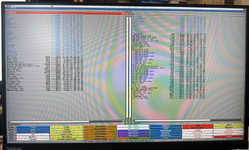
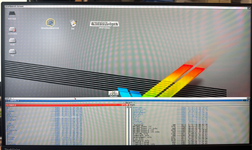
Thinking of screens, plural, on Mac, QD basically define a massive 64Ki*64Ki (16-bits signed values) area, and each display is just a small subset of that - obviously the primary screen is anchored at (0,0). They can have their own resolution and depth independently. It's very convenient for the user but as mentioned previously, makes it less than obvious what's going on if you don't go through QD.
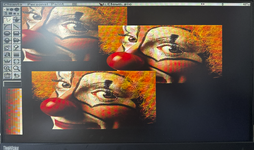
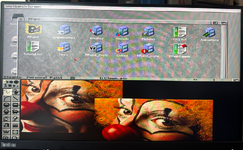
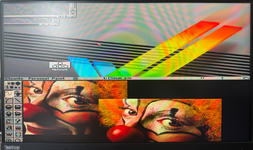
"True" hardware cursor, in the style of Brooktree, don't rely on a blitter - do you use what I would describe as an "offscreen cursor" ? (stored in additional VRAM beyond the picture, perhaps alongside a copy of the area it replaces?)
Also, if you're recording a screencast, the software cursor loses information about the cursor and generates otherwise superfluous screen updates instead of simpler cursor movements (or other changes).In the Brooktree style, the cursor bitmap is stored directly in the DAC, alongside its coordinate. When the HW cursor is active, inside the cursor area the DAC simply ignores the data coming from the framebuffer and use those from the cursor bitmap instead wherever the cursor bitmap is not set to "transparent". The content of the framebuffer underneath the cursor is never changed at all. It's very efficient.
github.com
Interesting. Does your reimplementation only cover the original QD, or the entire Color QD ?
It appears to be mostly C/C++ (with a tiny bit of 68k ASM), and it makes me wonder whether some of it could be used as the basis for acceleration code.
I limited myself to low-level variant(s) of BitBlit because the upper level stuff was too complex to reimplement, but if you already have done the work it might bear revisiting...
There was support added, as documented in "Designing PCI Cards and Drivers for Power Macintosh Computers" (p513). However, I have never seen the relevant status/control codes called on any 68K version of the system I've tried :-(Most PCI PowerMacs have a hardware cursor, and I believe MacOS *does* use it. @joevt or @dingusdev would know more though.
Similar to X11; the Mac is much more simple - an application can change the screen settings if it really wants to (usually, games), but everything is displayed with whichever parameters are currently set on the display(s) they are on. So a large enough window could spread over three displays and have a part displayed in B&W, a part in 4-bits and a part in 8-bits... provided it was written entirely to Apple's specifications. Some applications (again - usually, games) would take shortcuts and don't play so nice on multi-display.On Amiga, any application can open its idividual screen with its own display parameters
Thanks for the explanations.(...) you can select the menu bar, click and hold the left mouse button, and then you can move the screen up- and downwards, like a curtain.
Which was a distinct benefits at the time; however, it probably didn't help with multiple displays where you have no choice but to copy data from one to the other. Multi-display/multi-screen was a big selling point of NuBus Macintoshes in some markets that were critical for Apple at the time. Workstations with X11 could do multiple displays, but before Xinerama (1998) they couldn't move from one to another easily. It was new when on a '87 Mac II you could just drag a window from one display to another, and even leave it in the middle with parts on both displays.And this all being accomplished WITHOUT moving a single pixel byte in memory.
Yes, I think that one you can save some area in the FPGAI'm not suggesting that these features are applicable in MacOS, it's basically what this graphics card is going to get "for free", since the core has already been developed.
68k Mac just need a dumb framebuffer, and maybe some acceleration if it can be done. ) asked for "real" resolutions - to get full screen 640x480 instead of a small area in the middle of a huge screen. Reconfiguring the FPGA PLL was the big challenge. To this day, there's an issue when changing resolution or depth, where the screen comes back a bit offset as for reason unknown the DMA engine and the Raster engine goes out of sync. I've never been able to fix that f*****g issue :-( (and it really annoys me, I rewrote the hardware reset code like a dozen times). Fortunately it can be "fixes" by ... changing again until it works (yuck!).True. DingusPPC has hardware cursor emulation for ATI graphics cards, and built-in graphics controllers (Most PCI PowerMacs have a hardware cursor, and I believe MacOS *does* use it. @joevt or @dingusdev would know more though.
control and platinum) used by Power Macs. sixty6 doesn't use a hardware cursor. Other graphics controllers aren't implemented yet.


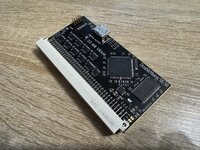
Nice looking card - the internal HDMI port will be handy for in a few more years when all the CRTs are dead due to failed flybacks and worn out tubes and we're all fitting LCDs under curved perspex bowlsSo, first prototype assembled….
View attachment 95274
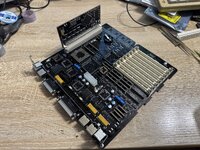
And it already makes a great addition to my soon to be completed SE/30 restpration project.
View attachment 95275
To be continued….

Nice looking card - the internal HDMI port will be handy for in a few more years when all the CRTs are dead due to failed flybacks and worn out tubes and we're all fitting LCDs under curved perspex bowls
That is indeed an intended use-case, especially since the card will be able to mirror the output of the internal video on the HDMI.Out of curiosity - how are you finding it writing software targeting the Mac OS, as in user facing software? I'm an absolute amateur, but have always found it a weird mix of super easy and supper obstructive. Things like GUI tools to lay out a dialogue box, but then you have to faff about converting things into Pascal format to pass to toolbox functions and it is technically the application's responsibility to run the Mac GUI.
You're welcome, it's really fun doing something different besides my Amiga projects.This project is groovy! Hyped to see where this goes. Thank you for everything you do for the retro computing community
So I guess it depends which "virtual" NuBUS Slot range I am using, right? This is, btw, something I can keep configuratble by using the FPGA flash.
Beware the pseudo-slot range is "associated" to an IRQ (loosely, but it's easier to do the SW when respecting it), as those you're supposed to use are connected to a VIA - you're not supposed to use /IPL[2..0] directly, only IRQ[3..1]. The unused one should be high-Z to play nice with other cards/functions. You can't skip the VBL interrupt it's required for the mouse to function. You can share the IRQ between multiple functions in the same range if you want to (example in my DeclRom).
If you don't have onboard switches, then yes you'll likely need a different bitstream for each of the three possibilities (hardwired)
, but that should be trivial as except for the IRQ pin and which address range to match, nothing else will change if the SW is correctly written. On NuBus you can do this dynamically as NuBus slots have a few pins that are either floating or pulled down as "geographical address" so the hardware/ROM can easily identify where they're supposed to be, rather than hardwiring anything.
Does a video declaration ROM need a dedicated IRQ at all?
Even easier, the FPGA has a specific 32K area where I can store code and data. So when I have a cold or warmstart, a state-machine fetches the parameters and updates the registers. Works very well on my sound card to store mixer settings.
Where would you recommend to put the 32MB framebuffer? I was considering to use a location outside of the NuBUS range (e.g. 0xfc000000 - 0xfdffffff), only putting the declaration rom and hardware registers in the NuBUS area.
Since I can snoop pretty much every memory access from the 68030 on the FPGA, that might be another method to decide where I map my ressources.
The older systems are not very well protected or architectured, so ultimately you can do almost anything... but it's a lot easier and safer (in terms of SW compatibility) to stick to Apple's rules.
A framebuffer needs an IRQ for the mouse as mentioned; normally, it is the IRQ dedicated to that (pseudo-)slot (for NuBus one unique IRQ line is hardwired in the physical slot, one or more of those are connected to the PDS instead on machine with PDS).
As mentioned - you can step out of those rules, but then it makes the SW a lot bigger issue.
The non-volatile RAM on the motherboard (known as Parameter RAM or PRAM in old Macs) is where boot-time resolution/depth is meant to be stored. You can probably store it elsewhere, but IIRC the Mac system needs to be told as well so the appropriate resolution/depth is selected when opening the Monitor (or Monitor&Sound, depending on the version) control panel.
If you need the full 32 MiB to be contiguous, then that's what the super slot space is for - but it's unusual for it to be used (very few applications needed that much range back then), so there may be some compatibility issue with exotic software (as usual, read: mostly games!).
You could also double-map in both spaces, so the actual framebuffer (8 MiB is enough for 1920x1024/32-bits) is mapped in the standard slot space, and everything is accessible for off-screen use in the super slot space.
In the *FPGA, I map 8 MiB in the standard slot space and use the other 8 MiB for control registers, interface to the acceleration engine, etc. The other 248 MiB of memory can be unmapped (IIRC that's what happen for my DMA-based RAM disk), mapped in the super slot range (direct-access RAM disk), or in the IIsiFPGA mapped into the RAM range for memory expansion by a ROM patch. I have on my TODO list to patch the Q650 ROM for the same purpose, but I've yet to finish that job (and the Quadra PDS connector is entirely unavailable by now unless buying 200 of them at once, so unfortunately that has very limited interest).
... all that is for 32-bits addressing. 24-bits addressing is probably useless with a design like this (24-bits addressing limit you to 1 MiB per slot!).
Also there's some machine-specific ranges below $9000_0000 that are occasionally described as "slot space" by Apple, beware those can have "interesting" behavior (e.g. the IIfx uses some of that range in the PDS for 40 MHz accesses while the normal pseudo-slot $E is accessed via buffering at only 20 MHz...).
At least at first for bring-up, I recommend sticking to Apple's specification. It helps to play nice with other installed hardware and the full range of software (system and user).