• Hello MLAers! We've re-enabled auto-approval for accounts. If you are still waiting on account approval, please check this thread for more information.

Power Mac 6500 USB and ethernet cards

indibil

6502
Hello.

A few days ago I received a Power Mac 6500/250 that works fine. I've installed Mac OS 7.6.1, 8.6, and 9.1 on different partitions.

I wanted to add USB and Ethernet support, so I added an NEC USB 2.0 card that I usually use in my G3 and G4, and a Realtek RTL8139B Ethernet card that I had lying around.

I used these drivers in both OS8 and OS9:

https://www.macintoshrepository.org...9c-l-rtl8139d-l-rtl8100-l-rtl8130-rtl8139b-l-

https://macintoshgarden.org/apps/usb-adapter-card-support-146

After installing the drivers, on both operating systems, System Profiler shows a USB card, but when I connect an Apple keyboard and mouse, nothing works; neither Caps Lock nor anything else lights up. The Ethernet card isn't even listed, and I don't know how to verify that the driver is making it work.

Am I missing a step? How can I at least get the USB port working?

I also have a USB/FW card that works fine on the G3 and G4. Could it work on the 6500 and give me access to the FW port?

Thanks.
 
Hello.

A few days ago I received a Power Mac 6500/250 that works fine. I've installed Mac OS 7.6.1, 8.6, and 9.1 on different partitions.

I wanted to add USB and Ethernet support, so I added an NEC USB 2.0 card that I usually use in my G3 and G4, and a Realtek RTL8139B Ethernet card that I had lying around.

I used these drivers in both OS8 and OS9:

https://www.macintoshrepository.org...9c-l-rtl8139d-l-rtl8100-l-rtl8130-rtl8139b-l-

https://macintoshgarden.org/apps/usb-adapter-card-support-146

After installing the drivers, on both operating systems, System Profiler shows a USB card, but when I connect an Apple keyboard and mouse, nothing works; neither Caps Lock nor anything else lights up. The Ethernet card isn't even listed, and I don't know how to verify that the driver is making it work.

Am I missing a step? How can I at least get the USB port working?

I also have a USB/FW card that works fine on the G3 and G4. Could it work on the 6500 and give me access to the FW port?

Thanks.

There is a bug in the firmware on 6500s that stops 'PCI Hubs' from working. The NEC chips actually register as more than one PCI device.

So, short term, try all the different ports, it is likely that some work and some don't. Long term, you want to run the patch that makes PCI hubs work. I'll find a link for you in a second.

But long story short, NEC cards are good and it can be made to work.
 

Run the linked program. It loads a script into the NVRAM that runs at power on (you need a battery to keep it there).
 
Thank you so much! I'll try it this afternoon.

My battery isn't working anymore. If I don't unplug it, if I run the script and restart, will it work?

Otherwise, I'll have to provide 4.5V somehow temporarily where the battery connects.
 
Thank you so much! I'll try it this afternoon.

My battery isn't working anymore. If I don't unplug it, if I run the script and restart, will it work?

Otherwise, I'll have to provide 4.5V somehow temporarily where the battery connects.

The patch is stored in NVRAM, so it doesn't need the battery to keep the data in there.
It should only be necessary to repatch if the NVRAM is wiped, either manually or due to System Software installations potentially wiping it.
 
Yes, I understood that. I meant having a working battery to run the patcher. I gather that if I run the script and restart, without powering off and on again, I can do it even if the battery is dead.
 
Yes, I understood that. I meant having a working battery to run the patcher. I gather that if I run the script and restart, without powering off and on again, I can do it even if the battery is dead.
The patch will stay there until you fully power down for more than a few seconds. Might even stay until you unplug the computer, I forget. But yes, it survives restarts.

If you're only using a USB mouse, keep it plugged into a port that works without the patch.

BTW, this control panel helps make some touchpads and mice behave - I find some Logitech devices keep constantly moving to the right without it : https://macintoshgarden.org/apps/usb-overdrive-14
 
Otherwise, I'll have to provide 4.5V somehow temporarily where the battery connects.
Buy something like this :

https://ebay.us/m/SNHC8W

And attach the connector from the original battery to it (solder and heatshrink - if you can't solder, it shouldn't be difficult for a friend that can). Stick it down with Velcro or double sided adhesive foam.

The clock circuit only needs around 3v (actually less) to function, even on machines that came with a 4.5v battery. But buy a good quality coin cell battery. I've been using the same ones in some of my machines for several years.

The holder also has a switch, so if you're putting it away for a while, you can switch off the battery to make it last longer.
 
Last edited:
Hello.

I just tried it and nothing has changed. The USB card still isn't working; I don't even have power on it, and neither the mouse nor the keyboard lights up. Apple System Profiler shows the same information as before.

I ran the patcher. The first time, it said there were 0 KB in that part of the NVRAM, and it installed. After restarting, I tried installing it again, and it said there were 190 KB in that space, so I understand it's installed.

Could there be anything else wrong?

Thanks.

1765813363705.jpg
 
The patch is stored in NVRAM, so it doesn't need the battery to keep the data in there.
It should only be necessary to repatch if the NVRAM is wiped, either manually or due to System Software installations potentially wiping it.
If that’s true then what’s the point of the battery?
 
Hello.

I just tried it and nothing has changed. The USB card still isn't working; I don't even have power on it, and neither the mouse nor the keyboard lights up. Apple System Profiler shows the same information as before.

I ran the patcher. The first time, it said there were 0 KB in that part of the NVRAM, and it installed. After restarting, I tried installing it again, and it said there were 190 KB in that space, so I understand it's installed.

Could there be anything else wrong?

Thanks.

View attachment 93317
Try running this installer :

 
Either download attached here, or reinstall USB from an OS installer then. The USB stuff needs to be installed after a card is fitted unless you carefully select the exact right options manually.

Also, you're blocked from Macintosh Garden. Probably means you are using a VPN or in a country that they get attacked from. Or have done something he doesn't like.
 

Attachments

Either download attached here, or reinstall USB from an OS installer then. The USB stuff needs to be installed after a card is fitted unless you carefully select the exact right options manually.

Also, you're blocked from Macintosh Garden. Probably means you are using a VPN or in a country that they get attacked from. Or have done something he doesn't like.
Thanks, I already installed these drivers, as I mentioned in my first post, and it's not working.I've downloaded from Macintosh Garden many times, but I haven't been able to access it for a few days now, and I don't know why. I haven't done anything wrong :).I'm in Spain.
 
Make a serial connection to the modem port of the Power Mac 6500. On the other computer, startup a serial terminal app. Boot into Open Firmware, gather some info with this command.
dev / ls unselect-dev " devalias" evaluate " printenv" evaluate dump-device-tree words

Maybe try without the Ethernet card. Just the USB card.

More reading:
https://forums.macrumors.com/thread...l-work-in-a-beige-power-macintosh-g3.2303689/
https://68kmla.org/bb/index.php?threads/the-great-gazelle-pci-hack-thread-part-2.38360/

Get info about the PCI devices:
https://tinkerdifferent.com/threads/apple-network-server-macos-based-roms-found.4756/post-42356

It looks like the USB card is correctly showing itself in Mac OS 9. Click the disclosure triangles of each PCI device to see more info?
 
I have this exact issue on an 8500/G3 with an Orange Micro USB card that apparently is an NEC card in disguise. You mention the “no power” thing, which I have as well. What’s interesting is it DOES provide power for a couple seconds on boot, verified by a pair of USB powered speakers that illuminate when powered.

The other interesting thing is it works perfectly on the same machine under 10.2.8. Just not 9.2.2.

Here’s my thread on it, in case any of the information is helpful. I still have not solved it:

 
I have this exact issue on an 8500/G3 with an Orange Micro USB card that apparently is an NEC card in disguise. You mention the “no power” thing, which I have as well. What’s interesting is it DOES provide power for a couple seconds on boot, verified by a pair of USB powered speakers that illuminate when powered.

The other interesting thing is it works perfectly on the same machine under 10.2.8. Just not 9.2.2.

Here’s my thread on it, in case any of the information is helpful. I still have not solved it:


Thanks for this information.

I'll follow your thread to see if we can find a solution. I can't use OSX; the highest version I can use is 9.1.

I was considering the possibility of a hardware problem with the PCI riser, but if it works under OSX in your case, then it can't be that.

I also tried a VIA USB PCI card, but I got the same result.

:)
 
I've tried both OS 8.6 and OS 9.1 without the Ethernet card, and I get the same result: there's no power to the card.

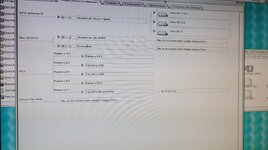
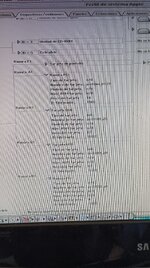
The photo shows the PCI device information (the Ethernet card was still there; it has an 8139 chip, but it seems to be recognized as 8129, which might explain why it's not working).

1765896563671.jpg
 
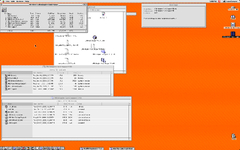
I've included some OpenFirmware dumps and System Profiler screenshots both pre and post bridge FW patch.
Unfortunately my 6500 has decided it doesn't want to play nice with my Radeon 7000... again, so it's getting a timeout unless something is needed from OF directly. This is a long-standing on&off issue, pretty sure the 6500 is just a trash machine that isn't worthy of my time, but of course I don't have any other PCI machines to test the card in nor any other Mac-firmwared PCI cards that work in my 6500... And naturally the GF2MX doesn't work in Macs this old so I can't test with one of those.

I always figured the USB issue was my current card being too new to work with these older machines/drivers. Back in the day I had an older NEC card with a QFP chip instead of the modern BGA one, and that older card worked in everything I recall tossing it in.
In this case I was testing with an ancient 512MB Transcend JetFlash USB flash drive that I used to use with Macs of this age and is still formatted as such, as well as a USB mouse. Nothing ever lit up or showed up while trying multiple ports on the card.

Perhaps someone knows how to decipher the errors in the System Profiler's USB log window?

As a side note I was observing the same issues under Mac OS 8.6, you can see the collections of extensions I had been trying at the time.
USB multiversions.PNG ASP USB Events 1.5.5 post-p.png PXL_20251216_163121919.3.jpg
 

Attachments

Last edited:
Back
Top