0 > boot /pci@f2000000/mac-io@17/ata-4@1f000/disk:,\System%20Folder\MAC%20OS%20ROM
Check
devalias to see if there's an alias that you can replace
/pci@f2000000/mac-io@17/ata-4@1f000 with.
You usually don't need both the name (before @) and the unit address (after @) unless there's multiple nodes with the same name.
So these should also work:
/pci/mac-io/ata-4
/pci/@17/ata-4
\System%20Folder\MAC%20OS%20ROM should be replaceable by
\\:tbxi
\\ means blessed system folder
:tbxi means file with type tbxi
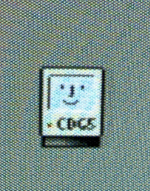
I don't know what the CDG5 code is, unless it's a French reference to Charles De Gaulle, but it looks interesting and it's a happy Mac.
The name is described in
@elliotnunn 's web page at
https://elliot.nunn.au
I don't think anyone has made a G5 boot Mac OS 9 yet, so this software is more like a "CDG4".
This ROM is an executable.
Not sure what you mean by "executable". All the Mac OS ROM files are tbxi files and therefore not executables. A Mac OS 9 executable has file type APPL. A Mac OS X executable is usually a macho file.
Perhaps it needs a pointer to a System Folder even though the ROM file is *in* the System Folder? I had originally installed the 'proper' Mac OS 9.2.2 for the ATI eMac and subsequently I ended up running Classic in order to use Stuffit Expander to open the new Mac OS ROM file which then offered to update some System files. Maybe that screwed it up?
Maybe. I've never used the software so I don't know how it works.
I wondered if it didn't get further than the Happy Mac, because there wasn't a PPC disk driver. But in reality, there appears to be 4 68000 drivers, but no PPC disk drivers on the partition map (it's an Apple Partition Map drive, which I think it needs to be for Mac OS 9).
It looks like your drivers are ok. Compare with the info below:
I would use Mac OS X Disk Utility.app to create a partition map with Mac OS 9 drivers. I can do this on my Intel Mac with a Parallels Desktop for Mac virtual machine running Mac OS X 10.5.8. It works with disk images and external Fire Wire drivers and maybe some other types of drives.
The command like can also create a disk image with the Mac OS 9 drivers:
hdiutil create -size 500m -layout "UNIVERSAL HD" -fs HFS -volname "MacOS9.2.2" ~/Disks/MacOS922.dmg
The disk looks like this:
Code:
diskutil list disk2
/dev/disk2
#: TYPE NAME SIZE IDENTIFIER
0: Apple_partition_scheme *500.0 Mi disk2
1: Apple_partition_map 31.5 Ki disk2s1
2: Apple_Driver43 28.0 Ki disk2s2
3: Apple_Driver43 28.0 Ki disk2s3
4: Apple_Driver_ATA 28.0 Ki disk2s4
5: Apple_Driver_ATA 28.0 Ki disk2s5
6: Apple_FWDriver 256.0 Ki disk2s6
7: Apple_Driver_IOKit 256.0 Ki disk2s7
8: Apple_Patches 256.0 Ki disk2s8
9: Apple_HFS MacOS9.2.2 499.1 Mi disk2s9
My
dumpvols.sh script can list the partitions of a disk or all disks so you can see how the partitions and volumes change when you do an install or whatever.
https://gist.github.com/joevt/a99e3af71343d8242e0078ab4af39b6c
It shows that the SCSI and ATI drivers are 68K. Here's an example disk (the first 8 partitions are the Mac OS 9 drivers which are always the same):
Code:
APM 1 @ 1: Partition Map contents (10 partitions)
1: 63 @ 1 Type:"Apple_partition_map" Name:"Apple" Status:00000003=Valid,Allocated
2: 56 @ 64 Type:"Apple_Driver43" Name:"Macintosh" Status:00000103=Valid,Allocated,ChainCompatible BootSize:11286 BootCksum:0x0000F1F0 Processor:"68000" Pad1:70744452 = 'ptDR' = kPatchDriverSignature
3: 56 @ 120 Type:"Apple_Driver43" Name:"Macintosh" Status:00000303=Valid,Allocated,ChainCompatible,RealDeviceDriver BootSize:18142 BootCksum:0x0000040F Processor:"68000" Pad1:00010600 = kSCSIDriverSignature
4: 56 @ 176 Type:"Apple_Driver_ATA" Name:"Macintosh" Status:00000103=Valid,Allocated,ChainCompatible BootSize:10490 BootCksum:0x00007EB4 Processor:"68000" Pad1:70744452 = 'ptDR' = kPatchDriverSignature
5: 56 @ 232 Type:"Apple_Driver_ATA" Name:"Macintosh" Status:00000303=Valid,Allocated,ChainCompatible,RealDeviceDriver BootSize:17254 BootCksum:0x00003417 Processor:"68000" Pad1:77696b69 = 'wiki' = kATADriverSignature
6: 512 @ 288 Type:"Apple_FWDriver" Name:"Macintosh" Status:00000003=Valid,Allocated
7: 512 @ 800 Type:"Apple_Driver_IOKit" Name:"Macintosh" Status:00000003=Valid,Allocated
8: 512 @ 1312 Type:"Apple_Patches" Name:"Patch Partition" Status:00000003=Valid,Allocated
9: 203024 @ 1824 Type:"Apple_HFS" Name:"Untitled" Status:C0000033=Valid,Allocated,Readable,Writeable,MountedAtStartup,Startup
10: 16 @ 204848 Type:"Apple_Free"
So, curious. Hey,
@joevt : you know a lot about the modified MAC OS ROM 10.2.1; I'm reading about it on macos9lives.com:
Modified ROM Updates (Generic & iBook)
macos9lives.com
I don't know about the modifications that make Mac OS 9 work on unsupported Macs. I only talk about Open Firmware, the checksum of the Mac OS ROM file, and the organization of the Mac OS ROM file.
I've seen some stuff to do with running OF code from a Mac HD something about reading it into a script and convert it into Forth byte code. But your code snippet:
Code:
decimal
1 load-base load-size 14 - adler32
load-base load-size + 12 - 12 ['] eval catch if
    2drop ." , bad checksum value" -1
then
<> if
    ." , checksum error"
    abort
then
hex
doesn't make sense to me, because if it replaces the MAC OS ROM, where does the real MAC OS ROM go? OK, your next message seems to start explaining that: "The Mac OS ROM file begins with some stuff that looks like XML or HTML and the Open Firmware code is contained within that.."
My code snippet that you quoted is code that is inside the
<BOOT-SCRIPT> part of the Mac OS ROM file. It is the code that calculates the checksum and compares the checksum and reports an error if the checksum doesn't match.
OK, so a bit further on I'm reading about OS9 ROM Fixer and ataboot.py, but also OS9 ROM Fixer doesn't work on Tiger. Do I even need this?
If you're not making changes to the ROMs then you don't need to fix the checksum. If the ROM is correct then you don't need to check if the ROM is correct. We can't actually check if a ROM is correct without trying it, but we can check for known requirements such as the correct file type, a correct checksum, and the existence of a resource fork.
OK, so reading another topic, I think it doesn't allow you to format for OS 9 drivers, because the Mac already thinks that OS 9 isn't properly supported.
Disk Utility not showing Apple Partition Map with os9 driver option
macos9lives.com
Wonderful. So, going to:
Installing MacOS9 HDD drivers using terminal in OS X
macos9lives.com
Means you have to install the Mac OS 9 drivers at the beginning; which implies that I have to reformat and install Mac OS 9 and Mac OS X all over again. Gosh.
You can save each partition to a disk image, then reformat the drive with the OS 9 drivers, add partitions, then use Disk Utility Restore to restore the partitions from the disk images to the partitions on the drive.


 everymac.com

 "
"