
-
 Hello Guest! The forum software will be upgraded weekend of 06/26. See this announcement thread for more information.
You are using an out of date browser. It may not display this or other websites correctly.
You should upgrade or use an alternative browser.
You should upgrade or use an alternative browser.
BlueSCSI SD card prep
- Thread starter Andrew18489
- Start date

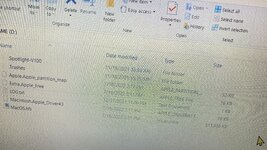


I've found that I had to do an exFAT format with diskpart via command line to get a consistent format that the thing would recognize.

It has specified it is in exact. Do I need to do anything with the.zip? I did rename it to hd10-512-MacHD.hda
I fixed that now by downloading the.zip again.
Now I get this in log.txt but no boot
BlueSCSI <-> SD - https://github.com/erichelgeson/BlueSCSI
VERSION: 1.1-20220404-USB
DEBUG:0 SCSI_SELECT:0 SDFAT_FILE_TYPE:3
SdFat version: 2.0.6
SPI speed: 50Mhz
SdFat Max FileName Length: 32
Initialized SD Card - lets go!
Sd MID:3 OID:SD
Sd Name:SK32G
Sd Date:7/2015
Sd Serial:1512055730
- hd10-512-machd.hda / 18136144bytes / 17711KiB / 17MiB
ID:LUN0:LUN1:
0:----:----:
1: 512:----:
2:----:----:
3:----:----:
4:----:----:
5:----:----:
6:----:----:
Finished initialization of SCSI Devices - Entering main loop.
BlueSCSI <-> SD - https://github.com/erichelgeson/BlueSCSI
VERSION: 1.1-20220404-USB
DEBUG:0 SCSI_SELECT:0 SDFAT_FILE_TYPE:3
SdFat version: 2.0.6
SPI speed: 50Mhz
SdFat Max FileName Length: 32
Initialized SD Card - lets go!
Sd MID:3 OID:SD
Sd Name:SK32G
Sd Date:7/2015
Sd Serial:1512055730
- hd10-512-machd.hda / 18136144bytes / 17711KiB / 17MiB
ID:LUN0:LUN1:
0:----:----:
1: 512:----:
2:----:----:
3:----:----:
4:----:----:
5:----:----:
6:----:----:
Finished initialization of SCSI Devices - Entering main loop.
In the.zip I opened with 7 Zip it said MacOS.hda
Could you give me a link to a good premade with os 7.5?

Try the RaSCSI-Boot-7.5.3.hda_.zip
 macintoshgarden.org
Unzip it, and renmae the file to be hd10-512-machd.hda
Applications A - Z - Macintosh Garden
Unzip it, and renmae the file to be hd10-512-machd.hda
do I do anything with the.zip extension at the end of the file name?
Also, do I need to have the blank .hda with the drivers I made in Disk Jockey on the SD card? Do I have to push the reformat button on the Macintosh screen before I get this working?

I've found its best to use Basilisk II to get your HDA images ready to go before you try to use them on real hardware. I use Disk Jockey to make the size I want, mount it in Basilisk II so I can format the drive, install any system software and applications I need then copy the HDA file to my SD when I'm done. Seems to work pretty good.
Does mini vMac work at all?
I don't see why it wouldn't, provided it can use HDA files for hard drives like Basilik can.
After I set up mini vMac, how do I save it on the SD card.
I don’t have any experience with mini vMac, so I don’t know if it even supports using .hda files as hard disk images. But you just drag the .hda file in the Finder to the sd to copy it for use in the bluescsi, just like you’d copy any other file to an sd.

I've found its best to use Basilisk II to get your HDA images ready to go before you try to use them on real hardware. I use Disk Jockey to make the size I want, mount it in Basilisk II so I can format the drive, install any system software and applications I need then copy the HDA file to my SD when I'm done. Seems to work pretty good.
Does SheepShaver work for preparing images as well?
Not sure. If it supports using .hda files as hard drive images I’d imagine it would.Does SheepShaver work for preparing images as well?
A GeekyBit tutorial on YouTube said Sheepshaver does work.
Similar threads


- Replies
- 5
- Views
- 1K


