You need to relube the stepper motor mechanism on the actual hard drive. Take the HD20 apart, remove the drive. On the underside you should be able to see a big square block with a shaft in the middle. That's the stepper motor. I bought some Hetman Nr 11 Rotor oil, but any kind of rotor oil should do fine... Squirt a couple of drops on the shaft. Reconnect everything (but don't secure the HD back in place just yet, you'll need to add more lube later). Power the drive up. Wait a minute or so until the driver finishes seeking and power it down. Rinse and repeat. (do not actually rinse the thing, but I think you see what I mean...). It probably won't work straight away, so be prepared to squirt some more oil onto that shaft. When it finally mounts on the desktop, secure everything down and you should be good to go.
Of course there is still a chance that even after all of this, it still doesn't wanna work... But I revived mine a couple of months ago and it worked well for a while. Now it doesn't though but I guess a couple more drops of oils should bring it back to life.
Oh and the Classic II is 100% compatible with the HD20. So it should work.

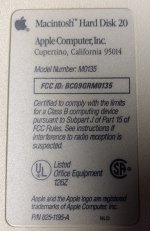 More of a discovery than a conquest, but apparently at some point I acquired an HD20. Just found it in a box this morning. Seems to spin up (sounds like the drive spinning), but is not recognized by my Classic II. I think this might be the one my dad bought shortly after he got the 512k in 1984 and before he had it upgraded to a Plus.




