• Hello MLAers! We've re-enabled auto-approval for accounts. If you are still waiting on account approval, please check this thread for more information.

White 16GB iPhone 3GS

Arths

6502
Hi guys,

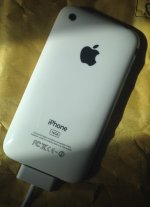
Just scored a 16 GB white iPhone 3GS which is in excellent condition.

However, it was sold as being not functional, I decided to give it a shot anyway.
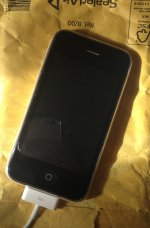
IMG_0889.JPG

IMG_0890.JPG

Battery seems to be flat dead, it is not recognized by any computer I own even in DFU.

This morning I decided to let it charge for a while, screen turned on white, that's it.

I'm able to put the iPhone in vibrate mode using the silent switch and it does so, I'm also able to trigger Voice Control and talk to it without any problem.

A new battery is supposed to arrive soon,

What do you think guys ?

 
It could be the picture, but that back looks like a third party replacement to me, just comparing the fonts to my white 3GS. It's possible someone tried to repair it and either didn't get it back together correctly or damaged something (or the battery is just dead, I suppose). 

 
You're probably right, just checked that.

Gonna try to swap the battery to see if it works. Would be sad as everything else seems to be working just fine.

Could a dead battery trigger all these symptoms like on old Macs ?

 
Last edited by a moderator:
Well I opened it and it sure seems that this iPhone has been taken apart at some point.

However everything seems to be alright, just missing a screw here and there.

Every part is working, although screen won't turn on now (was solid white before).

It is weird as the USB cable seems to bring some power to the iPhone somehow but I'm unable to get a data connection between the iPhone and a computer.

My guess is that there is not enough power going through the battery to make everything function correctly, stay tuned  :)

 
I've had a bunch of experience with the 3GS, and I believe the screen will go white like that if you don't reset the phone. if you can get it on again, try resetting the phone by holding the power and home buttons simultaneously. If a couple rounds of that don't solve the problem, then perhaps the LCD has a faulty cable.

You can find replacement LCDs for next to nothing, and it's an easy fix, as the touchscreen/glass and LCD are separate entities on that model.

c

p.s. Also, I like your avatar picture. Are you a JFK fan?

 
Last edited by a moderator:
The white display issue is concerning to me, particularly when the phone is able to start up and run long enough accept voice commands. Obviously the display backlight is getting power and working. My guess is that the display, display flex cable, or perhaps controller is at fault. Have you tried reseating the connector on the logic board? As for DFU mode, my iPhone 3G wouldn't go into DFU mode with a failed battery. It would power on eventually when connected to an AC adapter, but I suspect it wasn't getting enough current from my MacBook Pro to keep it powered on.

 
try resetting the phone by holding the power and home buttons simultaneously

p.s. Also, I like your avatar picture. Are you a JFK fan?
Sadly, tried that a few times and the screen won't turn on now.

Might change the LCD if the dock connector happens to be working.

Concerning my avatar, Thanks! I learned a lot about him and I'm interested in politics  :)

My guess is that the display, display flex cable, or perhaps controller is at fault. Have you tried reseating the connector on the logic board? As for DFU mode, my iPhone 3G wouldn't go into DFU mode with a failed battery. It would power on eventually when connected to an AC adapter
I have tried to reseat it many times and it doesn't want to turn on anymore. Maybe I was lucky last time.

As for DFU, good to know, I'll try that as soon as I have the new battery but you seem to be right, I think it only powers on when I connect it to the AC adapter, no luck with my MBP.

edit: the LCD connector seems to be damaged, maybe I did but as the screen was already solid white I guess it was toasted anyway.

 
Last edited by a moderator:
Well guys, I have some news for you.

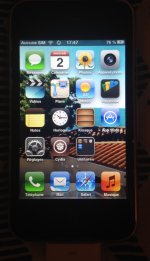
I changed the LCD and the battery and guess what, the device is working perfectly !  :)

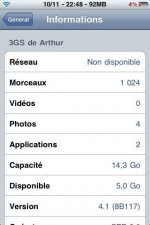
iOS 6.1.6, it is unlocked and now jailbroken  :p

IMG_0898.JPG
 
It's worth checking what your carrier means by 4G. Many wireless operators use 4G to refer to HSPA based networks because marketing says 4G sounds better than 3G. As such, if your carrier offers HSPA service on the right bands, the iPhone 3Gs will work. If your carrier is LTE only, then you're outta luck.

 
I used a 3GS last summer for awhile (I completely rebuilt it, so it's essentially like new), and it was a bit pokey, but it worked wonderfully. Thankfully there's still some 3G here in the US (2G service is going away though, which stinks since I have a very decent Nokia 5190....)

Anyway, if you can jailbreak it, it makes it somewhat more flexible. Many of the newest tweaks only support iOS 7 and 8 and up, but all the older ones are still available should you want to play around with them.

Interesting fact: you can downgrade to iOS 4.1 without any special hoop-jumping. It's even clunkier than iOS 6 on the thing (it's very basic, as features go, and app support is virtually nonexistent), but it does have the advantage of being a bit faster.

All in all, I think it's still a very decent phone, and it's good as a bottom of the barrel model, as it's probably the cheapest iPhone you'll find that can still function somewhat, unless you only have LTE in your area, in which case the 5 is the oldest you can go (which in itself isn't bad, especially if you can find one with iOS 6 on it; the 5 is built for 6, and runs very well with it).

c

 
It's even clunkier than iOS 6 on the thing (it's very basic, as features go, and app support is virtually nonexistent), but it does have the advantage of being a bit faster.
As far as I know, you can actually still download apps for iOS 4.1 even if they've been updated to only work with higher operating systems. (I've done this many times with an iPod touch 4th gen in iOS 6). This assumes, of course, that the app did once have a iOS 4.1 version published on the App store  ;)

To do it, you need to use iTunes on your computer, download the app you want, and then connect the iPhone to the computer and sync it. If everything goes well, you'll see the app appear on the home screen in the "Installing" state. When the sync has finished, long-press on the still-installing app, then delete. Then go to the App store on the iPhone, and try and download the same app. You should get a notice saying "This app isn't compatible with your device. Would you like to download the latest compatible version?" and when you say "Yes", the app should download, and install fine.

 
By the way OP, is jailbreaking worth it?
Well, once you disable multitasking it is still a pretty decent phone and as CC said there are many tweaks still available for iOS 6 so yeah why not.I'm surprised of what it can do in 2016 ????

image.jpg

 
Last edited by a moderator:
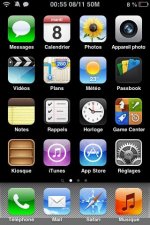
I'm guessing that screenshot is of either iPhone OS 2 or 3 (it's amazing it wasn't "iOS" then!)

I think I managed to get iPhone OS 3 on my 3G (not 3GS), and it was okay. 4 is probably the practical minimum in 2016 though; 3 is verging on too old to be useful, but if all you need is a phone, I guess even OS 1 would suffice.

Which reminds me, I actually have an iPhone 2G (the original!) that I need to diagnose and repair. I think it needs a new battery (it won't boot up, and just goes in a reboot loop).

c

 
Hehe, It's actually iOS 6.1.6 with an iOS 3 theme that you can find on Cydia.
I felt nostalgic so.. My first iDevice was an iPod Touch 2G with iPhone OS 2, which was amazing at the time.

You lucky, would love to own an original iPhone !

 
Last edited by a moderator:
I also collected a 3 gs recently, working but with a broken screen, i have ordered a new one but when the old one was removed the side bonding rubber / material (black) was too way gone to be used again.

Any idea what can be used to replace this ?

 
Back
Top