• Hello MLAers! We've re-enabled auto-approval for accounts. If you are still waiting on account approval, please check this thread for more information.

What IDE adapters are you using?

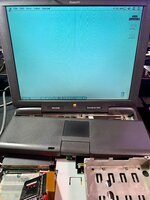
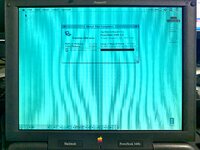
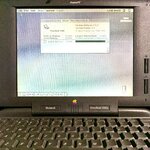
I've successfully installed Mac OS 7.6 to my PowerBook 3400c!

For those wondering here's how I did it.

I popped my SD card into my Pismo using the SD to IDE adapter. Booted into OS 9 Boot Kit v2 on a USB flash drive then formatted the SD card into 3 partitions using Drive Setup. I took out the SD to IDE adapter and plugged it into my Pismo via Firewire then ran the PowerBook 3400 Restore CD. I placed the SD to IDE adapter inside my PowerBook 3400c and voila!

IMG_8010.jpg

IMG_8012.jpg
 
Just for future reference, formatting in an SD card reader works just fine for this purpose, there is no issue.

Glad you got it to work!
 
Disk Setup is only able to deal with disk attached to SCSI and IDE internal controllers. I don’t recall being able to deal with FW, not able to deal with USB for sure.
Also don’t do low level format on flash based device, it just wear the card, not dramatic but not a good practice.

Anyway congrats, good to see you managed to get it up an running!
 
Disk Setup is only able to deal with disk attached to SCSI and IDE internal controllers. I don’t recall being able to deal with FW, not able to deal with USB for sure.
Also don’t do low level format on flash based device, it just wear the card, not dramatic but not a good practice.

Anyway congrats, good to see you managed to get it up an running!
Yes, the option to initialize was grayed out in Drive Setup. That’s why it wouldn’t work even with a USB sd card reader, @LaPorta.
 
well done..
the display (on the photo at least?) looks to have a blueish tint, so maybe the fluorescent tube in it is on the way out..
 
Since I just went through this whole process with my 3400c I figured I'd provide some input.
LaPorta dropped a comment in my thread about looking in to an SD to IDE adapter instead of the CF to IDE I was using. I went out of my way to ensure the CF card had UDMA, I read online that was needed, and a relatively old card with a small capacity (2GB). It did work but was a bit strange and unstable. After installing a driver, the system locked up and then would no longer boot successfully.

The SD card adapter (the same one posted earlier in the thread) worked a charm for me. I made up my 8.6 image in SheepShaver and just used dd to "image" the SD card. I did use disk Jockey to convert it to a drive image, though I suspect this step was not necessary.

If you're having issues with CF, I'd highly recommend that SD adapter. I bought mine along with a 3D printed carrier so it can be seated inside safely.

My guess as to why. CF cards are IDE pin compatible but present themselves as removable devices. UDMA is supposed to ensure it doesn't, and there's a billion and one technical details about this. But hunting down the specific card to meet these requirements can be iffy. This is all to say, the presentation of the storage medium to the system is the card's responsibility, since the adapter is largely passive.
With an SD card adapter, the adapter is active and must handle the "presentation" to the system. Since it's intended to replace an internal hard drive, seems only natural that it would present as an internal drive and not a removable device.

 
I usually prefer spinning disks in those older machines just to keep the feel. However, if I do go solid state (especially on SCSI-based PBs where replacements aren't easy to get), I tend to use CF cards under 16GB. Those older cards are usually more compatible and those old machines rarely have need of anywhere near that much space. SCSI-to-SD adapters usually use any card but I still usually won't use anything bigger than about 16GB (HFS is very inefficient with large volumes and SCSI PowerBooks won't boot HFS+ volumes).
Regardless, I always max RAM so I can turn off VM. Even a cheap flash disk will last nearly forever so long as they're not getting hit with constant writes from VM. (offer not valid under OS X - that OS constantly writes to the disk and it can't be turned off without adversely affecting the system).
 
Back
Top